








How Developers Can Start Building AI Applications Today
Key Highlights
This guide offers a roadmap for developers to start building with artificial intelligence.
Discover essential AI tools and frameworks crucial for modern software development.
Learn about practical AI app ideas, from chatbots using generative AI to recommendation systems.
Follow a step-by-step project management process for building your first application.
Get insights into core skills, from Python programming to understanding large language models.
Explore future trends and best practices to stay ahead in the AI landscape.
Introduction
Welcome to your 2026 guide for building artificial intelligence apps. If you are a software developer and you want to know more about artificial intelligence, you are in the right place. You do not have to be a specialist to get started with this. Now, there are many good programming languages and new tools you can use, so you can build smart apps much more easily.
This guide will take you step by step. You will learn the basics and find out how to launch your own artificial intelligence project. Let’s get started on your path to building AI.
Understanding AI Applications: What Developers Should Know
 To build good artificial intelligence apps, you have to know what they are and how they work. The first thing any developer should do is learn these foundational concepts. AI apps are not like the usual software, because they learn from data to help them make choices or guesses. This way, they use dynamic intelligence to help with specific needs.
In this section, you will go through the basics. You will get a simple meaning, and see examples like natural language processing that you find in chatbots. You will also see how an AI-powered app stands out from other software you may have built before.
Defining AI Applications in Simple Terms
At its heart, an artificial intelligence app is a type of software that can do things we usually need human thinking for. It is a program that can learn, change, and figure things out using the data it gets. Instead of using only a set list of steps, the app can spot patterns and make its own choices.
A good example of this is generative ai. These kinds of apps can make new things, like words, pictures, or code, after they learn from big sets of data. They can read and answer using natural language, so talking with them feels much more like you are talking with another person.
In short, artificial intelligence apps are made to fix problems in a smart and flexible way, better than old-style software. They look at info, guess what could happen, and sometimes handle hard creative or thinking jobs on their own. This makes them a very strong tool for people who build software.
Examples of Popular AI Apps (Chatbots, Recommendation Engines, Image Classifiers)
AI is already in your day-to-day life. You use ai solutions more than you may notice. Many well-known apps use AI to help you and offer services made just for you.
Some common examples include:
Chatbots: These are ai solutions that talk like people do. Customer service chatbots on websites are a good example. They answer your questions right away.
Recommendation Engines: Platforms like Netflix or Amazon use these tools to show you movies or products you may like, based on what you looked at or bought before.
Image Classification: This tool lets apps find and sort things in a picture. For example, your phone’s photo album can group photos with people, pets, or places.
These uses show how ai solutions can build smarter and better software. They let technology understand you more and make it fit to what you need. AI helps make your digital life easy, quick, and just right for you.
How AI-Powered Apps Differ from Traditional Applications
AI-powered apps and old-style apps are different because of the way they work on the inside. A regular app follows clear rules set by a developer. If you do something, the app does something for you in return. It’s easy to know what will happen each time.
But AI-powered apps are not like this. They guess what should happen by looking at patterns in their data. Their core logic is all about model outputs, and it changes as they see new things and get better over time. This lets them make smart choices, even when they do not know exactly what will come next.
This change also affects the whole development process. You do not only write code. You need to get and clean up data, and you will also train or connect an AI model. After that, you see how well it works. What you do shifts from just making up logic, to spending more time on data and how the model works.
Why Developers in India Should Start Building AI Applications Today
 For software developers in India, this is the best time to get into artificial intelligence. The tech industry is changing fast, and AI is leading the way. Having skills in AI is not just a nice thing anymore. It is quickly becoming something you need if you want to stay in the game and do well.
AI opens up many chances, from moving up in your job as an AI engineer to making new and creative products. With the right knowledge and the best AI tools, you can find new career paths and help shape the next big changes in the tech world. Now is a great time to see why artificial intelligence can matter so much for your work.
Growing Adoption of AI Across Indian Industries
Industries all over India now use artificial intelligence to make new things and speed up their work. The industry covers a lot, such as finance, healthcare, e-commerce, and making goods. Companies use AI in these areas to fix hard problems and reach their business goals. With more companies using AI, there is a big need for people who can build and take care of these smart systems now.
This is not just something for big names only. Small startups use artificial intelligence too. They want to make new products and get ahead of others. These startups search for team members who know how AI works and can use it in the real world.
If you are a developer, your skills in software development for AI are worth a lot. When you learn to make AI work, you put yourself right in the middle of this big change in the industry. It will give you a chance to work on new and exciting projects across many areas.
Expanding Career Opportunities in AI App Development
The need for AI talent is going up fast. There are now more jobs for people who work with AI. Companies are looking for software developers who can move into jobs like ai engineer, machine learning expert, or data scientist. These jobs usually pay more. There is also more room to grow at work.
If you want to join an ai engineering course in Hyderabad, you can find many good programs. They are made to help you get the skills you need. Signing up for an AI developer course in Hyderabad can help you change your career. It lets you go into a field where the demand is high. These courses teach you how to build real ai solutions.
When you have AI skills on your resume, it makes you more useful to any tech team. You will get to help work on new projects, make new products, and fix problems that regular software developers cannot solve.
Rising Demand for Machine Learning Apps and AI Coding Projects
The market wants more smart apps every day. Businesses are looking for machine learning to help them work faster. They want apps that use data, give special user experiences, and help people do their jobs better. Because of this, there is a big need for developers who can do AI coding projects.
This need shows up in these ways:
Personalized Services: Companies want to make sure each user gets something picked just for them, like special tips and content.
Process Automation: People want AI to do simple tasks again and again, so workers have time to do creative things.
Data Analysis: Companies also need apps that look at big sets of data. These apps can find trends and help plan what to do next.
For developers, this means there will always be cool work to do. You can start with a simple starter app. As you learn more, you can move on to harder and more helpful projects. The skills you get with machine learning and data analysis are what companies want right now.
Core Skills Needed to Build AI Applications
 To build AI apps, you need good technical skills. You do not have to be an expert to get started, but knowing some basic coding is important. Python is the most common language used in AI, and it can be a good starting point if you want to learn more.
This part will show you what you need to know. We will talk about Python basics, how to work with data, and how machine learning and deep learning fit in. You will also learn how to add AI to your backend systems.
Python Programming Fundamentals for AI
Python is the top choice when it comes to programming languages for AI. There's a good reason for that. It has simple syntax. You will find it easy to learn, so you can keep your focus on the core logic of your projects and not get lost in hard code. The language also has a huge support from people all over the world and many helpful libraries for machine learning and AI.
Before you jump into AI work, you need to know Python basics well. Make sure you understand data types, control flow, functions, and how object-oriented programming works. This is important, as it gives you a base for your growth in AI.
New tools, like VS Code and AI-powered add-ons, can help with your code generation and daily flow. These tools may make it quicker to find bugs and help you write good Python code to use in your own machine learning and AI work.
Understanding Machine Learning Basics
You need to have a basic understanding of machine learning. You do not need to be an expert or have a Ph.D. You should know about the types of machine learning and when to use each one. This will help you figure out the best way to solve your problem.
There are three main types. One is supervised learning. It trains a model with labeled data to make predictions. For example, you might use a classification task to see if an email is spam or not.
Another type is unsupervised learning. It uses data that is not labeled and finds patterns or groups. For example, the model can put customers into groups based on what they buy. Knowing these basics will give you a strong start for building your AI projects.
APIs, Backend Development, and Integrating AI Models
An AI model by itself is not an application. To make it help people, you have to put it inside a bigger system. That is where your backend skills and knowing how to work with APIs will help you. The backend is like a bridge that links your AI model to the user.
You have to make APIs that can get user input, send that input to the AI model, then take the model's reply and send it back to the user. This way, you add good AI features to any kind of app. It does not matter if it is a web app, a mobile app, or some other kind of service.
Using frameworks like Flask or FastAPI in Python is a good move for this job. These tools are not heavy, they are simple to use and can help you build quick and strong backend services for your AI applications.
Essential Tools and Frameworks for AI App Development
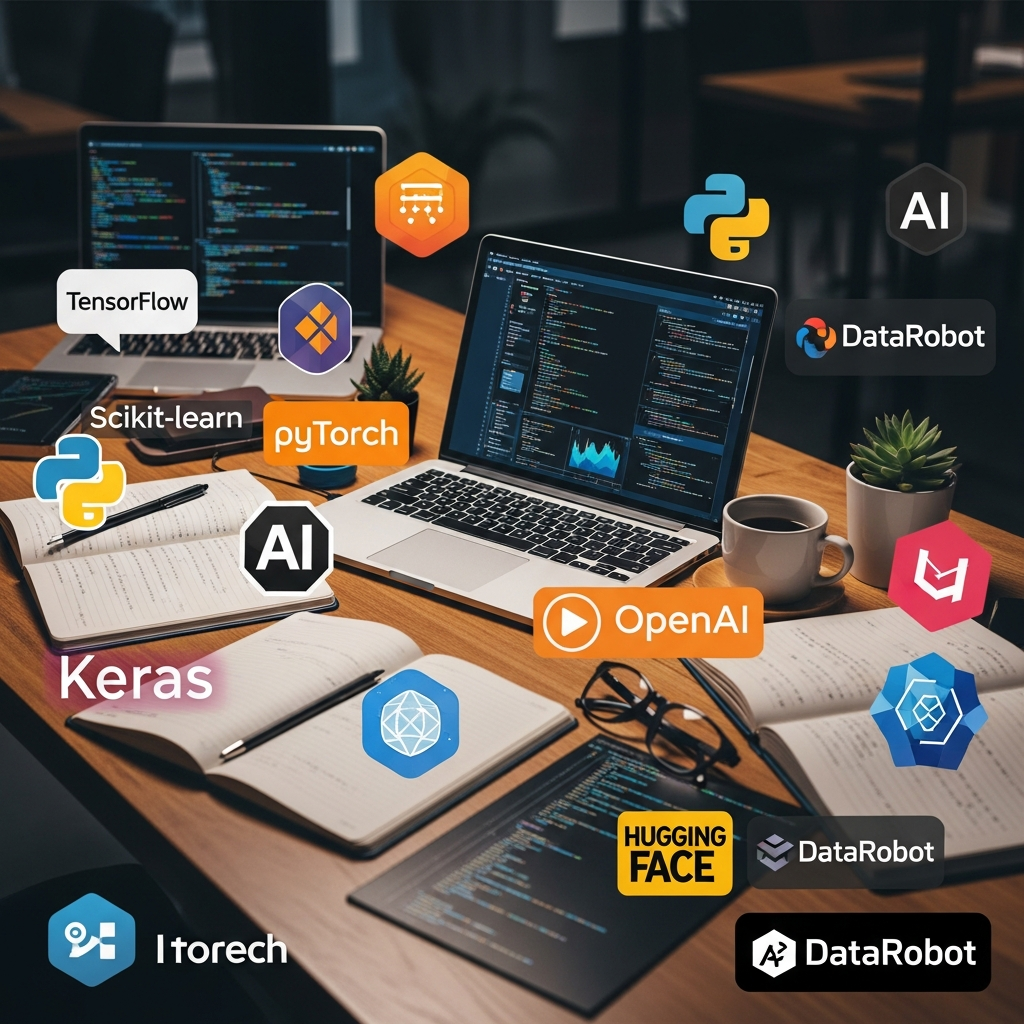 To build apps fast and easy, you have to pick the best AI tools and development tools. If you are new to this, the Python community is a good place. It has many choices that work for most people. You will find machine learning libraries for smart features and frameworks to handle the backend. There is the right tool for each part that you want to build.
Cloud platforms give you strong services to use. Tools like GitHub Copilot help you write code quicker. In this section, you will see the main frameworks and cloud platforms. These can help you take your AI ideas and make them real.
The Python Ecosystem for AI Developers
The Python ecosystem is a great place to work with machine learning and ai tools. In Python, you get a huge set of libraries and development tools that make hard tasks easy. It is open-source, so you have free access to the newest development tools. These are built by smart people from all over the world.
This system has everything you need to build a full AI application. You will find key parts like:
Data Science Libraries: NumPy and Pandas help you with data work and study.
Machine Learning Frameworks: Scikit-learn, TensorFlow, and PyTorch help you build and train models.
Web Frameworks: Flask and FastAPI are there so you can serve your models with APIs.
When you use these tools, you do not have to start from nothing. You get to use the hard work of others and make strong apps faster. These libraries have a lot of documents and help from the community. So, developers at any level can get started quickly.
Using Hugging Face and LangChain for Modern AI Projects
For people who work with generative ai and large language models, Hugging Face and LangChain are now two very important tools. They have changed the way we use large language models and how we build things with them.
Hugging Face has a huge place where you can find many pre-trained models and data. Its Transformers library helps you download and use the newest models for things like making text, turning text into shorter versions, and translating languages. LangChain is a framework that helps you make apps with large language models. It gives you tools to connect models, prompts, and outside data into one project.
When you use these together, you can:
Quickly find and try out thousands of pre-trained models.
Build more advanced ai tools that need to take many steps, without much trouble.
Leveraging AI APIs and Backend Frameworks like Flask or FastAPI
You do not always need to build your own model from the start. You can use pre-built AI APIs from companies like OpenAI or Google. This way is much faster to add smart features to your apps. These APIs let you use strong models for many tasks. You can use them for things like language translation or to look at images. You do not need deep machine learning skills for this.
To use these AI APIs in your app, you will need a good backend. That is where Python web frameworks like Flask and FastAPI help you. They give you tools to make the needed backend for your app.
Flask is simple and easy to work with. It is a good pick for small projects or for people new to backend work. FastAPI is newer and known to be very fast. It also makes API docs for you without extra effort. This makes it good when you want strong, ready-to-use services that use machine learning.
Beginner’s Guide: How to Get Started with AI App Development
Getting into AI software development might seem hard at first, but there is a lot of help out there. One good starting point is to check out the AI solutions and tutorials from big cloud platforms like Google Cloud or Microsoft Azure. These cloud platforms offer full access to guides, some tools that are built in, free learning options, and simple steps to make your learning less tough.
The resources on these sites can let you use strong models and tools right from the start. In this part, we will go over the basic hardware, the software, and the key online resources you need for software development. We will also show which cloud platforms can help you get started on your journey.
What You Need: Hardware, Software, and Online Resources
To start learning about AI development, you need to get your setup ready with the right tools. You don’t need a super-fast computer. You can use cloud platforms or APIs if your computer isn’t the latest one.
Here’s a basic checklist for what you’ll need:
Hardware: A new laptop or desktop should be good enough for beginner projects. If you move on to harder work, you might want to get a machine with its own GPU, or use cloud-based GPUs.
Software: You should have a code editor like VS Code, Python on your computer, and some important AI libraries like NumPy, Pandas, and Scikit-learn.
Online Resources: You need the internet for things like tutorials, learning guides, and cloud platforms. Good project management will help you keep up with what you have done.
If you have these basics, you are ready to build your first ai application. Try to start with an easy project and then go step by step to bigger ones.
Recommended Platforms and Tutorials for Learning AI Development
The internet has many great places to learn about AI development. To not feel lost, it is good to pick a few trusted sites and guides. These sources give you a clear path to follow and let you work with the best development tools.
Many learning sites have full courses. You can start with the basics of Python and work your way to deep learning. If you want to train in your city, an AI training institute in Hyderabad like SocialPrachar can help. It will give you help in person. But you also have a lot of things online that can help you start.
Here are some good places to look at:
OpenAI's Documentation: It gives you official guides and cookbooks to use their models and APIs. It's a good way to learn about new AI ideas.
Cloud Provider Learning Paths: Google Cloud and Microsoft Azure both have special portals with step by step lessons on how to use their AI tools.
No-Code and Low-Code AI App Builders for Quick Prototyping
Yes, for developers who want to get started fast, no-code and low-code AI app builders are great choices. You can make and test out AI apps with little or no code. This is good when you want to try ideas and learn how AI tools work. These platforms focus on ease of use. That means you will spend more time on what problem you want to fix, not how to do all the coding.
Most of these builders use a simple visual design. You get to drag and drop things to build your app. They handle the hard work, like the AI part and connecting to the backend, for you. So you get a working AI app much sooner. It will save you a lot of time compared to writing everything out by hand.
Some top options for those new to this are:
Softr: Great for building ai apps for the web fast with a simple user setup.
Zapier: Lets you make ai-powered flows and jobs by just saying what you want in easy words.
Step-by-Step Guide: Building Your First AI Application
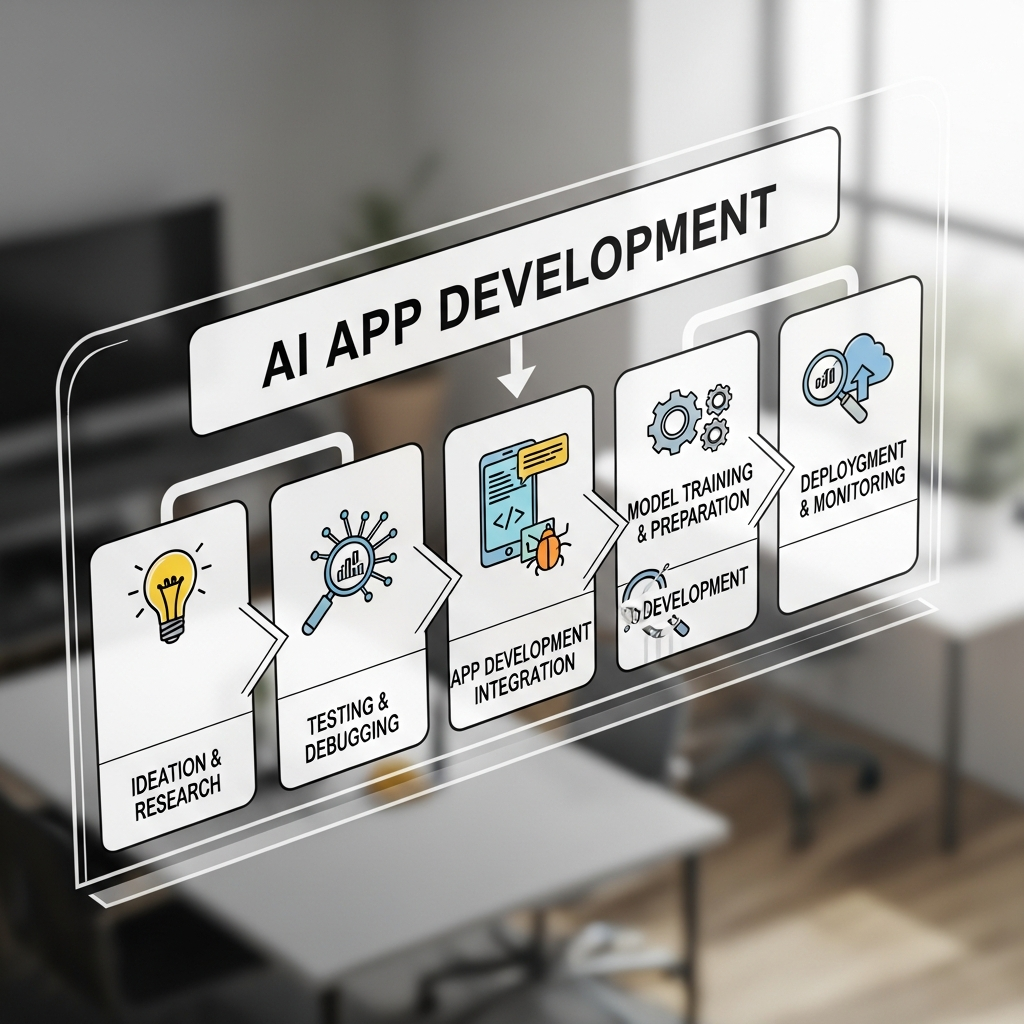 Building your first AI application can be a big moment. To do it well, you need to follow a simple plan. Start by finding the problem you want to work on. Then, collect the input data you need. After that, pick your model and learn how to deploy it. Taking each step one by one will keep things clear.
This guide makes the work easy by listing seven simple steps. From an engineering standpoint, these steps will help you build a strong starter app. They also give you a way to use the same method every time you build another project in the future.
Step 1: Define the Problem You Want to Solve
The first thing you have to do in the development cycle is to be clear about the problem you want to solve. This is a big step because it guides every choice you make later, including data collection and the model you use. You need to think about the user needs and business goals you want to work on.
Ask yourself what you want your app to do. Do you want it to help finish a boring daily job, give personalized recommendations, or sort data into groups? Knowing your main goal will help you stay focused and set up an exact use case.
To help you start, think about these points:
Identify the pain point: What problem are you solving for the user?
Define success: How will you measure if your application is successful?
When you answer these questions, you will have a strong starting point for the rest of your project.
Step 2: Collect and Prepare Relevant Data
Once you know what problem you want to solve, the next thing to do is gather the input data your AI model will use to learn. How good and how much data you get will really affect how well your app works. You can get datasets from places like Kaggle or you can make your own.
When you have your data, you need to get it ready for training. This is called data preparation and it can take a lot of time. In this part, you clean the data by taking out errors, fix missing values, and change it into the right form.
Here are the main things you do here:
Data Cleaning: You remove or fix any bad records in your dataset.
Data Transformation: You convert data into the right data structures and formats so your model can read it.
Doing this step is very important. It makes sure your model gets the right and good information while learning.
Step 3: Choose a Machine Learning Model or AI API
When your data is ready, you need to pick the best tool for the job. There are two main options. You can make your own machine learning model, or you can use a pre-made AI API. What you go with depends on your problem, what you have, and how much you know about the topic.
If your problem is special and you have enough data, you might want to build a custom model. Say you have a classification task like spotting spam. In that case, you can try a simple method from a tool like Scikit-learn. This lets you pick how your model acts and make changes if needed.
On the other hand, for most tasks, an AI API is often quicker and easier to use. Companies like OpenAI give you access to strong, pre-made models that handle words, pictures, and other things, too. With these tools, you get the newest AI tools without having to train them for a long time.
Step 4: Train or Integrate Your Chosen Model
If you choose to make your own model, this is when you train it. You will put your input data into the model and let it find the patterns in it. The idea of training is to change the inside parts of the model so the model outputs become more and more right. You check what the model gives you to see how well it's doing.
If you decide to use a pre-built AI API, you do not have to train the model. You will need to put in code that can send your input data to the API and get answers from it. You often do this by making a simple web request and reading the JSON answer you get back.
For some jobs, you might decide to fine-tune a pre-trained model with your own data. With methods like direct preference optimization, you can make the model act in ways that match your specific needs. This can give you some things from a big model, but also let you change parts that are important for you.
Step 5: Build APIs for Backend Integration
Your AI model needs a way to talk with the outside world. This is why backend integration is needed. You should build an API that works as a middle person. It will get requests from your frontend or other services. Then, it will send them to the AI model. After that, it sends the answer back.
With development tools like Flask or FastAPI in Python, you can make endpoints for your app. For example, you can have a /predict endpoint. This will take user input, send it to your model, and return a prediction. Using an API like this makes your AI features easy to add or change.
This step is an important part of turning your model into a service people can use. These AI APIs hold everything together in your app. They help all parts talk with each other without problems.
Step 6: Create a Simple Frontend (Optional)
Sometimes, you do not need a frontend for your AI application, but building a simple one can help people use it more easily. The frontend gives people a screen with buttons and boxes to talk to your model. People can type their user input and see results in a clear and simple way.
You can make your frontend just a web page. It can have a box for typing and a place to show what comes out. Use basic web tools like HTML, CSS, and JavaScript to make your site. If you want something that moves and changes more, you can use tools like React or Vue.js instead.
The main thing you want to do is to make something that shows what your AI application does. Make it easy for people to use and see results. This ease of use helps people get what your app is about and how they should use it. When you keep things simple, your AI will be easy for people to try and see your work.
Step 7: Deploy and Test Your AI Application
The last part of the development cycle is deployment and testing. Deployment is when you make your ai application ready and let people use it. To do this, you might bring your backend API and frontend onto a cloud platform such as Google Cloud, AWS, or Heroku.
After putting your ai application online, you need to test it well. You will check if everything works right, and see how good or steady it is. It is important to test with many kinds of inputs and make sure your app can take the number of users you want to have.
Key things to think about for deployment and testing are:
Scalability: Make sure your ai application can keep up when more people start to use it.
Monitoring: Use tools that help you watch how your app is running and spot any troubles.
Security: Keep your ai application safe from things that could harm it. Also, pay attention to API rate limits so your app does not go over them.
This last part ties up the whole development cycle. It is what puts your ai application in front of users.
Practical AI Coding Projects for Beginners
Are you searching for AI coding projects that you can try out? The best way to learn this is to jump in and build a simple starter app. When you do this, it helps you get a better idea of core AI ideas. It is important to pick the right use case. That can help make your first project go well.
Below, you will find five project ideas. These beginner AI solutions are made to be easy for you to try, but they also teach you a lot. You will get to work with AI in new ways and build your skills step by step.
Creating a Spam Email Classifier as Your First Machine Learning App
A spam email classifier is a good choice for your first machine learning project. It is a simple AI app for beginners. In this project, you will learn to do a supervised classification task. The goal is to sort input data into two groups: spam or not spam.
You start by getting a dataset that has labeled emails. Next, you must clean and get your data ready. Then, use a machine learning algorithm, like Naive Bayes or Support Vector Machine from Scikit-learn, to train the classifier.
This machine learning project covers everything from start to finish. You will get to see the whole workflow. You will learn how to do data preparation, model training, and evaluation. In the end, you will build a useful AI app that fixes a real problem with classification task for emails.
Developing a Movie Recommendation System
Recommendation engines are in many places, like online stores and video streaming apps. If you build your own movie recommendation system, you can learn a lot about how these strong ai solutions do their work. In this project, you try to guess what movies a user will want, based on what they liked before or what other users who are like them enjoyed.
You can begin with something easy, called collaborative filtering. This way, you suggest movies by looking at what people who are like the user have liked in the past. For this, you will need a list of ratings from users on different movies.
Working on this project is a good way to learn how to make AI that feels personal. This will help you see how to use what you know about user needs to give them the right content, which matters a lot in today's world where data is important.
Building an Image Classification App with Python
If you want to learn about computer vision, making an image classification app is a good place to start. The main idea is to build an app that can find the main object in a picture. Thanks to Python and deep learning, this is much easier now.
There are models out there like MobileNet and ResNet that have already learned from millions of images. You can use these pre-trained models in your app. All you need to do is build a simple tool where a user uploads a picture, and then the model guesses what is in the picture. This top project helps you learn the core logic behind computer vision.
To begin, you will:
Choose a pre-trained image classification model from a library like TensorFlow or PyTorch.
Use ai tools to make a basic screen, so people can upload a photo and see what the model predicts.
Analyzing Resumes with an AI Resume Analyzer
An AI resume analyzer is a useful project that brings together data analysis and natural language processing. The main idea is to make an app that can find and pull out key details from a resume, like a person’s contact info, their job skills, and work background.
This project can help you learn how to handle unstructured text data. You can use things like regular expressions or more advanced natural language processing methods for finding and pulling out the important information. It is a simple way to make AI features that take care of tasks that people often do by hand and take up a lot of time.
For this resume analysis project, you will:
Parse text from PDF or DOCX files.
Use natural language processing to pick out things like names, emails, and skills.
Detailed Example: Building a Simple AI Chatbot
Let's go step by step to build an easy AI chatbot. In this example, you will see how to add generative ai features to your app. Many new developers want to do this. We will use a ready-made API to take care of the core logic. This makes the project small and good for people just starting out.
Good project management is very important. So, we will split the work into planning, adding the code, and testing. When you finish, you will have a working chatbot. You will also know how to use the development tools and what steps to follow.
Planning the Project and Setting Up Tools
Good planning comes first for any project that needs to go well. With our chatbot, the goal is to make a simple web page where the user can type a message and get an answer from an AI. To do this, you need to use some project management and know the steps with the main development tools.
You will use some important development tools. First, you need a code editor such as VS Code. Second, you need to have Python on your computer, because we use it for our backend work. We also use Flask, a simple web tool, to help us make our API.
Our setup checklist is:
Get an API key from a generative AI provider like OpenAI.
Set up a new Python project and put in Flask and the API library needed.
This first setup will help you get started and build the important AI features for your chatbot.
Integrating a Generative AI API into Your App
Now comes the fun part: adding the generative AI. You will make a Python function in your Flask backend. This function will take the user's message. It will then send this message as a prompt to the AI API.
The API will look at the prompt and send back a reply. Your backend function will get this reply. It will send the reply back to the frontend. Now the user can see what the AI has said. This is the easiest way to use the power of generative AI in your app.
In this case, you are making a simple API call. More advanced apps can use a custom rag pipeline. This lets the model use details from your own documents. But if you are just starting, using an API like this is a great way to begin.
Common Challenges Developers Face in AI App Development
Starting to make an AI app can be tough. Many new developers make mistakes. They do not see how important data quality is. Some try to use a model that is too hard for a problem that is easy to solve. Building ai solutions is not the same as making other kinds of software.
You will not work with simple rules. Instead, you have to think about chances and work with data that is not neat. Problems can show up when doing code generation. Also, some frameworks have complex syntax that is hard to follow. If you know these common risks, you will be ready for your first project. This helps you get good results in the development process.
Finding and Cleaning Quality Data
One big problem in AI growth is to find high-quality data. If it does not have good input data, even the best model will not work well. This problem is one of the foundational concepts in machine learning — garbage in, garbage out.
It is hard to get a clean, useful, and large enough set of data for your own problem. When you do get a dataset, you still need to spend time on data preparation. You have to clean it. This means you deal with missing values, get rid of repeats, and fix any mistakes in the data.
Some main troubles here are:
Data Scarcity: Sometimes there are no full datasets for small areas or problems that are hard to find.
Data Cleaning: This can take a lot of time and feel boring, but you have to do it if you want a good and strong model.
Grasping Core Machine Learning Concepts
You do not need a Ph.D. in math, but you should know the core ideas of machine learning. When you have these basic facts, you can fix problems and choose the right steps. Many people start to code right away, but they skip learning the key parts of the algorithms.
Later, this can make trouble when the model does not act how you want. If you know about things like overfitting, underfitting, bias, and variance, you will be able to find out what is wrong and help your model get better. These are the essential concepts every AI developer should get to know.
You should take time to know the theory behind the tools you use. When you know more, you can build stronger and better AI apps. This will help you go from just using code libraries to really making smart systems.
machine learning, foundational concepts, essential concepts
Overcoming Deployment and Scaling Issues
Getting a model to run on your own computer is one thing. But making it work for real users is a much bigger challenge. When you deploy it, you need to set up the right systems so your model can be used online. This setup can be hard and may cost a lot. You have to think about how fast things happen, how much data can be handled, and if everything can grow as more people start to use it.
When you get more people using your app, it is important to keep up with all the traffic. You may need to make your code better, get faster computers, or try cloud services like Google Cloud or AWS. These services can help things grow on their own as more people use your stuff.
Keeping costs low is also important. AI models can need a lot of computer power, so you should always check your usage and be aware of your billing limits. If you make plans for deployment and scaling early in your project, it can help you avoid a lot of problems later.
Best Practices for Successful AI App Development
The best way to build good ai solutions is to follow best practices. If you want your ai app to be successful, you need a clear plan for both project management and your development process. This will help you stay on track and not fall into common mistakes. If you want help getting started, you can use online tutorials from places like OpenAI, or find courses at an ai engineering institute in Hyderabad. These options can really help you learn fast.
In this part, you will find some key best practices for your ai app. These ideas are here to help you go through the development process without trouble. You should start simple and keep testing your work well. These ways of working will help you make applications that work every time and that people can trust.
Leveraging Existing APIs Before Custom Model Training
Before you start building a custom model, think about whether you can solve your problem with an AI API. Making and training your own model takes a lot of time, data, and skill. In many cases, a pre-trained model from an API can get you great results with much less work.
When you use AI APIs, you get full access to top technology. You do not have to deal with setting up systems or training. This way, you can focus on bringing out the best of your ai application.
You should go for an API when:
Your problem fits a common AI job, like text generation or image recognition.
You want to try out and test your idea fast.
This smart way of working helps you build and put out your ai application much faster.
Optimizing Performance and User Experience
A great AI model is just one part of the work. To make a good application, you need to care about the performance and how users feel when they use it. If your app is slow or does not answer fast, people will get annoyed, even if the model is smart.
During the development process, always think about how the app works. Try to make your code better, and pick models that are fast. Keep latency low. For instance, if your model needs a few seconds to reply, show the user a loading sign. This way, people will not think the app is stuck.
The user experience matters just as much. Your app must be easy to use and feel clear to people. The AI should look like it helps you, not like a tool that is hard to understand. When you improve technical performance and keep the user in mind, your work moves from an AI proof-of-concept to a strong AI product.
The Future of AI Applications in 2026 (India Focus)
Looking ahead to 2026, artificial intelligence in India is set to grow fast. We can see new chances, with more use of generative ai and tools that help with jobs. Technology is now easy to get, and low-code platforms are letting more people build smart apps.
This part will look at the main trends shaping how artificial intelligence gets made. From more AI agents showing up, to adding AI into every product, knowing about these will help you stay on top.
Growth of Generative AI Apps and Automation Tools
Generative AI is changing how we do software development. These tools use machine learning and large language models. They help make new content, improve the user's time with the product, and do tasks by themselves. Automation tools also help smooth out work steps. So, developers can spend their time on more important programming jobs. Generative ai can do basic things like code generation and data analysis for them.
As developers start to use these new technologies, more people want creative answers to their problems. This change shows how important it is to add ai features to products. That way, we can keep up with changing user needs and business goals.
AI Integration in Everyday Products and Services
The use of artificial intelligence in daily products and services is changing the way people use them. You can see this in things like smart home devices. These devices use natural language so they can talk to you better. Some apps use this to watch how you use them and suggest things that fit your specific needs.
This is also true for online stores. With machine learning, stores can guess what you might buy next. They use it to make sure they have the right items and to help you with chatbots on their sites. All these ai features help things run smoother and make customers feel happy with the service they get.
Rise of Low-Code AI Platforms for Developers
Low-code AI platforms are changing how people build software. The tools help software developers make an AI app with much less coding. They have easy visual screens and ready-made pieces that you can put together. This means developers can add AI features fast without needing deep technical skills. Their ease of use helps speed up the development cycle. These tools also help more people, not just experts, get into building AI apps.
Low-code AI platforms have strong features that help with input data and data preparation. They make it simple for people to work together and start quick tests or samples of apps. This helps teams answer user needs fast and create AI solutions that can grow for many people.
Emerging Opportunities and Trends in AI App Development
The world of AI app development is changing fast. This gives many new chances to developers. Generative AI is becoming more popular because it can make content. This opens new ways for software developers to try out new things. There are also more automation tools that help make things easier for users and make work smoother. So, there is a need for people who know how to add these tools into the apps we use every day.
Low-code platforms are also making the development cycle easier. With these, both new and experienced developers can build strong AI apps without much trouble. This means the entry barrier is lower now. It also gives more room for people to be creative and try new ideas in building an AI app.
Action Plan: How Developers Can Start Building AI Applications Today
Developers who want to make AI apps should start with a beginner-friendly project. Pick something that fits your skills and what you like. When you use online AI APIs, you make it easier to test your ideas. This helps you improve the app so it works better for user needs. You can use Google Cloud and GitHub to share your work and team up with others.
It is important to keep learning about new ai tools and systems. Stay up to date with the latest ai tools and frameworks. You can get better in this field by joining online groups or taking classes, like the ones at an AI training institute in Hyderabad. This will help grow your skills and add to your knowledge about AI development.
Picking a Beginner-Friendly Project to Start
Picking a project that is easy to handle is the key to getting started with AI app work. One good idea is to make an AI chatbot by using a natural language API. This project helps you learn more about how customers talk and feel. It also lets you use main ideas of natural language processing.
You could also build a spam email checker. This is a good way to work with data analysis and use ways to group or sort things. Both of these projects keep user needs in mind and show how to use basic AI tools.
Going with a smaller project at first makes the development process simpler. It also helps you get better with these skills over time.
Using Online AI APIs for Fast Prototyping
Prototyping gets much easier because there are now many online AI APIs. These tools help developers add advanced features. For example, they can add natural language processing or image recognition. There is no need to build everything from the start. You can use APIs like OpenAI’s GPT or Google Cloud's Vision API. These are good because they have powerful models ready to use. They can do big jobs for you.
If you are new, using these tools is a good starting point. You can try things fast and see how well they work. This lets you get feedback soon, fix things, and move on. It makes project time shorter. This way of working also helps you grow your own new ai solutions.
Deploying and Sharing Your Project on GitHub
There is a simple way to put up and share projects on GitHub. This helps people work together. First, you have to make a new repository. This will help keep track of every change in the development cycle. Put your project files in the repo and add clear messages, using natural language, to show what you did for each change. Then, send your changes up to GitHub. Make sure you follow the rules of the repository.
When you share your work, more people in the developer community will see it. This makes it easy for others to check out your ai solutions. Working on this platform lets you show what you know, and you can get feedback from others. This helps in getting better at your ai projects all the time.
Conclusion
As artificial intelligence keeps changing, developers who know the basics of it will be in a good spot to use new tech. Working on real coding projects and using APIs that are already there can help you start making an ai app. With tools like Python and frameworks like TensorFlow, you can turn your ideas into working software fast. If you stay open to new things and join community resources, you will keep getting better as this field grows. Be ready to see what you can do with artificial intelligence and start building now!
Frequently Asked Questions
How long does it take to build and launch a simple AI application?
Building and launching a simple AI application often takes anywhere from a few weeks to a couple of months. The time needed depends on how hard the project is and how much the developer knows about ai tools. Rapid prototyping can help a lot to move things faster.
Which programming skills are most important for new AI developers?
New AI developers should start with learning Python. This is a good language because it has many libraries for machine learning, like TensorFlow and PyTorch. You should also learn the basics of data science and know about machine learning algorithms. It will help you if you get good at using tools like Jupyter notebooks. These things will help you build strong and useful AI tools.
What platforms are best for beginners to build AI-powered apps?
For people new to this, Google Cloud AutoML, Microsoft Azure AI, and IBM Watson are good options. The sites have easy-to-use pages and built-in models. For building AI apps without knowing much code, you can try using TensorFlow Lite and Hugging Face. They can help you build powerful tools with less effort.
What are
To start making AI apps, there are some important steps to take. You need to pick projects that are easy for beginners. Try to use online AI APIs. This helps you make and test your ideas fast. Put your work on places like GitHub. It makes your skills better, and more people can see your projects.