







.png%3Falt%3Dmedia%26token%3D311cd467-d612-4679-9398-d74b2038327d&w=3840&q=75)
The AI Tech Stack Every Developer Must Know for 2026
Key Highlights
Here are the key highlights from our guide to the 2026 AI tech stack:
An AI tech stack is the complete set of technologies for building artificial intelligence applications.
Understanding the stack is crucial due to the growth of AI-powered applications.
The core layers include data, model, application, and deployment.
Python remains the dominant of all programming languages for AI development.
Machine learning models and frameworks like TensorFlow and PyTorch are essential.
Key AI development tools include VS Code, Jupyter Notebooks, and cloud platforms.
Introduction
Welcome to the new world of software development. Now, artificial intelligence is not just an idea, it is a big part of how we make new tools and apps. If you are a developer and want to get ahead, you need to know the AI stack. This guide will walk you through the full AI tech stack for 2026. You will learn about the programming languages, main tools, and the ways to run your code. We will talk about what you need to build, set up, and handle strong AI tools the right way.
What Is an AI Tech Stack?
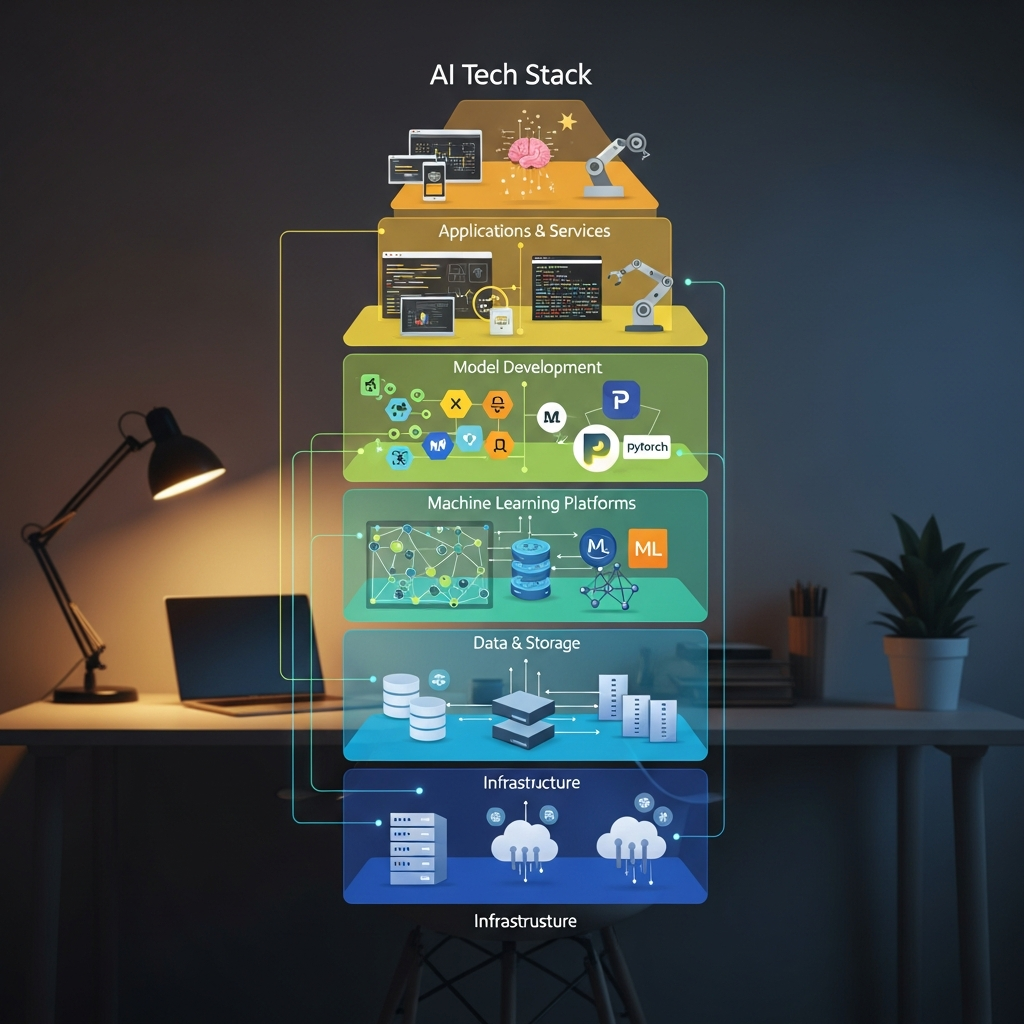 In short, an AI tech stack is the group of tools, frameworks, and systems that you need to build and run artificial intelligence apps. You can think of it as a special kit for anyone who wants to make smart systems.
The stack has things like programming languages and libraries, plus the sites where you train and use ai models. For data scientists and developers, having a clear stack makes it easy to know what to do when building with artificial intelligence. It helps all the parts fit and work well together.
Defining the AI Tech Stack for 2026
By 2026, the AI tech stack will be even more connected and strong. This is the base that helps with every part of the AI lifecycle, like getting data and using deep learning models. The AI tech stack lets you use smart features, like code completion and code generation. These tools help people finish their work faster and in a better way.
For an AI developer, knowing the AI tech stack means you have to learn how the different tools work together. You need to know about programming languages. You must also learn about machine learning frameworks, and the tools for putting your models into real use, called MLOps. If you want to build AI that works well, it is good to have a deep understanding of these pieces.
Every AI developer should learn a few key technologies for their work, like Python. You will also use some of the main libraries such as NumPy and Pandas. For building deep learning models, it is important to know tools like PyTorch and TensorFlow. And you need to know how to use cloud systems to put your machine learning models out in the world. These are the base tools for today’s AI work.
Key Components of the AI Ecosystem
The modern artificial intelligence world is made up of a few important parts that all work with each other. The main reason behind this setup is to manage the whole life of an AI project, from the point you collect data to the final app that people use. Every part has its own job to help turn ai models into something real.
A modern ai stack gives developers everything they need to build, train, and launch ai models. This begins with a good development environment and grows to use special tools made for big data storage and tricky algorithms. The main idea is to help everything work together in a smooth way.
Here are the key parts you will see in a modern ai stack:
Data Infrastructure: This means your data storage, which might be data lakes and warehouses.
ML Frameworks: These are tools like TensorFlow and PyTorch that help you make ai models.
Development Tools: These are things like IDEs such as VS Code and also tools like Jupyter Notebooks.
Deployment and MLOps: These let you send out models, watch how they do, and keep them working right in the real world.
AI Tech Stack vs Traditional Software Stack
While both AI and traditional software development stacks share some common elements like programming languages, their core focus and components differ significantly. A traditional stack is typically geared towards building applications with predefined logic and user interfaces.
In contrast, an AI stack is built around data and models. The development workflow involves experimenting with algorithms, training models, and continuously evaluating their performance. This data-centric approach requires specialized tools for data processing, model training, and deployment that are not usually part of a traditional software stack.
The layers of the AI stack work together sequentially. The data layer feeds information to the model layer for training. The model layer is then exposed through the application layer via APIs. Finally, the deployment layer ensures the model runs efficiently in a live environment.
Aspect | Traditional Software Stack | AI Tech Stack |
|---|---|---|
Core Focus | Application logic and user interfaces | Data, algorithms, and model performance |
Key Components | Web servers, databases, frontend frameworks | Data pipelines, ML frameworks, MLOps tools |
Development Process | Linear, feature-driven development | Iterative, experimental, and research-heavy |
Data Handling | Primarily for storing application state | Central to training and validating models |
Why Understanding the AI Ecosystem Matters for Developers in India
 For developers in India, it is now more important to know about artificial intelligence. The country is fast becoming a big place for tech growth. AI is driving much of this change. If you understand ai applications and tools, you can have many new career chances.
When you know the right programming languages and the right frameworks, you make the code generation and development process much easier. This knowledge can help you make strong and fast applications. It will also make you an important part of the Indian tech market.
Growth of AI-Powered Applications in India
AI applications are growing fast in India and can be seen in many different sectors. You will find the use of AI in places like e-commerce, finance, healthcare, and entertainment. Businesses use AI to make things work better and to give users a good experience. You can see this in personalized suggestion engines, fraud detection, and AI tools that help doctors.
Generative AI is now changing the way people create things and use virtual assistants. These systems use complex machine learning models. They give real-time answers and can do tasks people used to do. Because of more AI use, there is now a big need for developers who build and keep these systems running.
The top development tools for coding with AI in 2024 are GitHub Copilot, Tabnine, and Amazon CodeWhisperer. These AI tools work in your coding programs and give smart code suggestions. This helps make the development process quicker. When it comes to building machine learning models, TensorFlow and PyTorch are among the best choices.
Importance of Selecting the Right AI Development Tools
Picking the right AI development tools is key for your project to work well. These tools can make your work faster, help you write better code, and make hard tasks easier. With an AI assistant, you can spend less time on simple coding. You can focus more on tough problems.
A good development environment should have tools for code suggestions and debugging built in. If these are set up well, your work can go smoother. This helps get your project done quicker and cuts down errors. You also get stronger and more trustworthy apps.
There are AI tools made just to help speed up coding. These tools can:
Automate Code Generation: GitHub Copilot makes code and functions from natural language prompts.
Give Smart Code Suggestions: An AI assistant gives you code ideas as you write.
Find Bugs and Problems: Security tools look over your code while you work and spot trouble right away.
Keywords: natural language, github copilot, code generation, code suggestions, development environment, code quality, ai assistant, development tools
Overview of Modern AI System Architecture
A modern AI system has a design that is both modular and can grow as needs grow. It begins with taking in data from many data sources. This first data is raw, so it must be cleaned and worked on. After that, it is stored so it will be easy to use later when training models. This first layer is key to how well the whole ai stack will work.
The heart of the ai stack is the model layer. Here is where different algorithms and neural networks are trained and tested. This needs a lot of computational power. When the model is ready, it gets added to an app and shared with users using APIs. The last part is for deployment, monitoring, and making sure the system can grow when needed. This helps the AI system work well all the time.
Each part of the AI stack sits on the one that came before. The data layer gives the basic materials. The model layer makes the engine. The application layer builds out the main part around the engine. The deployment layer puts it in action, keeps it working, and watches for things like security vulnerabilities.
Beginner’s Guide: Getting Started with the AI Tech Stack
 Are you ready to begin your path into AI development? Starting with the ai stack can look like a hard job, but you can make it simple by taking small steps. The first thing you need to do is pick from programming languages and get your development environment set up.
This guide will show you the basic skills and tools you will use to build your skills. It will talk about core libraries, popular frameworks, and some of the best ai tools and resources. This will help you take your first steps to be an ai developer.
What You’ll Need to Begin AI Development in 2026
To start your path as an AI developer in 2026, you have to learn the basics and get the right tools. The best AI tech stack for someone new should offer simple steps, a lot of help from others, and be useful for many things. This way, you get more sure of yourself and your development workflow feels smooth.
Begin with Python. It is the number one choice for data science and machine learning. Python has easy words, and you get many ready-to-use tools, so it is great for new users. Also, get to know an IDE like VS Code. It is a development environment that has many ways to help you with AI projects. It also makes what you do much easier.
If you are new, use this best AI tech stack: Python, some key libraries like Pandas and NumPy to work with your data, Scikit-learn for machine learning, and PyTorch for deep learning. They are all simple to learn and give good results. This will help you get the most out of your learning and build up your skills as an AI developer.
Essential Resources for Building Your AI Foundation
To build a strong base in AI, you need more than just the right tools. It is also important to have good learning resources. Online platforms, guides, and talking with others in forums are helpful. These can help you learn AI coding ideas and get answers when you are stuck. Joining the data science community can also help you learn faster.
AI coding assistants are suggested for every developer, no matter how much you know. The right tool, like GitHub Copilot, Tabnine, and Amazon CodeWhisperer, will give you smart code snippets and tips. These help you write code that is better and faster. They are also great for seeing new libraries and the best ways to use them by example.
Here are the main resources you should have to begin:
Online Courses: Websites such as Coursera and edX have step-by-step lessons for AI and data science.
Community Forums: Go to forums like Stack Overflow and Reddit. Here, AI developers talk and share help.
Documentation: You should always use the official instructions found in the library or framework you use.
Project-Based Learning: Make small projects based on what you know. This is also a good time to do code reviews and learn more.
Step-by-Step Guide to Building Your AI Tech Stack
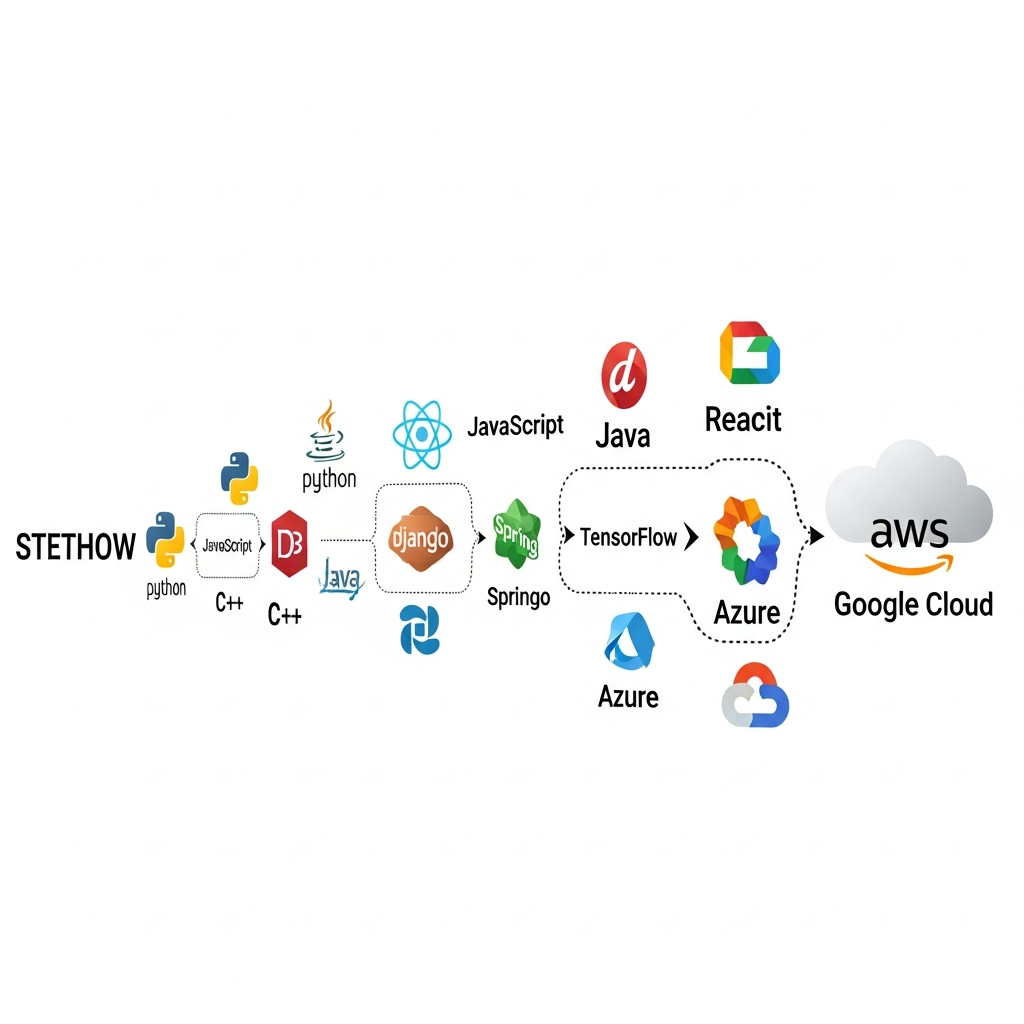 Building your first AI stack means you have to pick the best tools for your project. To pick the right AI stack, you need to think about how hard your project is, what your team knows, and how much you want to grow. This guide will show you the steps in the development process.
First, we will pick the right programming languages. Next, we set up the main libraries and frameworks that help your AI applications work. If you follow these steps, you can build an AI stack that fits your project well and works in a good way.
Step 1: Choose Your Programming Language
The first thing you need to do when building your AI stack is pick a programming language. Many languages work for AI, but Python is the top choice for most people in the industry. Its coding process is smooth because the code is easy to read and write. This helps a lot when you are working with complex machine learning ideas.
Python has a big set of tools, libraries, and frameworks made just for machine learning, data science, and creating AI applications. This makes jobs like changing data, training models, and code generation simpler. You can use other languages as well, like R, Java, and C++. But the versatility of Python and the strong community support make it the best pick for almost all projects.
Most of the time, you want to use Python for AI development. R is good for projects that need statistical analysis. Java fits well when building large enterprise AI applications. Your decision really depends on what your project needs and the technology you already have in place.
Step 2: Set Up Core Python AI Libraries
When you pick Python, the next thing to do is set up the main AI libraries. These will help you handle data and build ai models. The libraries work as tools for almost every machine learning project. They give you the pieces you need and also help you work faster. Many of the functions are ready to use, so you don’t need to write every line yourself.
The Python libraries are made to fit well together. This makes it easy to build strong data pipelines. For example, you could use Pandas to clean the data, NumPy for math operations, and then send all of this to your machine learning model. When the libraries work together like this, you get more done in less time.
Here are some of the top Python libraries for general machine learning work:
NumPy: Use this to do math and work with arrays.
Pandas: Use this for cleaning and looking at data, mostly tables.
Matplotlib: Use this to turn your data into pictures and charts.
Scikit-learn: This is good for running basic machine learning in your projects.
Step 3: Select and Install Machine Learning Frameworks
After you set up the core libraries, you need to pick the machine learning frameworks that will run your models. These machine learning tools help you build, teach, and launch both basic and deep learning models. The right choice will depend on what your ai applications need and what your team knows how to use.
Frameworks like TensorFlow and PyTorch are used a lot for deep learning. They have strong tools to help you make neural networks and help with training models by using automatic methods. They can use your computer’s GPU to handle big jobs fast. With them, code generation for new models gets much easier.
The best machine learning frameworks for building ai applications are:
TensorFlow: This is good for big projects that need to grow over time.
PyTorch: Researchers like this one for its smart and simple design.
Scikit-learn: Many people use this for common machine learning tasks.
Keras: This is easy to use. It runs on top of TensorFlow and helps you work faster with deep learning models.
These frameworks help you get good results with machine learning, code generation, and deep learning with ease of use.
Step 4: Configure AI Development Tools and Environments
Setting up your development environment is an important step because it affects how you work every day. If your tools are organized well, you get seamless integration and will find it easier to follow best practices. The most popular tool for lots of developers is an IDE like VS Code. You can make VS Code work for you with lots of extensions for Python, Jupyter, and AI coding assistants.
Another tool many people use is Jupyter Notebook. It is great for data science, exploring data, and trying out new ideas fast. You run code in small steps and see what comes out right away. That’s why it works well for deep learning and testing models in steps. If you want to work with others, Git and GitHub are needed for version control and code reviews.
Indian developers often use AI development tools such as VS Code because it is so flexible. They also work a lot with Jupyter Notebooks for data science and use GitHub Copilot for AI-powered coding. For deep learning, people use Google Colab too, since it gives free GPUs. This is really helpful for working with deep learning models.
Step 5: Explore Cloud Platforms for AI Deployment
The last thing you need to do is check out cloud platforms for using your AI models. Cloud platforms like Amazon Web Services (AWS), Google Cloud, and Microsoft Azure give you the scalable infrastructure and computational power you need to run machine learning and AI applications. With these platforms, you do not have to look after the physical hardware yourself.
These cloud platforms have many tools made just for AI and machine learning. You get services for data storage in data warehouses, training your models with strong GPUs, and simple ways to put your models online with containers or serverless functions. Because of this, you can quickly grow your app when more people start to use it.
If you want to put your AI models on the cloud, you can put your model in a package using Docker. Then you can send it as a container to services like AWS SageMaker, Google AI Platform, or Azure Machine Learning. The services on these platforms handle the hardware for you, so you can give out predictions with an API endpoint.
Layers of the AI Tech Stack Explained
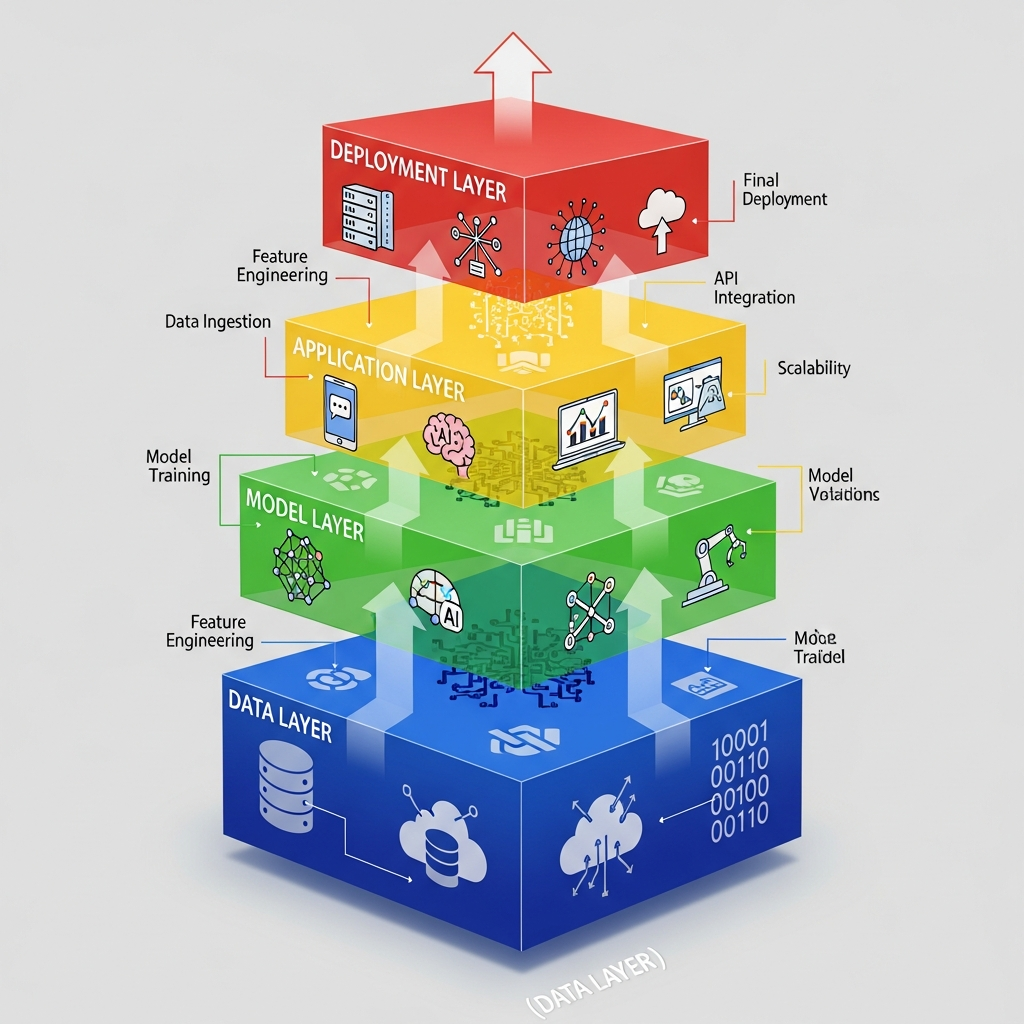 The AI stack has different layers. Each one has its own job. They all work together to help power modern ai systems. These layers go from handling raw data to giving smart features to users. To build good ai solutions, you need to know how each layer connects with the others.
This part will tell you about the four main layers. The first is the data layer. It is where you collect and store data. Next is the model layer. This is where you train deep learning models. Then comes the application layer. This layer is for users to interact with. Last, there is the deployment layer. This is where you make things work at a bigger scale with the production team. Each one is important in deep learning and the ai stack.
Data Layer – Collection, Storage, and Preprocessing
The data layer is the base of any AI application. It gets data from different data sources, like databases, APIs, and what users do on a site or app. Most of the time, this data can be messy or not match up, so the data layer also has steps for handling and storing the data.
Good data preprocessing is very important here. This means cleaning up any mistakes, changing the data into a format that people and apps can use, and storing it in big systems like data lakes or data warehouses. When you have good, neat data, you can train better models for machine learning or AI applications.
The data layer helps machine learning models by giving them clean and set-up data they can use to learn. If the data layer is not good, the models use bad data — and they don’t work well. The same goes for AI applications. This is what people mean when they say, "garbage in, garbage out."
Model Layer – Machine Learning and Deep Learning Models
The model layer is where the main "intelligence" in an AI system is made. Here, people build, train, and test machine learning models and deep learning models. They use tools like TensorFlow or PyTorch. With these tools, they make neural networks and other systems that pick out patterns from the data that comes from the data layer.
This part of the system handles things like predictive analytics, image work, and natural language use. Training the models means you feed them vast amounts of data. The parameters are adjusted so their accuracy gets better over time. Code generation can speed up how these complex deep learning and machine learning models are built.
Machine learning models are at the heart of the ai stack. They are the decision-makers. When you train them with data from past years, they can make good guesses or label new data they have not seen before. Because of this, an AI application can do many smart tasks. For example, it can recommend what people may like or pick out fraud.
Application Layer – APIs, User Interfaces, and Integration
The application layer is the part that links the strong ai models to the people who use them. You will find APIs (Application Programming Interfaces) and user interfaces that help both other software and people talk to the trained model in this layer. It takes the user's input, sends it to the ai models for machine learning prediction, and then gives the user the answer.
A good application layer helps make seamless integration with older or current apps and systems work well. Developers often use web tools like Flask or FastAPI to build APIs that show what the model can do. This way, other developers get to use ai applications and their power without having to learn the hard parts.
APIs and user interfaces bring lots of help to ai applications by:
Providing a standard way for other apps to get to the model.
Hiding the hard parts of the machine learning code from others.
Helping make simple and friendly user screens for people who do not know much about coding.
Letting ai abilities be put into other products and services.
Deployment Layer – Model Deployment, Cloud Platforms, and Scaling
The deployment layer is where you take a trained model and set it up for real use. This means you need to package the model and everything it needs to run. Many people use tools like Docker for this job. The model can be set up on the cloud or on your own servers.
This layer is very important for scaling ai applications. When more people use the system, it should handle more requests and not slow down. Cloud platforms help with this by giving you tools to do resource allocation automatically. This means your app will stay fast and work well. A good setup will also check how the model is doing and update it with new data when needed.
If you want to scale ai applications in real use, you should use cloud services such as AWS, Azure, or GCP. These cloud platforms have tools for resource allocation that change as traffic goes up or down. You can use Kubernetes to help with many containers, which lets you run your app on lots of servers without trouble.
Programming Languages for AI Development
Picking the best programming language is one of the first steps for any ai developer. There are many choices out there, but some have become very popular in software development. This is because they have strong libraries, great community support, and are easy to use.
In this part, we will talk about the top programming languages for AI. We will see why Python is the main choice. We will also share how other languages like R, Java, and JavaScript can help. These languages play their own parts in the ai developer and software development world because of their community support and ease of use.
Why Python Dominates the AI Ecosystem
Python is a top choice in the AI world for a reason. People like it because the code is easy to read and write. Even if you are just starting or you have lots of experience, you can pick it up fast. This simple way of writing helps developers focus more on big AI problems and not the small programming details.
A key thing that makes Python so popular is how many tools and libraries you get with it. There are things like NumPy, Pandas, Scikit-learn, TensorFlow, and PyTorch. These help out with data work and with building neural networks. Because of this, the coding process for ai applications is much quicker and smoother.
Python has an important place in the AI world since it brings together data scientists, developers, and other people in the field. With so many helpful tools and strong support, it gives everyone a good way to share ideas and work on new things in AI.
The Role of R, Java, and JavaScript in AI Projects
While Python is the top choice, there are other programming languages that matter a lot in AI development. R is one of them. Many data scientists and statisticians like it because R has strong tools for looking at numbers and showing data through charts and graphs. People use it a lot for exploring data and doing research.
Java has a big place in large companies. It is trusted for making AI applications that need to be strong and handle growth. Many use it to bring machine learning models and ai models into old business setups. It works well for things like fraud detection and large predictive analytics projects because it is steady and fast.
JavaScript is mostly used on the front end of ai coding. Thanks to libraries like TensorFlow.js, machine learning models can run right in the browser or on a Node.js server. This lets people get instant, hands-on AI features on web pages and apps. They do not always need to reach out to a backend server for help.
Essential Python AI Libraries Every Developer Should Know
If you work with Python and AI, you need to know some top libraries. These AI libraries help you handle big data tasks and make them easy to manage. They give you the main tools for data science, machine learning, and deep learning.
Here, we will talk about the key Python libraries you need for AI work. You will find tools for working with data and making charts, plus strong frameworks that help you build and train machine learning models.
NumPy, Pandas, and Matplotlib for Data Handling and Visualization
When you start your AI journey with Python, it is good to first learn NumPy, Pandas, and Matplotlib. These three are important for handling and showing data in Python. Most other AI tools are built using these as a base.
NumPy is the main tool for working with numbers and big lists or tables of numbers. Pandas uses what NumPy does and helps you work with data. With Pandas, you can read, clean, and shape your data to get it ready. Matplotlib is great for drawing graphs and pictures. It can make simple, moving, or more complex charts.
You should start with NumPy and Pandas because learning to handle data comes first in AI. After you can work with data using these, you should learn Matplotlib. This will help you see what is in your data before making AI models.
Scikit-learn and PyTorch for Machine Learning Workflows
Scikit-learn and PyTorch are two of the best libraries for machine learning. If you want to start with classic machine learning, use Scikit-learn. It is easy to use and has good tools for data mining and data analysis. You will find algorithms for things like classification, regression, and clustering.
If you need to build deep learning models or want more features, PyTorch is a great choice. Many people like it because it is flexible and known for ease of use. The machine learning and research community also support it a lot. In PyTorch, you can build and train strong neural networks with an easy style that feels like using normal Python.
Scikit-learn is still good for normal machine learning models and workflows. When it comes to deep learning, most people turn to PyTorch or TensorFlow. Some people use Scikit-learn first for data prep and to test ideas. Later on, they use PyTorch or TensorFlow to build bigger deep learning projects.
Conclusion
To sum up, understanding the AI tech stack is very important for all developers who want to keep up with the fast changes in artificial intelligence. You have seen that the stack has many layers. These layers go from data collection to model deployment. Each one is important for building successful AI applications. When you use the right programming languages, frameworks, and tools, you can get better at your work. This will help you make strong AI solutions.
As we move toward 2026, it is a good idea to spend time learning these parts. Doing so will let you stay ahead in the field of artificial intelligence. If you want to know more about the world of AI development, you can book a free consultation. This can help you find out how to improve your projects and your career.
Frequently Asked Questions
What is the best AI tech stack for beginners in 2026?
The best ai tech stack for a beginner in 2026 is one that is simple and has good community support. You can start with Python. Use the libraries NumPy and Pandas for data. Scikit-learn is good for basic machine learning models. This mix gives you a strong base to build machine learning and ai applications. It also helps you build a nice and easy development workflow.
Which Python libraries should I learn first for AI development?
To get started with AI in Python, you need to learn NumPy. This library helps you work with numbers. You also should learn Pandas. Pandas is used to handle data. These two AI libraries are important because they help you manage your data. After you learn them, try learning Matplotlib. It lets you see your data by making charts, which is useful before you start to make models.
How do the layers of the AI stack work together?
The layers in the AI stack work one after the other. The data layer brings in data from many data sources and gets it ready. Then, the model layer takes this data and trains deep learning models with it. The application layer shows what the model predicts through an interface. The deployment layer is there to handle and run the model in production.
What AI development tools are most popular with Indian developers?
Many developers in India like to use VS Code because it is flexible. When it comes to data science, Jupyter Notebooks are popular. Google Colab is another top choice as it lets you use a free GPU. For things like generative AI and code completion, a lot of people use GitHub Copilot. This helps speed up the coding process and makes the work go smoother. These development tools help people get more done in less time.