







.png%3Falt%3Dmedia%26token%3Df2af4ae0-6469-4bf3-89d2-448a162cc831&w=3840&q=75)
Top 5 Best Python Libraries for Data Science and AI Projects
Key Highlights
Python remains a top choice for data science and AI due to its extensive collection of powerful libraries.
Key Python libraries like NumPy and Pandas are fundamental for data analysis and manipulation.
For machine learning, Scikit-learn, XGBoost, and LightGBM offer robust tools for building predictive models.
Deep learning projects heavily rely on frameworks like TensorFlow, PyTorch, and Keras for creating neural networks.
Libraries such as Matplotlib, Seaborn, and Plotly are essential for effective data visualization.
Emerging tools like Hugging Face Transformers and LangChain are shaping the future of generative AI and NLP.
Introduction
Welcome to data science and AI. Python is a top programming language for this work. People like it because of the many data science libraries. These libraries give you ready-to-use code. You use them to clean data and build machine learning models. You do not have to start from zero. With these tools, you can get your job done faster and spend more time solving problems that matter. Let’s go over the libraries every person in data science should know about.
Unlocking the Best Python Libraries for Data Science and AI Projects
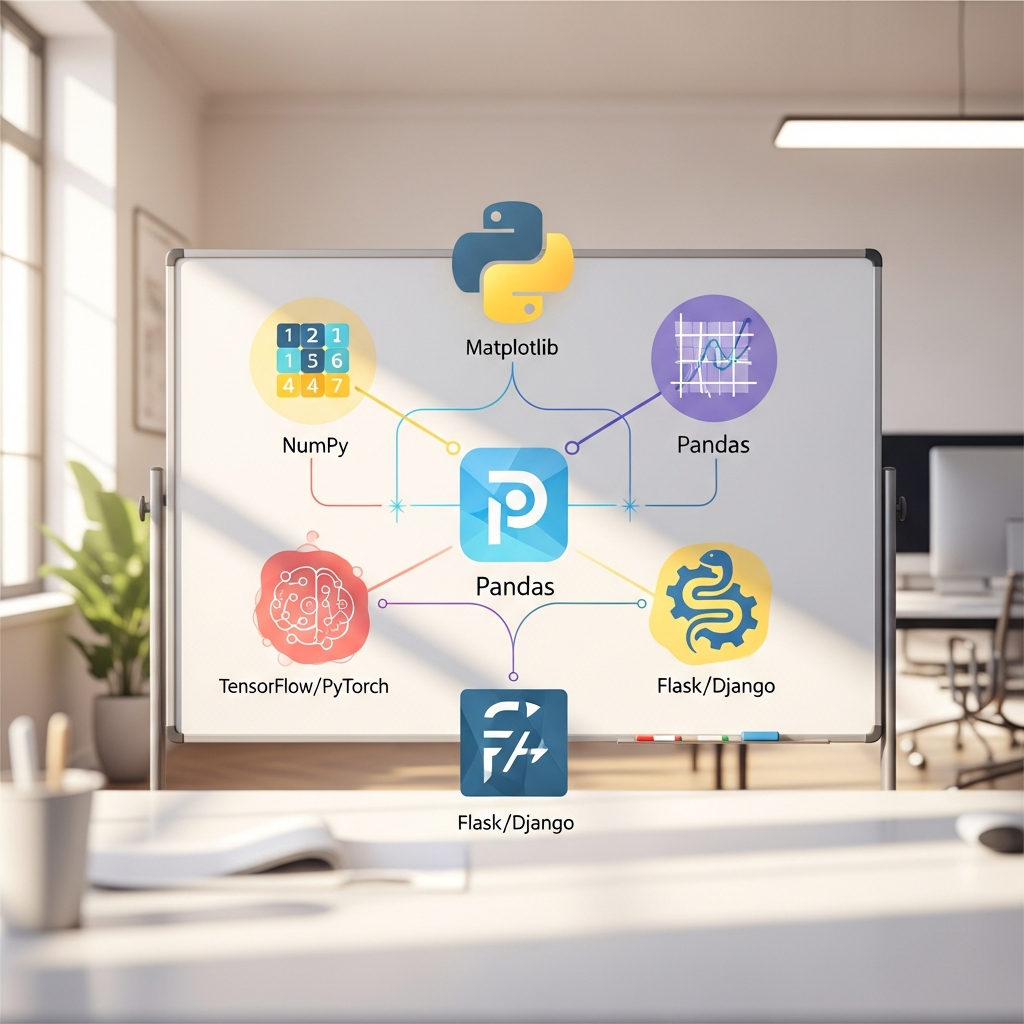 Choosing the right tools in data science can really help you move ahead. The best Python libraries help make the way you work much easier. No matter if you are new as a data scientist or have done a lot in machine learning or deep learning, these Python libraries do a lot for you. They help you handle and look at data, build strong machine learning and deep learning models, and make clear charts and pictures.
This guide talks about the Python libraries you must know for data science and machine learning. You will see how these libraries go from data manipulation to putting your deep learning models to use. With these tools, you will get what you need to do well in your work.
1. NumPy – Foundation for Numerical Computation
NumPy, or Numerical Python, is the base for numerical computing in Python. It helps you work with large and multi-dimensional arrays and matrices. It also gives you a lot of tools for math so you can work with these arrays easily. If you are new to data science, NumPy is often the first tool you will learn. Many other tools are built on top of it.
You may wonder how NumPy helps with numerical computing in AI projects. It brings in objects called numpy arrays. These are used for both matrices and multi-dimensional arrays. NumPy arrays use less space and work much better than regular Python lists when dealing with numbers. The key features of the library let you do fast work with linear algebra and other math problems. This matters a lot when you work with large datasets that are common in AI.
Key features that make NumPy important are:
Fast Array Operations: Lets you work with numpy arrays quickly. You don’t need to write loops for operations.
Mathematical Functions: Has many tools for linear algebra, random numbers, and things like Fourier analysis.
Memory Efficiency: NumPy arrays use less memory than Python lists. This is good for data science jobs where you work with very large datasets.
2. Pandas – Data Analysis and Manipulation
Pandas is an open-source library you need for data science and data analysis. If you work with tabular data, like a CSV file or something from a database, Pandas is your best tool. It brings two main data structures. The first is Series, which is one-dimensional. The second is DataFrame, which is two-dimensional. The DataFrame is made to help you handle and look at your data in a simple way.
Pandas makes data science projects easier, especially for data cleaning and changing data. You can load your data from many different file types. You can fix missing values, pick out rows and columns, and do grouping operations with only a few lines of code. This way, data preprocessing, which is part of every data science job, becomes much quicker and feels more clear.
Some of its top features are:
DataFrames: It gives a fast and good DataFrame for data manipulation with built-in indexing.
Data Cleaning: It has tools to fix missing data, and slice and pick out parts of your large datasets.
Flexible Operations: You can merge, join, and shape datasets with high speed and little effort.
3. Matplotlib – Core Visualization Toolkit
Matplotlib is a key tool for data visualization when you use Python. You can make many types of charts with it, like simple line graphs, bar charts, histograms, or scatter plots. It lets you create both basic and more detailed pictures to help you see and understand your data better.
Matplotlib is one of the most important python libraries for making all kinds of visualizations. You get a lot of control over things like colors, labels, axes, and even legends. While this tool gives you many options, this is also what makes it very useful for publishing good statistical visualizations. Matplotlib is easy to get started with, so beginners find it helpful for making simple plots.
Key advantages of Matplotlib are:
Wide Range of Plots: Capable of producing plots, histograms, power spectra, bar charts, error charts, scatterplots, and more.
High-Level Customization: Offers extensive control over every element of a figure.
4. Seaborn – Statistical Data Visualization
Seaborn is a great Python library for making nice and easy-to-understand statistical charts. It builds on top of Matplotlib, and gives you a simple way to create complex pictures. If you want to make good-looking plots for your statistical analysis without writing a lot of code, Seaborn is a smart choice. The library works well with Pandas DataFrames, which is why many people in data science like to use it.
There are Python libraries you can use for data visualization in data science. Seaborn is a main one. It helps you show hard connections in your data. You also get built-in themes and color sets to make strong and good choices about your charts. With a lot of community support for Seaborn, you will find help, advice, and examples when you need them.
Here's why developers like Seaborn:
Aesthetically Pleasing Plots: You can make attractive statistical plots like heat maps, violin plots, and pair plots with little code.
Integration with Pandas: It works right with Pandas DataFrames, so it's easy to plot your structured data.
5. SciPy – Scientific and Technical Computing
SciPy stands for Scientific Python. It is a library that people use for scientific and technical computing. SciPy builds on NumPy, and it has many easy-to-use and fast tools for things like numerical integration, optimization, and statistics. Anyone working with hard scientific computing problems will find SciPy has a lot of strong algorithms and functions to help.
When you need the best libraries to handle large datasets, SciPy comes up as a key choice. It is great for advanced math tasks. You can count on Pandas for data manipulation, but SciPy gives you tools for deeper data processing. It lets you solve things like differential equations or work with Fourier analysis. SciPy is one of the main pieces in the scientific Python world.
SciPy's main features are:
Advanced Mathematical Functions: Has modules for optimization, linear algebra, integration, and other tasks.
High-Level Commands: Gives you easy and fast commands that help with data manipulation and visualization.
Broad Applicability: Used in many areas for scientific programming and tough data analysis.
6. Scikit-learn – Machine Learning Made Simple
Scikit-learn is one of the most popular machine learning libraries in Python. It makes machine learning easy for people by giving simple tools to do data analysis and build machine learning models. You can use it for many things. It works well with NumPy, SciPy, and Matplotlib. With these, you get both supervised and unsupervised learning choices that all use the same way to work.
When people ask about the top Python libraries for machine learning, Scikit-learn is always one of the first that comes up. Most use it for tasks like classification, regression, clustering, and also for things like cutting down the number of features. The library is helpful because its documentation is very clear. Its ease of use makes the learning curve less steep, so beginners can get started fast with predictive modeling and model selection.
The main features of Scikit-learn:
Wide Range of Algorithms: You get tools for classification, regression, clustering, and other options.
Model Selection Tools: It gives ways to split data, use cross-validation, and tune settings (hyperparameters).
Ease of Use: The API is simple and works in the same way every time, so you can build and train models with less effort.
7. XGBoost – Efficient Gradient Boosting
XGBoost is a powerful tool used in machine learning and data mining. It runs fast and works well with data that comes in tables or rows and columns. People like to use XGBoost because it makes predictions better and quicker. You will see it a lot in Kaggle competitions, where some have used it to win. This makes it one of the top picks for those who do predictive analytics.
XGBoost is used in Python, along with Scikit-learn, for machine learning jobs where speed and performance matter. It uses a Gradient Boosting method to make better guesses from your data. The library keeps things quick and helps avoid mistakes that happen when models try to learn too much. It can also handle missing values in the data, so you do not need to worry about every detail. That makes XGBoost a solid choice for many types of problems, like picking between options or guessing numbers.
Why XGBoost is so popular:
High Performance: It uses tree steps in parallel, making it much faster and better at guessing.
Wide Applicability: You can use it for problems like predicting numbers, picking groups, or ranking things, on many different systems.
8. LightGBM – Fast and Scalable Machine Learning
LightGBM is a fast, tree-based framework for gradient boosting. It works well in machine learning jobs where you have large datasets. The framework is known to be both quick and easy to use. LightGBM is different from other boosting tools. Instead of growing trees level by level, it grows them leaf by leaf. This makes training go much faster. It also uses less memory, which helps a lot on tabular data.
There are a few tools for working with big data in Python, and LightGBM stands out as one of the best tools. It can handle a lot of data in very little time, which is important for machine learning in the real world. LightGBM supports GPU learning, so it can run in parallel or on different systems at once. This lets it scale up your work on large datasets.
Key benefits offered by LightGBM:
Faster Training Speed: You get speedy training with less memory used compared to other frameworks.
High Accuracy: LightGBM gives good results, and accuracy is often better when you work with large-scale data.
9. TensorFlow – Deep Learning Framework
TensorFlow is an open-source platform for machine learning that comes from the Google Brain team. It is one of the most popular deep learning libraries out there, and many people use it to build and train neural networks. With its flexible set of tools and resources, TensorFlow lets you make and run machine learning apps for things like computer vision and natural language processing.
If you want to use Python for deep learning, TensorFlow is a top option. It has both simple and advanced APIs, so it works well for those who are just starting, and for those who know deep learning well. The platform runs on CPUs, GPUs, and TPUs, letting you scale up and train deep learning models faster. You can also use TensorBoard for visualization, which helps you track and fix problems during training.
Key features of TensorFlow:
Scalable and Flexible: You can train and run models in the cloud, on your own computers, in the browser, or even on devices.
Rich Ecosystem: TensorFlow offers lots of tools for building and working with models, including TensorFlow Extended (TFX) for setting up and running machine learning pipelines.
10. PyTorch – Flexible Deep Learning Library
PyTorch is a big open source machine learning framework. It is very popular, mainly with researchers. Facebook's AI Research lab made PyTorch. The framework is known for being flexible and easy to use. PyTorch works with dynamic computation graphs, so you can build and fix models in a way that feels natural. This makes it a smart choice for projects that need custom deep learning models, like image classification.
If you want to know which libraries to pick for deep learning with Python, PyTorch is a good option besides TensorFlow. It helps you move easily from research and testing to making products that work in the real world. The PyTorch community is strong. There is a lot of documentation that makes it simple to start using. The PyTorch ecosystem has many useful tools for tasks in computer vision and natural language processing.
Highlights of PyTorch include:
Dynamic Computation Graphs: This lets you work with more flexibility and makes finding and fixing problems in your models easier.
Production Ready: Tools like TorchServe make it simple to use your models and train across many computers at once.
11. Keras – Beginner-Friendly Neural Networks
Keras is a high-level deep learning API made for people, not machines. It is well-known for being easy to use and simple, which makes it a good pick if you are new to building neural networks. Keras acts as a tool for deep learning libraries like TensorFlow. You can make and train deep learning models with only a few lines of code.
If you looking for Python libraries for beginners in data science and AI, Keras is at the top when it comes to deep learning. Its easy-to-understand design helps lower the cognitive load by giving you simple and consistent APIs. As a beginner, you can try out and change different neural networks without having to deal with low-level details. This strong focus on user experience makes it one of the best ways to start learning about neural networks.
Why Keras is great for beginners:
Simple and Fast Prototyping: Lets you easily test and build deep learning models.
Runs on Multiple Backends: Works with TensorFlow and runs well on both CPUs and GPUs.
12. Hugging Face Transformers – NLP and LLMs
Hugging Face Transformers is a top library for natural language processing. It is known for deep learning and natural language tasks. You get thousands of pre-trained models here. These models can do things like text classification, information extraction, and sentiment analysis. This library makes large language models and deep learning libraries more open to everyone. Developers can add these natural language features to apps with only a small amount of work.
If you need deep learning libraries for Python, especially for natural language, you should know about Hugging Face Transformers. You can get and use pre-trained models like BERT and GPT in just a few lines of code. This helps you save time and does not use a lot of computing power, since you do not have to train a new model from scratch. It works well with PyTorch and TensorFlow.
Key aspects of Hugging Face Transformers:
Access to Pre-trained Models: A big collection of models for natural language, computer vision, and audio tasks.
Ease of Use: Easy APIs let you get, use, and improve top models.
13. LangChain – AI Agents and Workflow Automation
LangChain is a framework made to help build apps that use large language models (LLMs). The framework gives developers a simple way to put together different parts like LLMs, vector databases, and APIs. By using LangChain, you can make complex generative AI apps, like AI agents or chatbots, with modular and reusable pieces. This can help with powerful workflow automation.
There is a big difference between traditional data science and AI-focused Python libraries. Libraries like LangChain show this gap. Most classic libraries are used to look at existing data. But AI-focused libraries such as LangChain are made for generation and reasoning. These let you build systems that do many steps, connect with outside tools, and make new content, not just predict things.
LangChain has a few main parts:
Chains: Lets LLMs join with other pieces to build complex workflows.
Agents: Allows LLMs to use tools, choose what to do, and take action to finish tasks.
14. OpenAI SDK – Generative AI Integration
The OpenAI SDK is the main Python library for working with OpenAI’s strong generative AI models like GPT-4. This library helps you add features such as text generation, summarization, and translation right into your Python apps. It is easy to use. The official documentation is clear, so even if you are new to generative AI, you can get started fast.
The OpenAI SDK does not be made for getting your data ready. For that, you might want to use tools like Pandas, which help with cleaning and preparing data. Once your data is ready, you can use the OpenAI SDK to send it to the AI model and work with it. This SDK makes your API calls simple. It lets you tap into the big power of large language models.
Key benefits of the OpenAI SDK:
Simple API Integration: Gives you a friendly way to use OpenAI’s top generative AI models.
Well-Documented: The official documentation is clear, with easy examples to help you get started fast.
15. LlamaIndex – Advanced Retrieval for LLMs
LlamaIndex is a data framework specifically designed for building retrieval-augmented generation (RAG) applications. It helps you connect your private or domain-specific data to large language models. The library excels at ingesting, indexing, and querying large datasets, allowing LLMs to answer questions about your data in a natural language format. This is crucial for creating applications like "chat with your documents."
For someone starting a data science or AI project, especially one involving LLMs, LlamaIndex is a must-know library alongside fundamentals like Pandas and Scikit-learn. It bridges the gap between your custom data and the reasoning capabilities of LLMs, enabling more accurate and context-aware responses. It handles the complexities of advanced retrieval so you can focus on building your application.
Here’s how LlamaIndex compares to a general-purpose library like Pandas: | Feature | LlamaIndex | Pandas | |---|---| | Primary Use | Indexing and retrieving data for LLMs | General data manipulation and analysis | | Data Type | Unstructured (text, PDFs) and structured | Primarily structured (tabular) data | | Key Function | Advanced retrieval and query optimization | Data cleaning, filtering, and aggregation | | Goal | Enhance LLM responses with external data | Prepare data for analysis and modeling |
Python Libraries for Interactive Data Visualization
 Interactive charts help your data stand out much more than static ones. When you use the best python libraries for data visualization, you can move around your data and zoom in to see more details. It also makes it easier to filter things as you look. These tools are great for web applications and dashboards. You get ways to see complex data in a way that is engaging and simple to use.
Here are some popular python libraries that let you create eye-catching interactive visualizations and helpful interfaces. These tools turn your data insights into stories that people can understand.
16. Plotly – Interactive Graphs and Dashboards
Plotly is an open-source graphing tool that is great for making interactive data visualizations. It runs on Plotly.js and can make charts you view in web apps, Jupyter notebooks, or HTML files. There are over 40 types of charts, like simple line and bar charts or more complex 3D and contour plots.
Do you want Python libraries for data visualization in data science? Plotly is a top pick for interactive visualizations. You do not use it for web scraping directly, but it helps you show your scraped data in a clear way. With the power to build dashboards and interactive graphs, it takes data analytics and data science up a level. It gives you more than with just static charts.
Key features of Plotly:
Fully Interactive: Makes charts that allow users to hover, zoom, and scroll for a good way to look at data.
Wide Chart Variety: Offers many kinds of charts, which are useful for science, money, and stats.
17. Streamlit – Rapid Prototyping of AI Interfaces
Streamlit is an open-source tool that lets you turn Python scripts into web apps that you can share. You can get your apps up and running in just a few minutes. It is well-liked for quick demos in data science and AI since you don’t need to know web design. With easy Python commands, you can make interactive pages, show your data, and build dashboards for your projects.
If you want to know about good Python libraries for beginners in data science and AI, try Streamlit first. Its ease of use is what makes it a solid choice. You can build and share apps without a tough learning curve. Instead of showing code or plain results, you can make apps that let people use your data or models right in the browser.
Why Streamlit is great for new projects and fast demos:
Simple and Fast: Make and launch web apps using only Python, without any HTML, CSS, or JavaScript.
Interactive Widgets: Add sliders, buttons, and widgets fast so your apps can be interactive.
The above makes Streamlit perfect for data science projects where you want others to use or see your work right away.
18. Dash – Building Analytical Web Applications
Dash is a strong Python framework that helps make web apps for data analytics. It comes from the creators of Plotly. Dash was made for data scientists who want to build rich dashboards and web apps without knowing much about web development. You get a lot of options to change your app, making Dash good for any project where people need to use data analytics in their work.
If you want python libraries for data visualization and to make web applications, Dash is a great choice. Dash uses Plotly for graphs and visuals. It also uses Flask, a popular web framework, to build interactive dashboards that do more. This makes it easy for a data scientist to make and share complex apps with people who are not technical.
Key advantages of Dash:
Highly Customizable: You can control how your web application looks and works.
Built for Production: It is made for apps that need to be used at work, and it scales well for many users.
Conclusion
The world of Python libraries for data science keeps changing, especially as we head into 2026. There are tools like NumPy and Pandas that help with basic tasks. Then, there are more advanced ones, such as TensorFlow and Hugging Face Transformers, which can do even more. Each library helps you move your projects forward and makes the results better. When you start working, take a close look at what your project needs. Choose the best python libraries that fit your goals. If you keep up with new trends, you will use these libraries in a better way. If you want help, book a free consultation with our team to get advice on the best python libraries for your data science projects.
Frequently Asked Questions
What are the must-know Python libraries for beginners in data science and AI?
If you are new to python libraries, start by learning NumPy for working with numbers. Pandas is good for data analysis. Use Matplotlib when you need data visualization. When you feel ready, use Scikit-learn to try machine learning. These python libraries are the base for most data science jobs and AI projects.
How does Pandas help with data analysis in Python for Data Science projects?
Pandas makes data analysis easier by giving you the DataFrame, which is great for working with tabular data. It helps you with data manipulation like cleaning, filtering, merging, and changing your data. This speeds up data processing, so you can get your data ready for modeling fast.
Which Python AI libraries should I use for deep learning and model deployment?
TensorFlow and PyTorch are the main deep learning libraries for building neural networks in machine learning. To use machine learning models online, you can use tools like TensorFlow Serving or TorchServe. You can also use FastAPI or Streamlit if you want to make web applications or easy-to-use APIs for your models.