







.png%3Falt%3Dmedia%26token%3D1b0776fe-d9d7-48ea-a69a-1941cad56a12&w=3840&q=75)
Data Analytics Roadmap for Beginners in 2026: Start Here
Key Highlights
This guide explains a clear Data Analytics Roadmap for Beginners in 2026.
You will learn the essential skills, from Excel analytics and SQL to Power BI and data visualization.
It shows what a data analyst does with raw data, dashboards, and business insights.
You will see which analytics tools matter most for job growth in 2026.
The article also covers portfolio projects, certifications, and career preparation.
You will understand how to build a practical analytics career path step by step.
Introduction
Data analytics is a good choice if you like to solve problems using numbers and facts. A data analyst looks at business data, finds patterns, and helps teams make better decisions. If you are a student, someone new, or want to try a new job, you should start with a strong foundation. This guide gives you an easy Data Analytics Roadmap, helps you build your analytical skills, and shows how you can go from beginner to ready for a job in 2026 with confidence.
Why Data Analytics Is a High-Demand Career in 2026
 Data analytics is a popular career choice in 2026. Companies rely on data analysis for their daily tasks, business plans, and to grow. The job market gets bigger as more firms use dashboards, cloud platforms, and business intelligence tools. These help people at work understand their customers, sales results, and risks faster.
Career opportunities are going up in finance, healthcare, retail, education, and logistics. If you have good analytics skills, you can get into a job that will be useful as AI, automation, and online business keep growing. So, let’s look at what makes the demand in data analytics so strong.
Growth of Data-Driven Businesses in India
Across India, companies now get a lot of business data from apps, online payments, websites, IoT devices, and cloud systems. The growth in big data has changed the way teams do their work. Instead of just guessing, they use numbers, patterns, and proof to make choices.
Because things are different now, data-driven businesses need people who can turn raw business data into business insights. Analysts help teams see what is happening right now, what has changed, and where there may be problems or chances to grow. That makes data work important in startups and big firms.
So, what is the scope for data-driven jobs in India at this time? It is good and keeps growing. As more companies start using digital operations, they need people who can support business decisions with clean data, simple reports, and clear analysis every day.
Rising Demand Across Diverse Industries
You are not limited to just one field if you want to get into data analysis. Now, data analysis helps many parts of a business, so the job market is huge. Companies need faster reports, better business intelligence, and smarter forecasting. These things help them do well when the economy changes.
Here are some industries that hire a lot of analysts:
Finance, where the team works on risk, fraud detection, and money trends
Healthcare, where they look at patient results and day-to-day work
E-commerce and retail, where the focus is on how people shop, what sells, and how ads do
These future trends point to one thing: analytics tools are now a big part of running a business. You may ask which fields hire the most people for data analysis? Finance, healthcare, e-commerce, logistics, schools, and businesses that do a lot of marketing are all good choices. That gives new analysts more ways to pick a field they like.
Career Opportunities and Salary Potential
A data analyst job can open the door to many paths over time. You may begin as a Junior Data Analyst, Reporting Analyst, or Business Analyst. After that, you can move up to senior analytics, BI jobs, consulting, or data science if you build new skills.
The job market gives you good salary chances too. In India, people starting out in this field may make about ₹5 to ₹10 LPA. If you move up to mid-level, you might earn ₹5 to ₹12 LPA. Senior roles pay about ₹13 to ₹18 LPA. In the United States, each stage brings a much higher pay.
How much will you get as a data analyst as you grow in this job? The answer depends on where you live, your skills, which tools you use, and your domain knowledge. Even so, most career opportunities are good. This is because companies keep investing in people who work with business data and know how to explain their results.
Future Relevance of Analytics Careers
Analytics careers are still important for the long term. Every business keeps making more data. By 2026, those who work in analytics do much more than look at old reports. They help with real-time dashboards, reporting in the cloud, following what people do online, and helping teams make choices faster.
Another reason people will still want analytics jobs is the growth of artificial intelligence. AI helps do boring and repetitive tasks. But, there still must be someone to ask the right questions, check if the data is good, and fit the numbers to real business challenges. The human touch is needed.
So, what is the long-term value of analytics careers? It is high. Better tools do not mean these jobs will go away. The job will just change with new things. Analytics can also help you move into business intelligence, higher reporting roles, or data science. If you learn the basics now, your career can grow with future trends.
What Does a Data Analyst Do?
 In a business setting, a data analyst takes messy information and makes it useful. The work starts with data cleaning. After that, they do data analysis. Then, they make reports and share simple patterns teams can follow. The goal is to help people use facts to make decisions.
A data analyst uses numbers, dashboards, and business insights to support business decisions. They can look at sales, customer behavior, risk, or how things work in the company. For a better idea of what they do, look at their daily tasks, reporting, and real business examples.
Key Responsibilities: Collection, Cleaning, Analysis
Most analysts use much of the day to change raw data into useful answers. They get information from many places—like sheets, databases, apps, or APIs. After this, they fix and check it. That way, the data is right for reports, meetings, or reviews.
Core daily tasks often be:
Data collection from many data sources such as databases and sheets
Data cleaning to get rid of errors, repeats, missing spots, or old values
Data analysis to see trends, changes, and odd things
What main things do data analysts do every day? They gather data, fix data quality issues, run tests, sum up results, and give out what they find. These steps may look easy, but they really need technical skills and sharp thought. Clean data is the base of all later work, like dashboards, data analysis, case studies, and good ideas for the team.
Dashboard Creation and Business Reporting
When the numbers are set, people turn them into charts and dashboards. This is when data visualization really matters. A good dashboard lets you see what changed, where the trouble spots are, and which KPI must be looked at right away.
Teams like to use Power BI, Tableau, or Excel for this. These tools help with business intelligence by changing tables into filters, trend lines, summaries, and scorecards. The point is not to just make the data look nice. The goal is to help you understand and use the information.
How do data analysts make dashboards and business reports? They pick the right things to measure, put the data in order, make simple visuals, and tell you what the numbers mean. Good business reporting links the visuals to steps people should take, so managers can act faster and make good choices.
Real-World Examples from Indian Businesses
Real business situations help people understand the role better. In the banking sector, teams look at transactions to spot patterns for fraud detection. This can help them stop losses and keep their customers safe. In healthcare, experts look through patient data to find ways to make work smoother and outcomes better.
E-commerce firms use data analysis all the time. They look at what users do, how often they buy, and how they react to ads. This is how they find out which products sell most, and at what stage customers leave. These kinds of data insights help workers make sales better and set up new offers.
So, do Indian businesses use data analytics, too? Yes, they do! Banks, hospitals, digital payment companies, and online stores all use analytics. These case studies show how data can turn into actionable insights that help them grow, lower costs, and move quicker when solving business problems.
Decision Support and Business Insights
Data analysts help people in charge move from opinions to real facts. Their reports show what happened before, why it may have happened, and what needs to be looked at next. This type of help is needed when teams feel pressure, face new problems, or deal with customers who change what they want.
They help with informed decisions by:
Watching trends and KPI changes over time
Pointing out risks, outliers, and things missing in how work gets done
Showing business insights in clear dashboards and reports
How do data analysts help people make better business decisions? They cut down on confusion. When they use analytics tools, they turn bits of information into a clear story. This lets teams handle business challenges using facts, not just guesses. When people in charge know the numbers, they can act faster and feel more sure about what to do.
Beginner’s Guide: Getting Started with Data Analytics
 Getting into data analytics can seem hard because there are so many tools and topics. The best way to start is by building a strong foundation. Put your focus on basic technical skills, some simple math, and using spreadsheets. Learn how data goes from being collected to getting reported.
You do not have to learn it all right away. Having a clear learning path will help you build your analytical skills at a good pace without getting lost. The next parts talk about the equipment, training, and habits that can help you start strong and keep learning.
Essential Equipment and Resources Needed
You do not need a hard setup to get started. A good laptop, simple spreadsheet software, internet, and some time each day are all you need at first. When you start out, you will mostly work with small data sources, basic dashboards, and simple files.
Useful basics include:
A laptop that can run analytics tools like Excel, SQL practice tools, and Power BI
Access to raw data from public datasets, spreadsheets, or sample business files
A notebook or document to track formulas, queries, and your learning notes
What equipment and resources do you need as a beginner? Keep it easy at the start. You just need space to learn and practice your essential skills, not costly systems. As you grow over time, you can add things like Jupyter Notebook, cloud tools, and other advanced options. The idea is to learn in a steady way, not to have a perfect setup from day one.
Recommended Online Training Platforms
A lot of beginners ask what online training tools are good to use. From the info gathered, structured learning sites, step-by-step tutorials, and practice sites for datasets are the best place to start. These help you build your skill set in the right order.
Helpful choices are:
Microsoft tutorials and LinkedIn Learning for Excel and basic reporting skills
Coursera modules for data analysis, statistics, and foundations
Kaggle, LeetCode, and Mode for SQL and datasets practice
If you like guided help, SocialPrachar can fit your plan. Many people looking into a data science course in hyderabad or machine learning course in hyderabad also start with analytics basics first. The best learning platforms help you build real technical expertise through practice. It's better than just reading theory.
How to Build a Strong Foundation as a Beginner
A strong foundation in data analytics starts when you learn the basics in the right order. Begin with Excel, simple statistics, and SQL. These help you get the idea of tables, structure, summaries, and common work questions. You want to feel good with these before moving on to advanced analytics tools.
Then, use small data sets to build your analytical skills. Work with things like averages, trends, missing values, and easy charts. You should learn why numbers change, and not just how to find the answers. This habit will make you better at statistical analysis and reporting later.
To build a strong foundation for data analytics, you need to stay consistent. Practice all the time and try to match each task with a real business case. After that, you should pick up some domain knowledge and try programming languages, like Python. When your basics are good, advanced analytics becomes easier and you grow faster in your work.
Step-by-Step Data Analytics Roadmap for Beginners
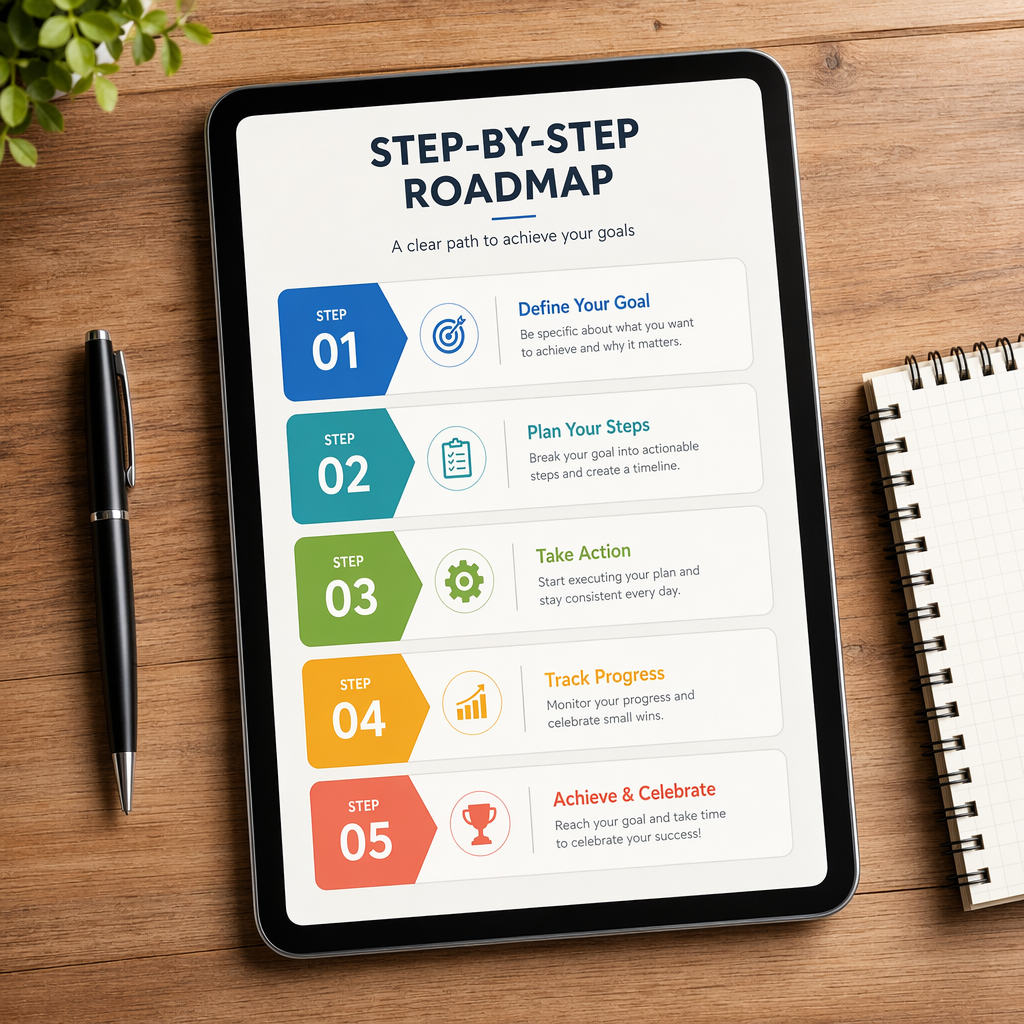 Yes, a step-by-step Data Analytics Roadmap can make learning much easier. You do not have to jump around to different topics. You start with spreadsheets and then move to databases, statistics, visualization, business thinking, and projects. This order helps you build your technical skills without as much confusion.
If you want a successful career, it is good to follow a path that fits real business work. The steps below tell you what to learn first, why each part is important, and how it all works to get you ready for a data analytics job in 2026.
Step 1: Excel Analytics – Formulas, Pivot Tables, Data Cleaning
Microsoft Excel is still one of the best tools to start with for data analytics. It can help you learn how to sort data, filter it, sum it up, and check your results—fast. Many first jobs use spreadsheets, so working with Excel puts you in a real work setting.
Start with these topics:
Formulas like IF, SUM, COUNT, and lookup tools like VLOOKUP or XLOOKUP
Pivot tables for quick summaries and easy comparisons
Data cleaning for fixing duplicates, blank spaces, and formatting issues
How can learning Microsoft Excel help you on your data analytics path? It lets you get used to data analysis before you try bigger platforms. You pick up skills for structure, accuracy, and speed. Many teams still turn to Excel when they need reporting, quick questions, and dashboard work. So, knowing this tool is still a very good skill for work.
Step 2: Learn SQL – Querying, Filtering, Joins
After you know how to use Excel, the next thing you should learn is SQL. Most companies keep their business data in relational systems. SQL is the query language used to get information from there. If you do not know SQL, it can be hard to answer business questions using databases.
The main things to know are:
SELECT, WHERE, ORDER BY, and GROUP BY
Filtering, sorting, and using aggregates
Joins, subqueries, and later, window functions
Why is SQL a big deal for a data analyst? It lets you get the data you want. You can put tables together, check for trends, and get reports ready. You do not have to wait for others to do this. Strong SQL makes your technical skills much better, and it will help you with your day-to-day work as a data analyst.
Step 3: Statistics Basics – Probability, Hypothesis Testing
Statistics helps you see what the numbers mean. You do not need to start with deep theory. First, you should know the key parts used every day in data analysis. This means you need to understand the mean, median, mode, variance, and ideas about how numbers spread out.
Probability is important because there is often some uncertainty in business questions. You will also need to know about spread, like standard deviation, and about relationships, like correlation. These statistical methods help you stay away from weak ideas and help you look at patterns with more care.
Which statistical concepts do you need as a data analyst? You should learn about descriptive statistics, probability, and the basics of hypothesis testing. These topics build stronger data analysis and better reports. They also get you ready for A/B testing, forecasting, and bigger data work in the future.
Step 4: Data Visualization – Tableau, Power BI, Storytelling
Now, you have to know how to show your findings in a clear way. Data visualization helps turn numbers into pictures that teams can get fast. A good chart or dashboard can point out trends, risks, and chances better than a table with many numbers.
Start with these visualization tools:
Tableau for dashboards you can click and explore
Power BI for strong Microsoft-based reports
Excel dashboards for fast business updates
So, which visualization tools should people new to the field learn? Tableau and Power BI are some of the top picks, but Excel is also helpful for many teams. You should also learn about data storytelling. That means showing not just what happened, but also why it matters. Good visuals help companies act fast and make better choices.
power bi, data visualization, visualization tools, data storytelling
Step 5: Business Analytics – KPIs, Customer/Revenue Analysis
At this stage, try to think more about how you can use your tools for real business needs. Business analytics is all about using numbers to fix business problems, check on progress, and help a company grow. It connects how we use data to what managers want to get done and how things go at work every day.
You should learn things such as how to keep track of KPIs, look at customers, review revenue, and do simple checks in marketing or how things run at work. These things can help you see patterns, which show what is going on. For example, if you see a drop in sales, you check the different places you sell, what your customers do, and what mix of products is out there, to find out the reason.
What is the difference between business analytics and data analytics? Data analytics is more about getting the data, making sure it is clean, and looking at what it tells you. Business analytics takes those answers and puts them to use. That means you use the information from data analytics to find business insights and make better decisions. So, with one, you study the numbers. With the other, you make use of them to get good results and handle business problems.
Step 6: Python for Data Analytics – Pandas, NumPy, Matplotlib
Python should be learned after you get the basics of spreadsheets, SQL, and stats. When you know tables, summaries, and how to ask business questions, learning Python gets easier. At that point, Python helps you scale your work. It is not a tough first step, but a good next step.
When you start with Python in data analytics, learn these things:
Python basics like how to use variables, lists, and easy functions
Pandas and NumPy for working with data
Matplotlib for making charts and simple visuals
So, when is the right time to learn Python on the data analytics roadmap? Start using Python after you feel good using Excel and SQL. People use Python when they need to work with big data sets, for automation, and to do more with data. You may not need Python at your first job in data analytics. But knowing it gives you more ways to grow in data science and analytics.
Step 7: Portfolio Projects & Job Preparation
Projects help you show what you can do to employers. A portfolio is proof that you know how to clean data, make charts, and talk about what you find. This is important for someone new to being a data analyst who does not have work experience yet. Your projects are open proof of your analytical skills.
Good project types include:
Sales reports and dashboards
Customer churn or campaign analysis
Financial or e-commerce reporting case studies
How do portfolio projects help you get ready for a data analyst job? They let you link what you learned to real business problems. These projects can also help you feel more sure in interviews. You will be able to explain what you did and why. If you want a job as a data analyst, try to have three to five good projects. Make sure they show your skills in SQL, Excel, making charts, and reports.
Essential Tools for the Analytics Career Path
If you want to do well in your analytics career, you should start with tools that people use a lot at work. Microsoft Excel, SQL, Power BI, Tableau, and Jupyter Notebook cover most of what you need when you are just starting out. These tools help you work with data, search databases, build dashboards, and keep track of your analysis.
You do not have to learn every tool right away. Pick the ones that fit your level and where you are in your learning. The next parts will show how each tool helps you grow and how to pick the best ones for you.
Microsoft Excel Analytics and Google Sheets
Microsoft Excel and Google Sheets are still used by many teams every day. They are easy to use, fast, and help with ad hoc data analysis, quick reports, and small dashboards. People new to data analysis can learn a lot about structure and being exact, and they do not need a lot of setup to begin.
You should use these tools for:
Pivot tables and filters
Basic charts and summaries
Data cleaning, formulas, and lookups
How important are Excel and Google Sheets to people who do data analysis? They are very important, especially when you start. You learn how data works and how to make reports. When you move on to tools like Python or BI tools later, you will still need skills in Microsoft Excel and Google Sheets. These skills help your business team and let you answer quick requests.
SQL Databases for Business Analytics
SQL databases are where you find a lot of business information. Things like sales records, customer data, and transactions are kept in these systems. SQL is a query language that helps you get to this information easily for data analysis.
When you do business analytics, SQL databases help with reporting, checking KPIs, trend analysis, and looking closely at data from different tables. You can group data, join different sources, and make clean outputs for your dashboards. This makes SQL a big part of data management and supporting good business decisions.
How do SQL databases fit into business analytics? They let analysts get the right numbers fast. Instead of working by hand with exports, you use structured data that is easy to reach. This makes your data analysis quick, correct, and simple to do again.
Power BI, Tableau, and Jupyter Notebook
These tools each play their own part, but they work well together. Power BI and Tableau are both great for building dashboards, making interactive reports, and giving clear visual summaries of the data. When you use Jupyter Notebook, it helps with coding, doing your analysis, and keeping all your work in one place, which is helpful if you are learning or working with Python.
People use these tools for things like:
Building KPI dashboards in Power BI
Creating interactive visuals in Tableau
Running Python analysis in Jupyter Notebook
So, what do Power BI, Tableau, and Jupyter Notebook do? They let you show, explore, and talk about your data. Power BI and Tableau help you build your data visualization skills. Jupyter Notebook makes it easier to work step-by-step and learn as you go. When you use all of them, you get a smoother way to improve your data visualization process, from digging into the details to talking about what the numbers mean.
Tool Comparison Table: Choosing the Right Tools
Choosing tools becomes easier when you match each one to a purpose. Some are better for quick spreadsheet work. Others are stronger for dashboards, coding, or database tasks. The best plan is to build essential skills in stages instead of chasing every new platform.
Here is a simple tool comparison:
Tool | Main Use | Best For Beginners |
|---|---|---|
Excel | Cleaning, formulas, quick reports | Yes |
SQL | Querying databases | Yes |
Power BI | Dashboards and KPIs | Yes |
Tableau | Interactive visuals | Yes |
Python/Jupyter | Automation and deeper analysis | After basics |
Google Sheets | Shared spreadsheet work | Yes |
So, how should you choose data analytics tools? Start with Excel and SQL, then add visualization tools, then Python. This order builds technical expertise without overload and fits the real analytics career path well.
Data Analytics Skills Companies Expect in 2026
Companies look for more than just knowing how to use the tools. In 2026, they will want a mix of analytics skills, business sense, and good communication. You should know how to use data, show what you find in a simple way, and help others make choices with clear reasons.
The best data analyst skills come from using both technical skills and strong thinking skills. Recruiters want people who can fix problems, make visuals, and know what the business really needs. The next parts will show this in a simple way.
Analytical Thinking and Problem-Solving
Analytical thinking helps you go deeper than just the numbers you see. You can look at why sales went up or down, why customers left, or why something in a process slowed down. Without this way to think, data analysis is just about sharing numbers. It will not help you make better choices for the business.
Problem-solving is also important. Companies want people who can handle business challenges. It is not enough to just look at a dashboard. You need to find where things are not working, try new ideas, and make moves based on the patterns you find. This is how you get good business insights.
Why do analytical thinking and problem-solving matter so much? Because tools can give you the numbers, but people have to make sense of them. Employers want someone who can spot business challenges, ask the right questions, and find steps that will help the company get better.
Data Visualization and Communication Skills
Strong data visualization helps your work stand out and be clear. A simple chart shows a trend in just seconds. This lets managers save time and helps teams focus on what to do next, instead of trying to figure out hard-to-read reports.
Communication is just as key. You may know the numbers, but others gain more when you explain them in everyday words. Good data storytelling links visuals and meaning. It helps teams that may not be technical get what changed and why.
How does data visualization help with sharing ideas? It makes hard information clear and easy to use. When you combine visuals with simple talking and writing, your visualization skills help you share business insights. This supports better business decisions across teams.
SQL Proficiency and Business Understanding
Knowing SQL means you can work with real business data, not just play with sample spreadsheets. It shows you know how to get the right business data, use filters, and share useful information. This is one of the key data analysis skills that employers want.
But knowing how to use SQL is not all you need. You also must have a business understanding. If you do not get what the team wants to improve, even the best query will not help much. The right context helps you do good analysis.
Why is having business understanding with SQL so important? It is because companies want better decisions, not just code. When you mix good data analysis and business thinking, you can ask the right questions, make reports that matter, and give people the results they need.
Building Your Data Analytics Portfolio
A portfolio matters because it lets people see what you can do before they hire you. Recruiters want to see proof of your technical skills, data visualization, and how you think about data. Good portfolio projects help your data analyst career look more real and strong.
Your work needs to show how you work with messy data, make reports, and share actionable insights. The next sections will show project ideas and what skills employers can see from these projects.
Sales Dashboard and Marketing Performance Projects
A sales dashboard is a great project for those who are starting. You get to keep track of revenue, product trends, how each region is doing, and monthly changes. The work shows you can make clear visuals and share info in a way that helps people understand it.
Marketing performance projects are good because they join numbers with the growth of a business. You can look at campaign results, see how people click, or watch how leads turn into customers. These projects show your analytics skills and your business insights.
Include projects like:
A sales dashboard that shows trends, lets you use filters, and gives different category views
A marketing performance report that compares each channel and campaign
A KPI summary telling what got better and what dropped
These kinds of projects highlight your data visualization, your business insights, and your ability to give real value through reporting.
Financial Reporting and E-Commerce Analytics
Financial reporting projects can be useful. They show that you can work with business data that has structure and data that is sensitive. In these projects, you might track revenue, expenses, how a company does each month, or how budgets change. Showing this means you care, pay attention, and have good reporting habits.
E-commerce analytics projects also be a smart choice. In these projects, you can look at product sales, how customers act, how often people buy, or where people leave the process. These projects can help because many companies use online data to make their business and user experience better.
To show that you know the business domain and have domain knowledge in projects, pick case studies that match a real-world area—like finance or e-commerce. Be sure to explain the business goal in a clear way. When your data analysis leads to real results, recruiters see that you get the bigger picture, not just the tools.
Skills Learned from Portfolio Projects
Projects help you learn much more than just how to click around in software. You find out how to ask the right question, clean up data, pick some good numbers to track, and show what you found out. This mix is one of the fastest ways for you to grow both your technical skills and your job skills.
By working on these projects, you build:
Analytical skills from looking at trends, making quick notes, and seeing what the problem is
Technical skills in Excel, SQL, dashboards, and sometimes Python
Visualization skills and soft skills from sharing your work and clearing up what you did
What skills do you get when you build analytics projects? You learn domain knowledge, feel more sure of yourself, and think in a sharper way. You also see how to handle messy data and turn it into something useful. This is what employers want to see in a new person’s portfolio.
Certifications for Aspiring Data Analysts
Certifications can help you plan learning. They also show that you have commitment. The value of certifications is clear when you are new and need to show your skill set is growing. If you are working to be a data analyst, the best certifications cover practical tools, reporting, and the basics of business analytics.
But, certifications are not enough by themselves. They work well with projects. Certifications can support your technical expertise. They do not take the place of real practice. The options below are often picked by beginners and early professionals.
Google Data Analytics Certificate
The Google Data Analytics Certificate is seen as a good starting point. It helps you learn how to clean data, use spreadsheets, and write reports. If you are new to data analytics, this setup can help a lot.
This certificate can help you get ready for a job. It gives you a step-by-step path to follow. If you feel stuck or unsure, structured certificates make things clear and keep you going. That is good for building data analyst skills and technical skills at the start.
Is Google’s certificate right for beginners? It can be, especially if you need help finding your way. But you should not stop there. Try using SQL, working on dashboards, and doing projects. Employers want to see you learn the basics and use them in real work.
Microsoft Power BI and Tableau Certifications
Power BI and Tableau certificates will help you if you want to build a strong reporting profile. You will see these power bi and data visualization tools in a lot of analytics jobs. They are used to show data, make dashboards, and do business reporting work.
People use Power BI a lot in companies that already use a lot of Microsoft tools. Tableau is known because it gives you strong, interactive visuals. If you see one of these analytics tools in the job information more than the other, start there. When you pick that certificate, you learn the skills employers in those companies want.
So do you go for Power BI or Tableau? Choose the one that fits what you want in your job and the demand you see around you. If you are already used to Microsoft Excel, you may find Power BI easier to get into. When it comes down to it, knowing how to make clear dashboards will help you get hired for that analytics job more than the piece of paper.
Business Analytics Certification Programs
Business analytics certification programs do more than teach you how to use tools. They show you how data is linked to the way a business works, how people make choices, and the business challenges you face every day. This helps you if you want to get to know customer behavior, trends with money coming in, the way things get done, or results in marketing.
The programs cover tracking KPIs, how to make reports, and how to turn numbers into good recommendations. This helps grow your domain knowledge and lets you ask better questions. In many jobs, these skills are just as important as building dashboards or charts.
What do business analytics certifications cover? Most teach you how to use analysis methods, how to think about reporting, and how real business use cases work. If you want more help and guidance, SocialPrachar has programs that fit people who want to learn about analytics, along with courses like ai courses in hyderabad, ai engineering course in hyderabad, and machine learning course in hyderabad.
Benefits and Limitations of Certifications
Certifications in data analytics have clear benefits. They give you a plan to follow. They help you stay on track. They show that you put in time to learn new things. For someone new, certifications make your skill set easier to understand when you put it on your resume. They help you feel less lost in the beginning.
Main benefits and limits are:
Benefits: help you learn, keep track of your progress, and add to your resume
Benefits: let you use tools like Power BI, Tableau, and business analytics
Limitations: do not show what you can do on real projects
Are certifications the full answer to getting a data analytics job? No. They help, but you will need more. Employers still want to see your own projects. You have to know how to use SQL. You need to show you can talk about your work and think through problems in a real way. Use certifications to boost your skill set, but they are not everything. Showing real work is what matters most.
Common Challenges Beginners Face
Many beginners have a hard time with this. They want to learn everything fast, but that does not work. They jump from one tool to the next and miss out on the essential skills. They feel lost, and this can slow them down a lot. The path to becoming a data analyst seems hard, but it does not have to be that way.
The good news is many people have these same problems. The problems can be fixed. If you build a strong foundation and follow the right steps, getting started with a data analyst career is much easier. Here are the main things you should avoid.
Skipping Core Skills like SQL
Many people skip learning SQL because it seems harder than working with spreadsheets or charts. A lot of beginners want to make dashboards right away. But if you do not know SQL, it is tough to get and set up the data for those charts.
Why do new users have trouble with SQL and basic skills? Most do not see how useful it is at first. But SQL is one of the best technical skills for data analysis. With this skill, you get full control of your data and be ready for using real company systems.
If you skip key skills, you will see gaps while you learn. Focus on laying a strong foundation first. Learn Excel, SQL, and basic statistics. After you know these, Power BI, Tableau, and Python will get much easier for you to pick up and use in your work.
Over-Focusing on Tools vs. Business Context
It is easy to get excited about new analytics tools. Many beginners collect course names, software badges, and dashboards. But, they often do not ask what business problem they are solving. That can lead to learning only on the surface and not in-depth. This kind of learning usually has little real value in the real world.
Business context is important. Data only helps when you link it to a goal. Are sales going down? Are customers leaving? Is the campaign not working as you want? Your work needs to answer these types of questions. Doing this helps turn reports into actionable insights.
Why does business context matter in analytics? Employers want results that help, not just colorful charts. Data analyst skills become stronger when you mix tools with an understanding of the business. When analysis connects to a true goal, your work is clearer, better, and worth more.
Not Building Projects and Weak Communication
Some people spend months learning, but they never make or build anything from that knowledge. This can be a big problem when they look for a job because the people hiring want to see how you solve real business problems. Doing portfolio projects lets you show what you have learned, and it makes your profile easy to trust.
The way you talk or write—your communication skills—also matters. Even if your analysis is strong, it will be worth less if you can't say what you did in a simple way. Bosses want clear answers, not hard words. They want to know what changed, why it happened, and what action they should take after hearing it.
Why do many new people have trouble getting seen without showing skills or good communication? It is because analytics skills need to be shown, not just talked about. A strong portfolio, plus a way to explain your work in simple words, helps you get noticed faster. This is more true when you want beginner jobs where many people are looking.
6-Month Data Analytics Learning Plan for Indian Beginners
A clear six-month plan is good for Indian beginners who want to get into data analytics. Start with Excel analytics. You should learn basic functions and how to show data using charts and graphs. In the second month, focus on SQL basics. This will help you understand how to work with databases, get data, and use it.
In the next months, learn statistics. Try different data visualization tools like Power BI and Tableau. Build some projects for your portfolio, work on your resume, and get ready for interviews. This guide gives you the most important skills and real hands-on experience for data analytics.
Month 1: Excel Analytics and Basic Concepts
Knowing how to use Excel is important for good data analysis skills. You need to learn to use formulas, pivot tables, and tools for data cleaning. These are key for making organized datasets. When you get comfortable with these, you can work with raw data and find useful points.
If you learn Excel well, you will be ready to use other advanced analytics tools later. You can use Excel charts and dashboards to show data in a way that helps people make good business decisions. This first month helps you build strong skills for more learning and hands-on work in data analysis.
Month 2: SQL Fundamentals
If you want to be a data analyst, you need to know the basics of SQL. This important query language helps you talk to the database. With SQL, you can pull out data, change it, and look at it in a way that makes sense. When you practice things like SELECT, WHERE, and JOIN, you learn how to make queries that help you find business insights. You get to work on real problems, like sorting or adding up numbers in data, and this builds up your analytical skills. Knowing how to use SQL gives you the tools to make smart choices for your work and to handle business challenges in the best way.
Month 3: Statistics and Business Analytics
Knowing basic statistical ideas is important when you start working as a data analyst. Things like mean, median, and mode help you see what is going on in data sets. Probability and standard deviation show you how things can change and what risks might be there. If you learn these statistical methods well, you can make better business decisions.
Using analytics skills such as KPI tracking and customer analytics can help you find actionable insights in raw data. This lets you solve business challenges and come up with good business insights. Getting strong analytical skills is key for a successful data analyst career. You can take raw data and turn it into useful business ideas.
If you connect statistics to the real world, it helps to understand data trends. This will help businesses get better at their work and plan smarter ways to move forward. With the right business analytics and statistical methods, you will help the business grow by improving operational efficiency and making smart decisions from the data.
Month 4: Power BI/Tableau Visualization Skills
Learning how to use tools like Power BI and Tableau for visualization is a must for anyone who wants to be a data analyst. These platforms help you change raw data into clear visual stories. By doing this, you can find business insights and make better choices. When you know how to build interactive dashboards, you will get better at data storytelling. This also helps you spot trends, patterns, and find actionable insights in big data sets. Having this skill set is important today. It helps boost operational efficiency and improve outcomes for many types of business.
Month 5: Portfolio Projects
Building a portfolio is important for anyone who wants to be a data analyst. Working on hands-on projects, like making a sales dashboard or looking at customer churn, helps you use what you learn in real-world settings. You get better at using data visualization tools, like Power BI, and Tableau. These projects also let you show your analytical skills. Putting together different kinds of projects tells others that you have good problem-solving skills. It shows you can find actionable insights. This helps you stand out for a data analyst job, in a job market where there are a lot of people who want the same job.
Month 6: Resume Building & Interview Preparation
Making a good resume is key for getting noticed in the analytics job market. Show your skills in things like Excel analytics, SQL, and data visualization tools like Power BI and Tableau. Be sure to use action verbs when you talk about your projects. This will help you show your analytical skills and point out the business insights you found using data sets.
To get ready for interviews, you should know about the usual questions on data analysis. Be ready to talk about different tools and techniques. You might also get asked to walk through case studies or talk about a dashboard you made. This is your chance to show how you can turn data into actionable insights.
Analytics Career Path and Growth Opportunities
A good future is waiting for people who want to start a career path in analytics. If you begin as a junior data analyst, you can move up to be a data analyst or a senior data analyst. Each job helps you build important analytical skills and teaches you new domain knowledge that you need for work. These roles let you deal with real business problems. After getting more skilled, you can become a business analyst or an analytics manager, and you may also shift into data science if you want something new. Many companies use data to make choices now. So, the need for data professionals is going up.
Junior Data Analyst, Data Analyst, Senior Data Analyst
A job as a junior data analyst is a good way to start in data analytics. In this role, you will learn the basics of data collection, data cleaning, and simple data analysis. It is a great place to build your analytical skills.
As you move up to be a data analyst, you will look at harder data analysis tasks. You will start to use tools like SQL for database queries and Power BI for data visualization. This job lets you work more with data and helps you get even better at solving business problems.
When you become a senior data analyst, you will lead teams and help with training junior team members. You will use advanced analytics and deal with big business problems. At this point, you will help guide projects and give advice to others in the company.
Business Analyst and Analytics Manager Roles
Knowing the differences between a business analyst and an analytics manager helps people see the many ways to grow in a data analytics career. Business analysts use their strong analytical skills to study data and find actionable insights. They talk with both technical teams and people in the business to help solve business problems with data. The work they do helps others make smart choices.
Analytics managers lead teams who work on different data analytics projects. They use many tools and skills, such as statistical analysis and data visualization, to help solve problems. Their job is to make sure all analytics work supports the company’s goals and makes the business better. This helps the whole team work well together and reach more success.
Transitioning to Data Scientist
Moving from a data analyst job to a data scientist role can open up many new chances for you in your career path in analytics. To make this move, you will need to build on your technical skills. You should get good at programming languages like Python and R. It will help a lot to learn more about machine learning ideas, too.
Being able to use data storytelling is also important. You need to share clear, actionable insights, which help people make better business decisions. One good way to show what you can do is to put together a strong portfolio. This should have projects that show your skills in data science and working with big data.
You should always try to know what is new in artificial intelligence and big data. If you keep learning and stay up-to-date, you can do well in your move to become a data scientist.
Data Analytics vs Business Analytics
Both data analytics and business analytics look at ways to get good insights from data. But, how they use these insights is not the same. In data analytics, the focus is more on finding, handling, and using statistical analysis on data. The goal is to turn these numbers into actionable insights that you can use. On the other hand, business analytics takes these insights and uses them to shape company plans and help with big decisions.
Some tools you will use in both areas are Excel, SQL, and Tableau. But, business analytics will make you think more about what is best for the company and help make work better. If you know these main differences, it can help you choose the right skills for the job you want in the analytics field.
Scope, Tools, and Responsibilities
Understanding what data analytics can do is important for every business. It shows the key part it plays in making smart choices at work. In data analytics, people use tools like Microsoft Excel, SQL, Power BI, and Tableau. These tools help them turn raw data into simple and helpful facts that people can use. The main jobs here are data collection, cleaning the data, looking through it, and making dashboards with data visualization. These dashboards give a short look at how a business does over time.
The people who work with data analytics help companies find good ways through business challenges. They look for trends and work to make things run better every day. With their strong analytical skills, they help businesses use numbers and facts for making informed decisions. All of this can help the company do well, even when the world changes fast.
Career Opportunities and Industry Impact
The field of data analytics offers many career opportunities. Today, data drives the way we live and work. People can start with entry-level jobs like a junior data analyst, which gives a strong foundation. Later, they can move up to be a data analyst or a senior data analyst. In these jobs, you build your analytical skills and learn more about your work area. As companies use more analytics tools to gain business intelligence, you can also get jobs like business analyst or analytics manager. The field of data science is growing fast. This means more chances to become a data scientist. Data scientists help people make better decisions and improve how things work across many different fields.
Future of Data Analytics Beyond 2026
The world of data analytics will change a lot as new tech in artificial intelligence and machine learning come up. Companies will start to use more AI-powered data analytics, which helps them get better ideas from big data. This means they can make good choices using this new tech. There will be self-service BI tools that let people find trends right away and make data management tasks easier. In India, there will be new decision intelligence platforms. These will mix automation and analytics together to help solve business challenges. All of this will lead to better ways to work and boost operational efficiency.
AI-Powered Analytics and Predictive Trends
The future of data analysis is changing because of artificial intelligence. With AI-powered analytics, it is now faster and easier to work with raw data. This helps data analysts find good and useful insights for the company. In predictive analytics, people use machine learning to look at earlier data. This shows them trends and helps them guess what might happen next.
When you mix AI with data analysis, it lets businesses make better, more informed decisions with the right numbers. Also, using big data on cloud platforms makes everything run well and helps people face business challenges before they become a big problem. It also lets companies keep up when the market changes.
Self-Service BI Tools and Real-Time Analytics
Self-service BI tools are now more popular than before. These tools let you look at data on your own, even if you do not have deep technical expertise. The easy-to-use design gives you quick insights. This helps support a shift toward making decisions based on data inside the organization.
When you use real-time analytics, you get up-to-the-minute data. This means your business can change fast when the market changes. The power to do this supports better operational efficiency. You can solve business problems as soon as they come up.
With helpful visual tools and actionable insights, people in a company can build strong stories that lead smart choices. All of this shows the key part that data analytics has in a busy, fast-changing world.
Decision Intelligence Platforms in India
Decision intelligence platforms are starting to change the game in India. They use artificial intelligence, machine learning, and data analytics to help companies handle tough business tasks. With these platforms, people can look at data and get ideas fast, so they can make good, informed decisions in less time. When businesses use their strong analytical skills and domain knowledge, they can fix work problems more quickly and with less waste.
More top companies are using these tools every year. The reason is clear: better risk management and improved operational efficiency. With a strong focus on actionable insights, these platforms help companies turn their data into smarter business plans. This gives them a strong edge over their competitors.
Data Analytics Interview Preparation Tips
Getting ready for a data analytics interview means you need to focus on both technical skills and soft skills. You should be good at using SQL and Excel because people often ask you about these in interviews. Make sure you know how to write common SQL queries and use different Excel functions. You should also know ways to show data by using data visualization.
Practice how to answer questions about your behavior at work. This helps you show that you can solve problems and handle change. Think about real-world times when you used your analytical skills to help a business see new business insights. Be ready to talk about these moments. Having a set of portfolio projects to show will also help people see what you can do. This makes you look even better to the people who may hire you.
Common SQL and Excel Interview Questions
Knowing the usual SQL and Excel interview questions is important if you want to be a data analyst. You will likely get questions about the basic parts of SQL. These can be about SELECT statements, joins, and how to use aggregations. You may also face questions that ask you solve business data problems from the real world.
For Excel, many questions look at how well you use functions, pivot tables, and data visualization. You could need to show how you use data cleaning methods and how lookup functions work. Getting ready for these topics helps you build strong analytical skills, so you can solve business problems in a better way.
Dashboard Discussions and Case Studies
Creating strong dashboards needs both good visualization skills and smart ways to look at data. When a data analyst knows how to show data the right way, they can turn simple numbers into clear and useful answers. Simple case studies help show these ways of working. They use real examples with tools like Power BI and Tableau.
When you use dashboards to tell stories, it helps share business insights in the right way. It also helps people who make choices handle business challenges better. When you tell data stories well, analytics becomes more valuable to any group.
Portfolio Presentation Strategies
Showing what you can do through a well-made portfolio is important if you want to work in the field of data analytics. Try to show real-world projects where you used your analytical skills and technical expertise. You can add examples of data cleaning and data visualization. You may want to use Power BI or Tableau to tell a good data story. These tools help people understand the data, so insights are clear for others to see.
Bringing in different case studies will help others see how you can deal with many types of business problems. Make sure your portfolio is easy to look at, neat, and looks good. This is how you leave a strong impression on anyone who may want to hire you.
Conclusion
Starting out in data analytics can be a fun and good way to grow, both for your job and for yourself. Taking the steps on this planned learning path helps you get the technical skills and simple data analytics know-how you need to do well. This clear roadmap helps you learn more and gets you ready for new things that come your way in the field. By sticking to these steps, you can start building your way toward a strong career in data analytics. You will be ready to help make smart business decisions and give real data insights.
Frequently Asked Questions
What are the essential skills I need to learn to become a data analyst in 2026?
If you want to be a data analyst in 2026, start by learning how to use data visualization tools like Power BI or Tableau. You should also get good at SQL for working with databases. Work on your skills in statistical analysis and learn programming languages like Python or R. It is also important to know how to talk about your ideas and make sure other people can understand them.
Which tools should I focus on mastering for a successful analytics career path?
To do well in your analytics career, start by learning some key tools. Use Excel to work with data. For database work, learn SQL. Try visualization tools like Power BI or Tableau to make your data easy to see and use. You should also get to know programming languages such as Python or R. These can help you solve advanced analytics tasks.
What certifications are valuable for aspiring data analysts in India?
If you want to be a data analyst in India, you should look at certifications like Microsoft Certified: Data Analyst Associate, Google Data Analytics Professional Certificate, and IBM Data Science Professional Certificate. These help you learn key skills fast in the field of data analytics. They can also give you better chances to get a good job. With these, companies know you are serious about data analytics and data science.
What are common challenges beginners face when starting a data analytics career?
People who are new to data analytics can find it hard to learn the right tools. They also may not know much about numbers, and how to understand data well. On top of that, it can be tough for them to put together a portfolio or get ready for job interviews. The fast changes in technology and what companies want often make it even harder for them.