







.png%3Falt%3Dmedia%26token%3Dbbf105ec-4b9e-47bc-a72d-882d1995869e&w=3840&q=75)
Top 12 AI Tools Developers Should Learn Before 2027 Today
Key Highlights
This guide lists the best AI tools developers should master before 2027 to stay ahead.
We cover everything from AI coding assistant tools like GitHub Copilot to powerful machine learning libraries.
Learn how artificial intelligence and advanced AI models are transforming code generation and software development workflows.
Discover the best AI tools, including open-source options, to boost your productivity and code quality.
We provide a clear learning path for developers in India to master these essential technologies.
Find out how an AI coding assistant can help you write, debug, and review code more efficiently.
Introduction
Welcome to the future of software development. The world of artificial intelligence is not just talk anymore. It is a real power that changes the way we code, fix problems, and build new things. If you are a developer, you need to stay up to date and use the best AI tools. Learning about artificial intelligence is important for getting better at what you do, working faster, and getting ready for new chances that are coming soon. In this guide, you will find the best AI tools and see which ones you need to know for software development.
The Top 12 AI Tools Developers Should Learn Before 2027
 The world of programming keeps changing. The right ai tools can help you a lot. The list below has the 12 best ai tools. The tools are helping with ai coding, code generation, code analysis, and putting up developer productivity. The best ai tools support many programming languages. They bring in strong ai models so you get better code quality.
Learning how to use these ai coding assistant tools will make you a faster developer. You will also get a tech stack that is good for the future. Are you ready to see what best ai coding tools can do? Let’s get going.
1. GitHub Copilot – AI Code Completion and Suggestions
GitHub Copilot is an ai coding assistant that works like a partner by your side, right in your code editor. Made by GitHub and OpenAI, it uses ai models to give you code suggestions as you type. It works well with editors like VS Code, JetBrains, and Visual Studio, so many people can use it as one of the best ai tools for developers.
You can use it to write whole functions just by adding a simple comment. It can finish blocks of code you have to write again and again, and it can also help you write tests. GitHub Copilot looks at your entire codebase, not just the one file you are on, to give you smart help.
Key features of GitHub Copilot include:
Inline Code Suggestions: Get real-time code that shows up in your editor, sometimes even whole sections at once.
Natural Language Prompts: Write code snippets and functions just by making comments in plain English.
Context-Aware Assistance: Copilot looks at your open files and gives you advice that fits your project’s style.
GitHub Copilot uses ai coding to make your work faster and easier. It brings power to your code editor with ai models and natural language support. It is a top choice for getting help with your code and finding key features that make daily coding better.
2. ChatGPT – Advanced Conversational AI for Coding Help
ChatGPT is now a top ai assistant for people working with code. Many use it because they want fast help with problems. It is good at reading what you write in normal words. ChatGPT is seen as one of the best ai tools when you want help with code analysis, ai coding help, and making code snippets. You can have it break down hard ideas, rewrite code to get better quality, or help draft docs.
This ai coding assistant helps people write code faster. It does most of the finding info and first drafts for you. You do not have to go to forums, now you can just ask a question and quickly get a good example.
Here is how ChatGPT can help your coding:
Instant Code Snippets: You can ask for ready code in many programming languages and frameworks.
Debugging and Error Analysis: Put in your errors and get back what went wrong and ways to fix them.
Code Refactoring: Get ideas from the ai coding assistant on how to make your code easier to read, use, and improve its quality.
3. Claude – AI Coding Assistant for Enhanced Productivity
Claude is a powerful AI coding assistant built to help make developers more productive. Anthropic made Claude to work with big and complex codebases. The AI coding assistant does well because it can read, edit, and understand code in more than one file. You can use it like an agent in your terminal or code editor. When you look for the best AI tool, think about which key features the tool brings. It is good to see how the ai models take in your project’s context and what the tool can connect to.
The ai models in Claude are built to be helpful, safe, and honest. Because of this, you get reliable code suggestions you can trust. Right now, Claude is quickly becoming one of the best ai tools for developers who need help with problems like multi-file work or fixing loops during debugging.
Claude gives you many key features, such as:
Large Context Window: Claude can look at lots of code at once. This is good for tasks that deal with your whole project or codebase.
Agent-Style Workflows: You can use Claude from the command line. It helps you do tasks in steps, such as creating a new project or fixing bugs.
Interactive Coding: You can talk with Claude as you work. It can help fix code, run commands, and show what will change before the changes happen.
4. Hugging Face – Open-Source Machine Learning Library Hub
Hugging Face is more than one tool. This is a large home for machine learning. The site is often the first stop for developers who want open-source ai models, datasets, and libraries. If you want to use natural language or add other ai tools, Hugging Face will be a big part of your ai tech stack. Many developers wonder if there are free or open-source ai tools. Hugging Face shows that these ai tools are available.
On this platform, you can add top ai models to your project with little effort. Whether you build on the application layer of a new app or want to use code generation models, the Hugging Face Hub has what you need.
Here's why developers pick Hugging Face:
Access to Thousands of Models: You can look through many models that do things like text creation, translation, and making long stories short.
Transformers Library: This tool is strong and easy to use for working with big models like BERT and GPT.
Community and Collaboration: The site lets people share ai models, datasets, and work with others easily.
5. LangChain – Framework for LLM-Powered App Development
LangChain is a popular open-source way to build apps that use large language models (LLMs). An AI tech stack with LangChain lets your team make smarter AI apps. You can chain together many parts, like LLM APIs, your data, and custom setup. This makes your work faster and brings more use cases to the table.
LangChain gives a set way to talk to many AI models and other tools. This is good if you want the best AI coding assistant for apps that get the context right. With agent mode, your app can make choices and act in the world on its own.
Here are some key features of LangChain:
Chains and Agents: Put LLMs and other tools together. This helps you build strong, automatic workflows.
Data-Augmented Generation: Link your AI models to other data. This lets your app give better and more on-point answers.
Memory and Context: LangChain helps your app remember what happened before, so people have a smoother experience.
LangChain is one of the best choices for your AI coding needs. Its agent mode and easy use with many models make it a strong pick if you want the best AI, and the right AI tech stack for most use cases.
6. NumPy – Foundational Python Library for Data Science
NumPy is short for Numerical Python. It is the main library for scientific work in Python. A lot of AI coding assistants work with many programming languages, but Python gets the most attention in AI and data analysis because it is used a lot in these fields. NumPy helps with big, multi-dimensional arrays and matrices. It also comes with many math functions that make work fast and easy.
If you want to start with AI or machine learning, learning NumPy is one of the first and most important steps. It is the starting point for the data layer in many ai models. Other popular libraries, like Pandas and Scikit-learn, need it to work. NumPy stands out as one of the best ai tools you can use for data analysis.
Here's why NumPy matters:
Efficient Array Operations: You get high-speed N-dimensional array objects that let you do numbers work fast.
Mathematical Functions: The library lets you use many tools for things like linear math, Fourier analysis, and working with random numbers.
Integration: NumPy is at the center of many other Python data science and predictive analytics libraries. It helps them run well.
7. Pandas – Essential Data Manipulation Tool
Pandas is a free Python tool that many people use for data analysis and handling. With the growing need for AI, developers must know how to work well with data. Pandas is a good way to do this. It gives you the structures and functions you need to work well with prepared data. That makes it one of the best ai tools for anyone who deals with the data layer.
You can use Pandas with data from data warehouses, data lakes, or even simple CSV files. You can use it to clean, change, and review your data in easy ways. An ai coding assistant can even give code snippets to help you do your tasks faster with Pandas.
Key features of Pandas include:
DataFrame Object: This gives you a strong way to hold and work with your data in two dimensions.
Data Cleaning: You can handle missing values, filter rows and columns, and change your datasets quickly.
Powerful Grouping and Aggregation: You can group data and get results with easy
groupbycommands.
With Pandas, people in ai coding, data analysis, and other tech jobs can get the most out of their data with less work. This makes it one of the best ai tools out there.
8. Scikit-learn – Core Machine Learning Library
Scikit-learn is a simple and strong tool for data analysis. It is at the core of many machine learning projects when you work with Python. The library is built on NumPy, SciPy, and Matplotlib. With Scikit-learn, you get a lot of different choices for supervised and unsupervised learning. Many people say it will still be one of the best AI tools for developers in 2026. That is because it works well and is easy to use.
You can use Scikit-learn for many things. This includes classification, regression, clustering, and cutting down the number of features in your data. This library helps at the data layer, from getting your data ready to training AI models and then making predictions. It brings together what you need to train, test, and use ai models.
Here is what stands out about Scikit-learn:
Comprehensive Algorithms: Use many machine learning algorithms from a single and simple API.
Model Selection and Evaluation: You get tools for splitting your data, doing cross-validation, and checking how well your model works.
Preprocessing and Feature Engineering: There are options for scaling, encoding, and turning your data into the best forms. This can help improve how your AI models do.
Scikit-learn is just one of the best ai tools. If you want to use machine learning for data analysis or build your next best ai tool in the ai world, Scikit-learn can
9. TensorFlow – Deep Learning Framework for Developers
TensorFlow is made by Google. It is an open-source tool for deep learning and machine learning. When you need an AI tool, you want it to be able to grow and ready to use for many people. TensorFlow is good at both. The platform gives you many tools, libraries, and help from people in the community. With these, you can build and use ai models in your work.
It helps you train hard ai models, and you can put them on the application layer on many kinds of platforms. TensorFlow gives you a complete setup to make, use, and share machine learning apps. If you want to improve your code quality and work faster, you can use an ai coding assistant. It helps you write TensorFlow code for your projects.
Here are some key features of TensorFlow:
Flexible Architecture: You can use models on CPUs, GPUs, and TPUs. You can run them on computers at your work, in the cloud, or on edge devices.
TensorFlow Extended (TFX): This gives you all the steps you need to use ML in products—for sure, all the way from idea to the real world.
Strong Community Support: Many people help out and share. You get plenty of guides, models, and training that make it easy to get help when you need it.
10. PyTorch – Flexible Machine Learning Framework
PyTorch is a top open-source tool for deep learning. This tool is easy to use and very flexible. Meta AI built it, and now many people in the research world use it. You will also see that more companies use it at work now. When you compare PyTorch with older coding tools, you see that PyTorch speeds up how fast people can make hard ai models. It does this because it has parts that are already built for you, and it can do automatic differentiation.
When you add PyTorch to your ai stack, you can try new ideas fast. Debugging your work also feels much easier because PyTorch uses something called a dynamic computation graph. It works well with any code editor and helps you have better code quality when you are making ai models.
Why developers choose PyTorch:
Dynamic Computation Graph: With this, you "define-by-run." It makes debugging much easier and helps you see what goes wrong, so you can fix it fast.
Python-First Approach: If you use Python, PyTorch will feel right to you. The API is clean and simple, so you can learn it quickly.
Rich Ecosystem: PyTorch comes with many tools and libraries you can use. You get things like TorchServe for putting your model to work and TorchVision if you want to work with computer vision.
11. Keras – User-Friendly Neural Network API
Keras is a high-level API that helps people build and train deep learning models, mostly neural networks. It is well-known because it is easy to use and simple. This makes Keras a great choice for anyone new to deep learning. Keras works with other tools like TensorFlow. The easy and steady design lets you try out ideas fast. For the best ai coding with Keras, you can use any code editor that works with Python.
Many ai coding assistants, such as GitHub Copilot, work with popular IDEs. But, if you learn how to use a framework like Keras, you can make your own ai models. Keras gives you both easy controls and lets you use advanced features.
Here are the top benefits of Keras:
Simple and Fast Prototyping: Keras lets you build and change models quickly because it is made in a way that is easy to adjust and build on.
User-Friendly API: Keras was made for people, not machines. So, it is simple and doesn’t feel hard to use.
Runs on Multiple Backends: You can use Keras with TensorFlow, Theano, or Microsoft Cognitive Toolkit. This gives you more options to get your work done.
12. LLM APIs – Integrating Large Language Models into Apps
LLM APIs are tools that let you use big language models, like GPT-4 or Claude, in your own apps. These are some of the best AI tools if you want to add natural language skills and code generation to the application layer of your software.
With an LLM API, you can create your own ai coding assistant. It will work for your project context the way you want. These tools help people write code faster because they can do things like automate tasks, make boilerplate code, and give smart ideas as you use the app. Many open-source projects make it easy to use these powerful APIs.
Key advantages of using LLM APIs:
Access to State-of-the-Art Models: You get to use the best AI there is, without the huge cost and trouble of training big systems yourself.
Easy Integration: Most LLM companies give you simple REST APIs, so you can plug them into any programming language.
Scalability: These APIs are run by large companies and made to handle lots of use.
Why Developers in India Must Master AI Tools Now
 India’s tech world is growing fast. Now, the need for skilled developers is bigger than ever. To keep up in this quick-changing job market, you have to use artificial intelligence. Knowing the best ai tools is not just good, it is needed. The way you use an ai coding assistant or other helpful tools can really speed up your work and make you important to your team.
If you get good with ai, you can be ready for the new way of software development. In this new world, code generation and work with artificial intelligence will be common for everyone. No matter if you want the best ai tools and ai courses in Hyderabad or want to learn by yourself, this is the right time to build up your ai skills.
Rise of AI-Powered Development and Changing Workflows
Artificial intelligence is changing how software development works. The boom of the ai coding assistant helps to remove many tasks that once took up a lot of a developer’s time. Now, developers have more time to focus on creative problem-solving, building plans for software, and making the code better. An ai tech stack can help teams by making things easier and getting more done in less time.
Today, software development is a team effort between people and ai. Some of the best ai coding practices include using ai tools for code generation, fixing mistakes, and even making help guides. If you want to stay ahead and do better work, you have to accept these new ways of working.
Picking the right ai tools for your tech stack is very important. These tools can help you write good code faster, fix mistakes, and get new features done more quickly. This new way does not mean getting rid of developers. The goal is to give people what they need with the best ai coding to do even more in software development.
Importance of AI Productivity Tools for Modern Developers
In software development today, being fast and working well is very important. AI tools help developers do their jobs quicker and better. If you use an AI coding assistant, it can help you write code fast. It can make the usual code setup, give you code ideas, and even write a whole function when you just describe it in natural language.
These ai tools use strong ai models that get what your code is about and what you want to do. The right tool can help by doing small tasks like writing tests, fixing how your code looks, or finding mistakes. This means developers have more time for the tough and creative parts of software development.
Using the best ai tools is not only good for you, but it is also good for your business plan. Teams who pick the right tool can get their work done quicker, spend less money, and build better things in less time.
Preparing for the Future Job Market with AI Skills
The job market for developers is changing fast. Today, having AI skills is one of the most important things you can have for your career. To get ready for the future, you need to build a strong ai stack and learn to use the best ai tools. When you are picking out an ai coding tool, you should choose the ones that offer good code analysis, automated bug fixes, and security checks. Taking an ai engineering course in Hyderabad can help you learn these skills to a high level.
A modern ai coding assistant does more than finish your lines of code. It can review your code changes, help find security vulnerabilities, and give you tips on how to make your code better by using predictive analytics. Employers really want people who have these skills.
To stay on top, you should learn to use tools that help you with:
Automated Bug Fixes and Security Checks: Use tools that look over your code and suggest or fix problems by themselves.
Intelligent Code Review: Find an ai assistant that studies your pull requests and gives you feedback on your code quality and if you are following the right standards.
Predictive Analytics: Learn how to use ai to guess where problems might come up or to make your work run better.
Key Categories of AI Tools for Developers
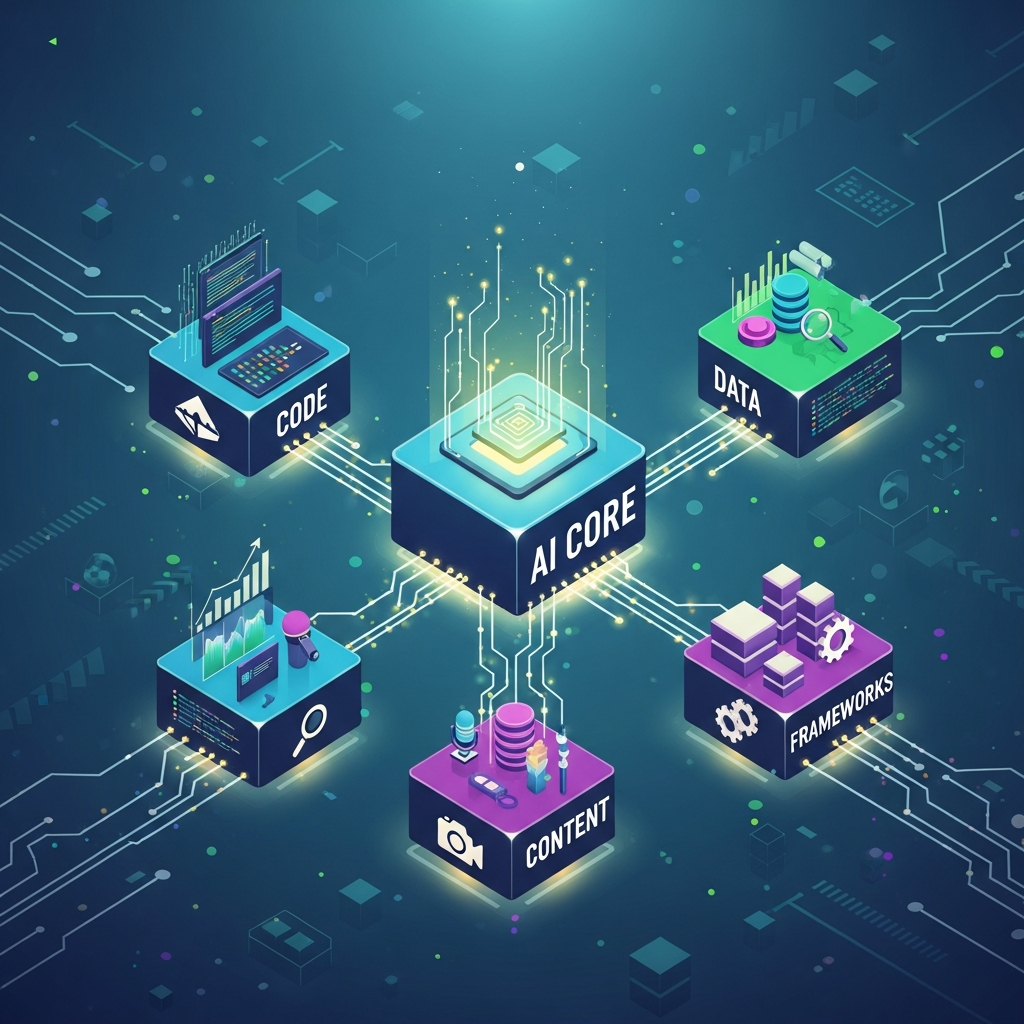 The world of AI tools for developers is big. It helps to sort these tools into groups based on what they do. When you understand these groups, it is easier to build your AI stack and pick the right ai tools for your tasks. The main differences between popular ai coding and productivity tools come from what their main job is.
There are five main groups for these tools. These are: AI coding assistants for quick help, machine learning libraries to build ai models, generative AI for making content and code, AI frameworks to speed up work, and productivity tools that help you do work faster by automating tasks. Let’s look at each area in detail.
AI Coding Tools – Boosting Coding Speed and Quality
AI coding tools, sometimes called AI coding assistants, help you write code faster and better. You can find the tools right inside your development environment. Many work as a VS Code extension, or you can get one as a plugin for other IDEs. The tools use strong AI models to give you real-time ideas, create code snippets, and even build whole functions from your words.
The main goal of the best AI coding tools is to save you time. You spend less of it on boring and repeated code. This lets you pay more attention to tricky logic. Automation in code generation can raise your productivity in the development environment.
This is how the tools can help you with the best ai coding:
Real-Time Code Completion: Get lines or pieces of code suggested as you type, so you do not slow down.
Context-Aware Suggestions: The tools look at your project. They suggest code that fits your style and what you have already built.
Boilerplate Code Generation: Make classes, functions, or tests fast, with just one command, using ai tools and code generation.
You can often use these best ai coding tools and code snippets with VS Code or another IDE. These ways help you make good code every time you use them.
Machine Learning Libraries – Building Data-Driven Applications
Machine learning libraries are the building blocks you need for making data-driven apps. Many AI coding tools help with different programming languages, but Python leads the way when it comes to machine learning. That is why libraries like NumPy, Pandas, and Scikit-learn are must-haves. These tools help you work with data, build your ai models, and do predictive analytics.
If you want a good ai stack, you cannot leave out these basic libraries. They help you clean your data, get it ready, and train ai models. You can even use them to put your models into your app. This is the step where you go from just using ai to building it yourself.
Key libraries for your ai stack include:
NumPy: This one helps with working with numbers and arrays, making things fast and easy.
Pandas: You can shape, change, and look at data with the powerful DataFrame that comes with Pandas.
Scikit-learn: This gives you many machine learning tools for tasks like putting things into groups and making predictions.
Generative AI Tools – Creating Content and Code
Generative AI tools are a new group of ai tools that can help make fresh things like text, pictures, songs, and code. For someone who works as a developer, these ai models are changing code generation and how apps get built. There are a lot of free or open-source generative ai tools. You can try them and build things without needing much money. A generative AI course in Hyderabad can teach you how to use these tools well.
With these ai models, you can have a smart ai assistant. This assistant can help you come up with ideas, write docs, or even build parts of your app. When you add them to the application layer, they can do things like make chatbots, short content summaries, or changing displays for users.
Here are some use cases for generative ai tools:
Code Generation: You can let models like GPT or Claude help write functions, classes, or whole scripts.
Documentation and Comments: Get clean, short docs for your code made right away.
Synthetic Data Creation: Build fake data that feels real to test your apps.
AI Frameworks – Accelerating Application Development
AI frameworks like TensorFlow and PyTorch give you a clear setup to build and train ai models. When you use these tools instead of classic coding tools, it feels much easier. They take away a lot of tricky steps that come with building machine learning models and other tasks you find in an ai stack. This means you can create strong and useful things in less time and with better code quality.
These tools are now a must for anyone working with machine learning. They give you ready-made parts, ways to make things work faster, and help to put your ai models into use. With these, you can go from trying out ideas to getting your project fully running on the application layer.
AI frameworks make things easier in many ways:
Faster Model Building: You can work with pre-built layers, so a few lines of code build complex models.
Automatic Differentiation: Frameworks work out gradients for you. This is key for training but not easy to do by yourself.
Deployment Tools: They help you get ai models running wherever you want—on the web, on phones, or any other platform.
AI Productivity Tools – Automating and Streamlining Development
AI productivity tools include many different types of ai tools. They are made to make things easier and faster at each step of the development process. The biggest differences between them are found in what they do best. Some are for code generation. Others help with code review or fixing bugs. The right tool can help you save a lot of time and work.
An ai coding assistant is there to help you write code. But there are other ai productivity tools as well. They can do code review, find security vulnerabilities, and even point out bug fixes before your code is merged. These tools use ai models to check your code for quality, make sure it is written well, and spot problems that could come up.
Here are some benefits of using ai productivity tools:
Automated Code Review: You get instant feedback on your pull requests. This helps keep up your code quality and follow all the right steps.
Smart Bug Detection: These tools help you find and fix bugs in less time by using AI-powered checks and tips.
Workflow Automation: You can automate some tasks you do over and over in your development process. This gives you more time for bigger jobs.
Practical Guide to Building Your AI Development Stack
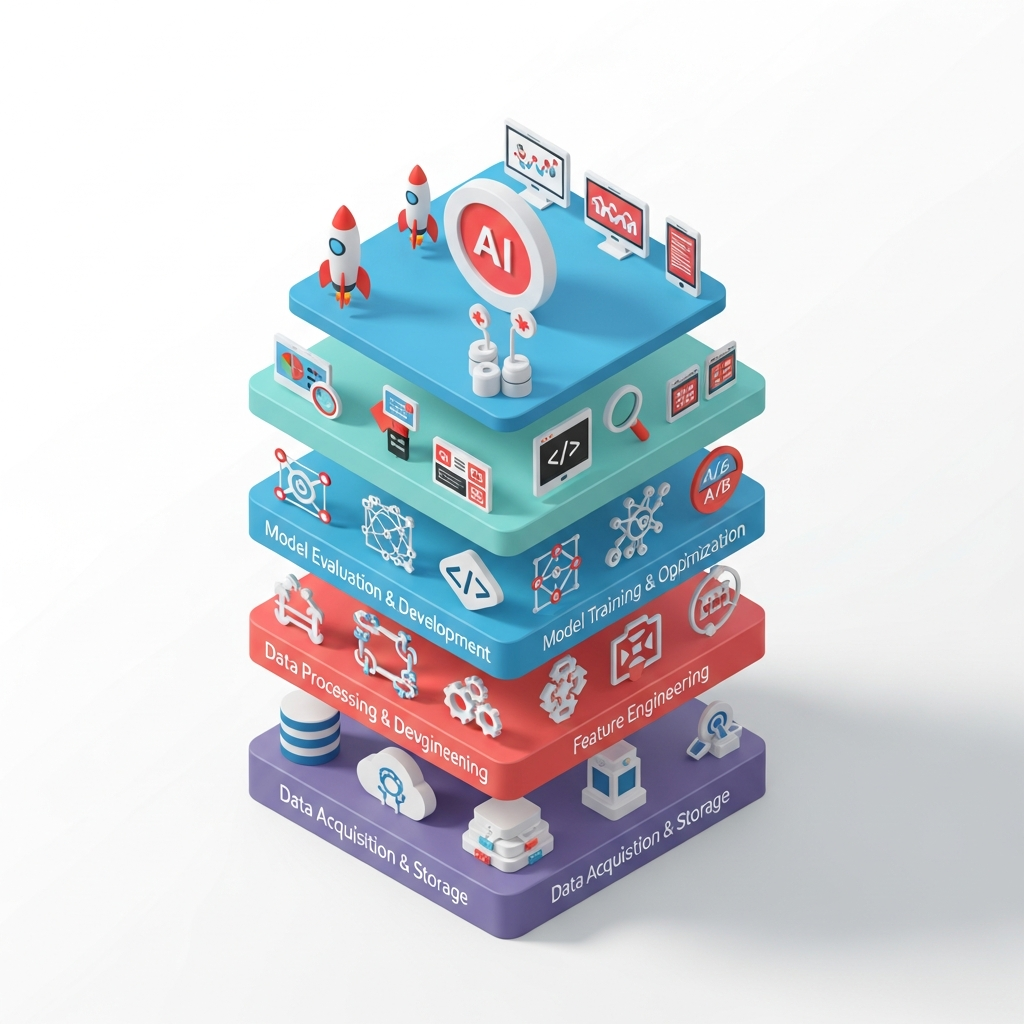 Building a strong AI tech stack is something every developer should focus on for good results. The right AI stack helps your team by giving you the tools you need for every part of your work. This goes from handling data, working on models, and setting up how you will use them. If you build your stack well, you get the best AI tools. This makes it easier and faster to move from one task to the next.
The AI stack that you use should fit your project context and what you want to do. In most cases, the ai stack has three main parts. These are the data layer, the model layer, and the application layer. Deployment tools also play a big role. Using an AI coding assistant can make it easier to write code for each of these layers.
Data Layer: Tools for Collecting and Processing Data
The data layer is the foundation of any AI application. It involves collecting, storing, and processing the data that will be used to train your AI models. While AI coding assistants support many programming languages, Python is the clear winner for data layer tasks due to its rich ecosystem of libraries. Tools at this layer help you manage data from various sources, including data warehouses and data lakes.
A good data layer setup ensures that your data is clean, organized, and ready for model training. This is crucial for building accurate predictive analytics models and avoiding issues down the line. Using an AI coding assistant can help you write the source code for your data pipelines faster and with fewer errors.
Here is a comparison of key data layer tools:
Tool | Primary Use | Key Features |
|---|---|---|
NumPy | Numerical computation | High-performance multi-dimensional arrays, mathematical functions |
Pandas | Data manipulation and analysis | DataFrame object, data cleaning tools, powerful |
Apache Spark | Large-scale data processing | Distributed computing, in-memory processing, supports SQL and DataFrames |
Dask | Parallel computing in Python | Natively scales Python code, integrates with NumPy and Pandas |
Model Layer: Choosing the Right Machine Learning Frameworks
The model layer is the place where you build, train, and test your ai models. Picking the right machine learning framework is really important. It can change how fast you work and how well the ai models perform. The best ai tools for developers in 2026 will most likely be strong, open-source frameworks like TensorFlow and PyTorch. These popular tools let you make all kinds of models, from simple ones to deep learning neural networks.
These deep learning frameworks give you the main tools you need. You can use them for simple methods or make complex networks for your ai projects. They help you write code better, speed up code generation, and improve code quality for your ai models. An ai coding assistant is helpful too when you write code for these frameworks.
When you pick a framework, you should keep these things in mind:
Ease of Use vs. Flexibility: Some frameworks like Keras are simple and easy to use. PyTorch lets you try new things and build custom models, which is good for research.
Community and Ecosystem: If there are lots of people using the tool, you find more support, help, and ready-made tools. It is easier to solve problems with others’ help.
Deployment Options: Think about how easy it will be to use your trained ai model in the place you want to run it.
With all the new ai coding helpers and best ai tools, building and working with ai is getting easier each year.
Application Layer: APIs and Code Integration for Deployment
The application layer is the place where your AI model connects with people who use it. In this layer, you add your trained AI model into an app that users see and use. You often do this through APIs. LLM APIs are some of the best ai tools because they let you quickly add strong natural language features to your software. If you join an AI developer course in Hyderabad, you can learn how to use these APIs well.
This part is very important because it is how you get value from your ai models. You can use web frameworks like Flask or Django to build a REST API for your model. Or, you can use serverless platforms if you want your project to grow with little work. If you use an ai coding assistant, it can help you write code faster. It can also make the needed API endpoints and connection steps for you.
Key things to keep in mind for the application layer:
API Design: Make a simple and clear API. It should be easy for other tools and services to use your model.
Performance and Scalability: Make sure your setup can handle how many people visit. It should give answers fast enough for a good user experience.
Monitoring and Maintenance: Add tools to keep an eye on your ai models. You can see how well they work and retrain them when needed.
Deployment Tools: Managing and Scaling AI Applications
Managing and growing AI applications needs strong tools for deployment. These tools help make the development process smooth and fast. Platforms like Google Cloud and AWS make it easy to handle deployment. They work well with all the top frameworks.
With tools like Docker and Kubernetes, developers can put their apps in containers. This step helps your app scale fast in real-time as people use it more. It also lets you use resources in a better way.
The best tools for deployment help you improve code quality by offering automated tests and joined-up work, all through the development process. When you use security checks at this stage, you lower the chance of risks in your app. Plus, real-time monitoring tools let you see how your app is doing. This helps you make sure it runs well and keeps up with user needs.
Conclusion
The future of software development is closely linked to ai tools. If you want to stay ahead in this fast-moving field, you have to know about the best technologies. These can help you work faster and make your job easier. It’s a good idea for developers to learn to use ai tools so they can be part of where software development is going next.
Having the right mindset as you start to learn will give you some good skills. It will also open new doors for you. Getting started with ai now puts you above others in the job market and gets you ready for big changes.
Frequently Asked Questions
What are the main differences between popular AI productivity tools for developers?
Popular AI productivity tools for developers are different in many ways. The way they work, fit with other tools, and feel when you use them can change a lot. Each one has its own main use, like code generation, automation, or finding bugs. To get the right tool for your work, you need to know what makes each one special. This helps you pick the tool that fits your needs and your project.
How do AI tools for developers compare to traditional coding tools?
AI tools help developers work better because they take care of boring jobs and bring advanced features like predictive coding. These tools are not like the old coding tools. They make it easy to work fast and let people on a team work together right away. Developers can now spend time on new ideas instead of just regular coding tasks.
What programming languages are best supported by AI coding assistants?
AI coding assistants work really well with Python, JavaScript, and Java. These languages have strong libraries and a lot of people working with them. C++, TypeScript, and Ruby are also becoming more popular. These languages help people get more done. They make it easy to write code, find bugs, and give smart tips while you code.
When will programmers be required to know and use AI tools?
By 2027, the integration of AI tools into programming will likely be essential. As industries increasingly adopt automation and machine learning, developers must adapt by mastering these technologies. Familiarity with AI tools will not only enhance productivity but also ensure relevance in a rapidly evolving job market.