





.png%3Falt%3Dmedia%26token%3D64b05bf4-69fc-4bdf-a195-7821a7e1665a&w=3840&q=75)
Create Your GitHub README Template for Projects Today
Key Highlights
A strong GitHub README file is your project's first impression on recruiters, often viewed in under 60 seconds.
Following best practices for your markdown file turns a simple code upload into a professionally explained project.
A universal template helps structure your project's story, covering everything from the problem statement to future improvements.
Specific examples for data science and full stack projects show how to tailor your documentation effectively.
This guide provides a copy-paste project documentation template to build a standout portfolio.
Good documentation is a key skill in software development that can lead to more interview calls.
Introduction
Your GitHub profile works like your resume today. Every project you put on there tells people something about you. But is your story easy to see? A good GitHub README file is the first thing recruiters and other developers look at. This file is much more than just a markdown file. It helps you show what your work is about, why you worked on it, and how you made it. If you have a clear and useful README, your project will stand out. It will also help your GitHub profile be a strong tool when you want a new job.
Why a Strong GitHub README Matters for Projects in India
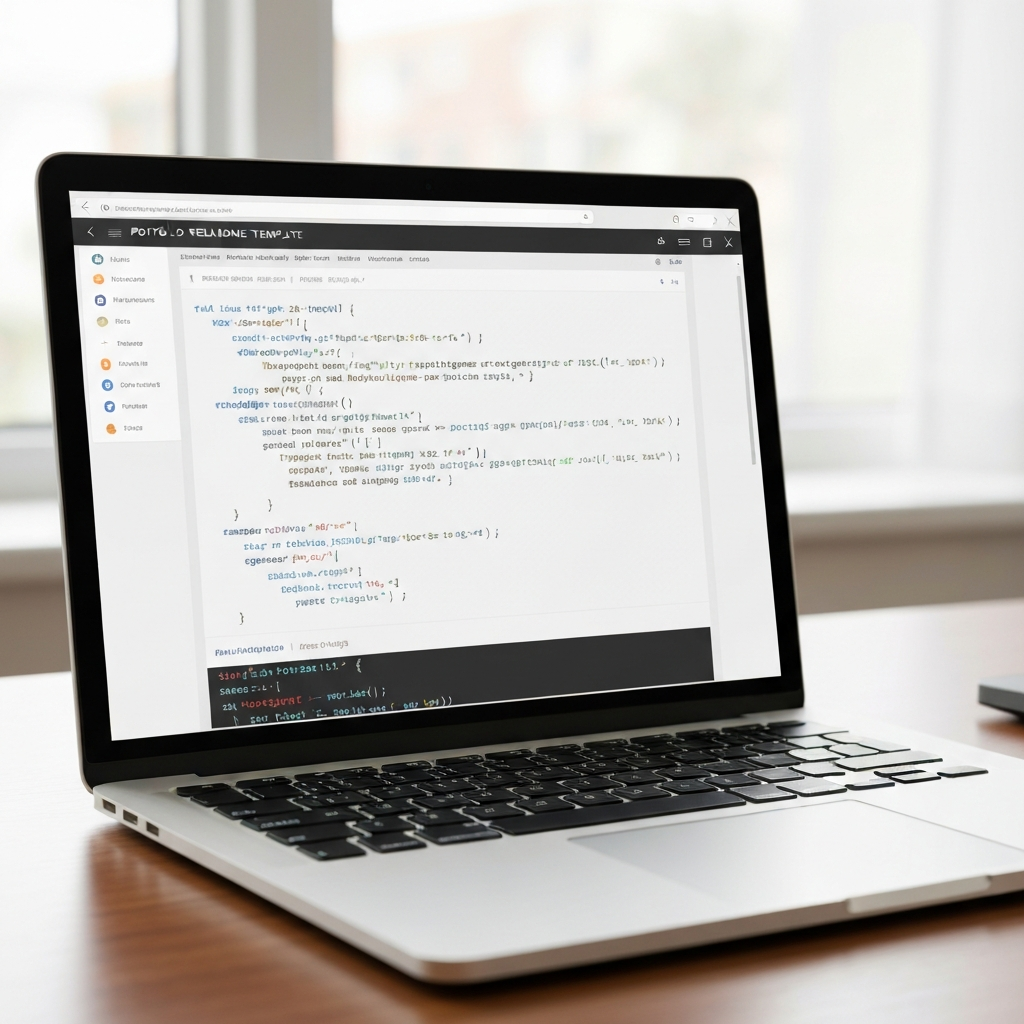 In the Indian job market, your github can help you stand out. A good readme file is important. It lets potential employers see that you pay attention to detail and are professional. Many times, this readme is the first thing a recruiter will look at and sometimes it is the only thing they read.
If you do not add a clear explanation, then your code is seen as just a folder of files. But when you have a well-made README on github, people get the idea behind your project. It can make your work look better and help you get noticed.
How Recruiters Evaluate Your Portfolio README in Seconds
Recruiters have a lot to do. When they visit your github profile, the first thing they check is your readme. They want to see if it looks neat and is set up well. They will try to find the project title right away. They also look for a short statement about what problem you are solving and what tech you used for it. Their goal is to know what your project is about without going through all your code. If your readme is hard to follow or is not there, it can turn them off fast.
You may ask, how much do they really want to see? Recruiters do not need to get explanations for every line in your code. They just want to see a broad view of your work. Here’s what they ask: What problem are you trying to fix? What happened when you finished it? What technologies did you use? Your github readme should sum things up in a way that puts focus on your project’s value and the skills you have.
The way to look at it is, this is your elevator pitch. It should be short and strong. If you want potential employers to notice you, use your readme to say why your project matters. Show that you have what it takes to solve problems, not just write code. That will make you stand out for good reasons.
Common GitHub README Mistakes Students and Freshers Make
Many new developers and students do not realize they hurt their own portfolios with a bad README. If you go the wrong way with your documentation, even a good project can look like it is not finished or it is missing something. Knowing about the most common mistakes is the first thing you need to make a professional profile.
Some of the top mistakes are:
No README at all: This is the biggest mistake you can make. You really need to have one.
Vague descriptions: Having just a title or one short line does not help people know what the project is.
No setup instructions: If a recruiter feels lost and cannot get your project to work, they will not know if it is any good.
Poor formatting: If you give the reader a wall of text, it is hard to read and can look like you do not care.
Using best practices is important for all new developers. A README that is clean, well-structured, and easy to follow is more likely to get noticed. It also shows you care about the people who come to see your work. With just a small effort, you can change the way people look at your projects.
“Project Uploaded” vs “Project Explained”: What Makes a Difference
There is a big difference between a project that is just uploaded and a project that is carefully explained. When you only upload code to a folder, it is like dropping off your work with no details or story. People, like recruiters, see the code but do not know what it is for, what your job was, or if the project was a success. So, you miss your chance to show what you can really do.
On the other hand, an explained project with a good README can tell the whole story. It helps people go step-by-step through your work and see why it matters. When you give all the essential information in your README, people can understand and value your effort.
To make sure you really explain what you have done in your project, you need to add:
A clear project title and a short problem statement.
A list of the technologies you used and the reason you picked them.
Easy steps that show how to run the project and see the results.
This simple approach turns your repository from just a storage folder into a strong portfolio piece.
The Ideal Structure for a GitHub README Template for Projects
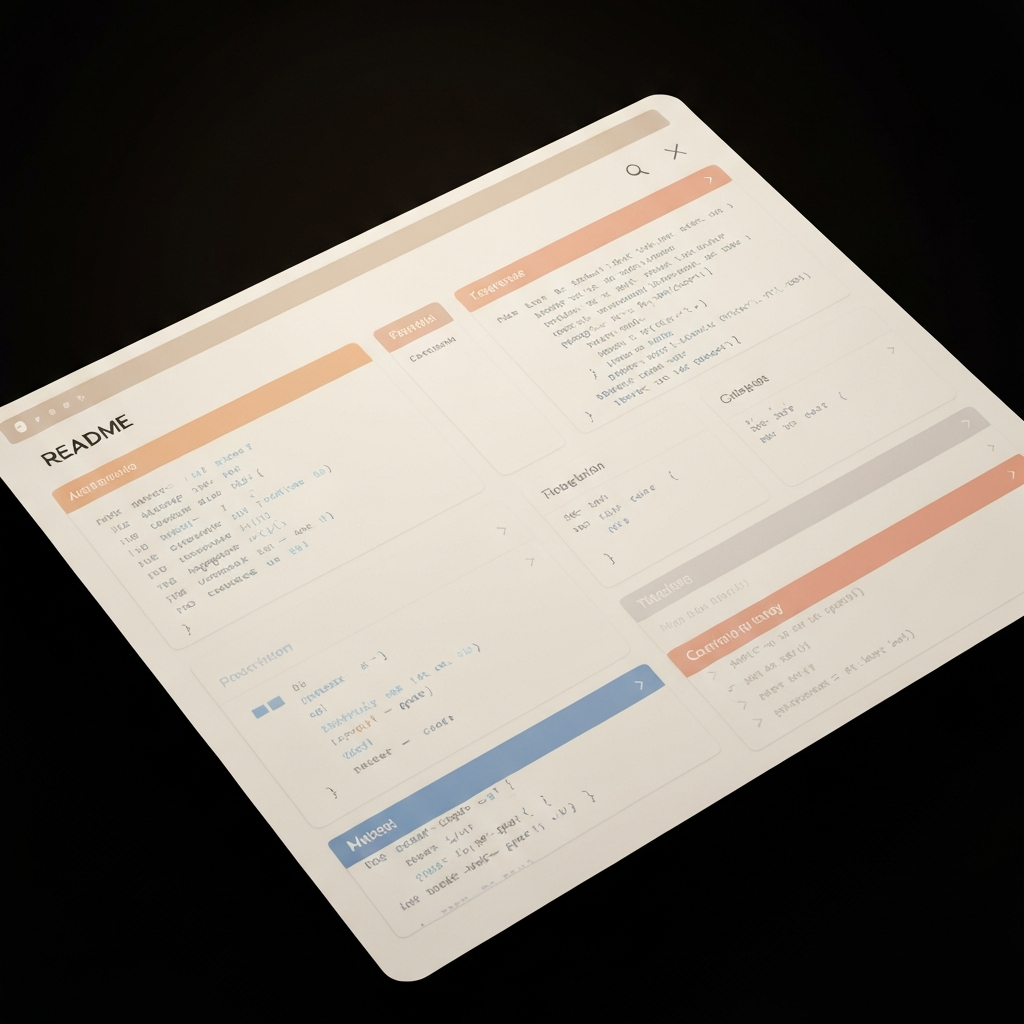 If you want your projects to look good every time, it is a good idea to use the same structure each time. A clear readme file works like a guide. It will help you make sure you talk about all the important points that recruiters and collaborators want to see. Using a markdown template lets you save time and helps you keep the quality the same in all of your work.
This setup is like having a checklist. It reminds you to add everything, from a table of contents to steps on how to install things. When you have a solid template, you can take it and use it for your next project, too. This helps you build a portfolio that looks good and is easy to go through. The next parts will show you what this readme structure should have, step by step.
Essential Sections Every Portfolio README Should Have
Every good README shares the same must-have details, but fits them to the project. These different sections help you tell a good and clear story. Following this way is one of the top best practices you can use for your portfolio.
A full README should always have these main parts:
Project Title: Use a name that is clear and easy to know.
Problem Statement: What does your project help fix?
Tech Stack: List the languages, tools, and other things you use.
How to Run: Share each step so people can set it up and get it to work.
Results/Output: What does the project give in the end? Show this with pictures or a live link.
When you use good markdown syntax to make these sections, your documentation will be easy to scan and look clean. This helps anyone reading your readme find what they want fast, no matter if it is a full application or some data script using markdown.
Explaining Each README Section: From Project Title to Future Improvements
Let’s talk about what each part is for. The project title tells you right away what the project is. The problem statement tells you why you are doing this work. In the tech stack section, you say which tools you use. This is helpful because recruiters look for certain keywords.
Then, you need to write clear installation instructions so people know how to start the project. Good technical documentation helps people get going fast. You need:
Installation Instructions: List all the dependencies, then say what commands to run. For a full stack project, talk about how to set up the backend, like
npm install, and how to set up the frontend.How to Run: Say what command will start the app, like
npm start.
Last, you can add sections like Key Learnings, Future Improvements, or contribution guidelines. Adding these means you think about more than just the code. You are looking at what the project will be later. This makes your work look good over time.
Remember, putting clear documentation in your work makes it much stronger.
Universal GitHub README Template for Projects (Copy-Paste Markdown)
Here is a simple, neat, and easy-to-use GitHub README template. You can copy this markdown file into the new repository that you create. Then, fill in the details in the way that works for you. This template will help with data science, full stack projects, or any other type of software development project. When you work with this template, you be sure to include every important part of your documentation.
The setup uses easy markdown syntax for headings, lists, and code blocks. This makes it simple for people to read and find things in your project documentation.
Customizing the Project Documentation Template for Data Science and Full Stack
The universal template is a good start, but the best documentation should work for your project type. You can change this markdown file so it fits what you need, whether you have a data science model or a full stack web project.
If your project is about data science, work more on the "Dataset" and "Approach" parts. Talk about how you clean your data, the way you work with new data, and the machine learning models you try. In the "Results" area, put in how well your model did with performance numbers like accuracy or F1-score. Make sure to say what that means for the business.
If you have a full stack project, focus on "Tech Stack" and "How to Run." Tell what you use for the frontend and backend. Give set up steps for each part. For small full stack jobs, you can make the template simpler and put the problem and use together. Still, always keep the tech stack and steps to set things up very clear. This way of working makes it good for open source projects.
[template, open source, documentation, markdown file, open source projects, markdown]
Format Tips for a Clean, Professional Portfolio README
A clean README is one that is easy to read. Good formatting is not just about making it look nice; it helps people find the information fast. If you show the reader a big wall of text with no breaks, they may not stay. Your project can be great, but the README should be clear.
There are a few things you can do to keep your README clean and look good:
Use Headings: Add markdown headings like
#,##, or `
Example: Data Science README Template (With Key Sections)
Let’s check out how this template works for a data science project. Think about a time you used Python to build a tool that can predict when people might stop using a service. In your README, you should talk about the problem in the business, the datasets you used, and what happened because of your model. A person hiring you should get the value of the work right away, even if they never run the code.
The next sections will show you how to fill in the markdown template for this data science project. We will focus on how you document the data, the machine learning steps, what you got from the results, and why it matters to the company. This will help make a story that is easy for recruiters to follow.
Documenting Datasets, ML Approach, and Impact in a Data Science README
For a data science project, your technical documentation should be very clear. When you write about your datasets, make sure you say where the data is from, how big it is, and what steps you took before using it. This kind of transparency helps others trust your work and makes it easy for them to repeat what you did. It also shows that you pay attention to detail.
In the part of your markdown file about the ML approach, tell the story of your analysis. Do not just state which algorithm you used. Say why you picked one model instead of another. You can also talk about other models you looked at. It's good to use this structure:
Feature Engineering: Write how you picked or made the features.
Model Selection: Tell about the models you trained (like Logistic Regression or Random Forest).
Evaluation: Share which metric you used to check how well your model worked (for example, Accuracy or AUC-ROC).
At the end, link your results to what it means for the business. A model that gets 90% accuracy is just a figure. Be sure to explain what this number means in simple business terms, like “using this model could help us lower customer churn by about 15%.” When you do this, your markdown file will be more than just a technical report. It will show how your work impacts the business.
Clear Results, Learnings, and Business Relevance for Recruiters
Recruiters look for three main things on your github profile: results, learnings, and business relevance. They want to see that your project has a clear outcome. They also want you to show how your technical work gives real value in the world. This is what makes a project more than just a student task—it can stand out as a good professional piece for your github.
In your "Results" part, be clear and use pictures. Use tables to show how well your model did. Add screenshots of your data graphs, too. This way, people will not miss the main point. When people look at your github profile, they look fast. You want your results to stand out.
The "Key Learnings" and "Business Relevance" areas are where you can really show your skills.
Learnings: What problems did you run into? How did you help fix them? This lets them see that you know how to keep going and handle issues.
Business Relevance: How would a company use this project? If you can, try to put a number to the good it could do.
By adding all these things, recruiters can see that you think like someone ready to work, not just a student.
Example: Full Stack README Template with Frontend & Backend Details
Now, let’s make this template fit a full stack project. For a full stack app, it is important to keep the frontend and backend parts separate and clear. Your README has to work as a simple guide for anyone who wants to run your project. This includes people who may be hiring you and want to see a live demo.
The documentation should explain the whole stack, from the database all the way to what people see on the screen. You need to give clear steps for how to set up the server parts and the client parts, and you must show how to get all the things your app needs to run. This kind of detail in your README is expected in strong open source projects and is needed in a good portfolio. Recruiters always look for this level of open source documentation, the right template, and a list of needed dependencies.
Explaining Tech Stack, API Usage, and Deployment in a Full Stack Project
It is important to make a clear record of your tech stack in the full stack README. If you use bullet points and put tech into groups, it is easy for people like recruiters to find what they look for.
Here is one good way to show your tech stack:
Frontend: Write out the main things you used on the client side (for example, React or CSS).
Backend: Put the server side things here (like Node.js or Express.js).
Database: Say which database you used (for example, MongoDB or PostgreSQL).
You should also give info about API usage if the backend has any routes. Give a short note for what each route does. Also, talk about where you put the live app (like Heroku or Vercel) and share a link to it. This way, it is easy for recruiters to see your work right away since they do not need to set anything up first.
Adding Screenshots, Usage Examples, and Setup Steps to Your README
A picture can say more than a lot of lines of code. Visuals, like screenshots or GIFs, help make your project easy to get and more fun. They break up big parts of text and show people right away what your work can do.
You want to add usage examples, so people see how they use your app. These are quick code examples or a set of steps, each with a screenshot to go with it. Your markdown file should look and feel like a simple user guide.
To make your README clear and good for everyone, be sure to have:
Screenshots: Let people see the main parts of your user interface.
GIFs: A fast moving GIF helps show a full user flow.
Clear Setup Steps: Walk users through each part of install and setup.
Code Examples: If it’s an API, give example requests with responses.
Doing all this in your markdown file means you care about the people who use your work. That’s a good skill for every developer.
Recruiter Checklist for a Standout README
So, what do recruiters look for in a README? They usually have a mental checklist and go through it in less than a minute. If you want your project to stand out, you need to meet all the things they want. The most important things are clarity, context, and being professional.
A README is like an answer sheet for the recruiter’s questions. They want to find a clear problem statement, proof of your technical skills, and good formatting. A strong README will think ahead about what they need. It will give them the answers right away. This makes their work easier and helps you leave a good impression.
Keywords used: readme, formatting, clarity
Clarity, Real-World Use, and Output Visibility
The most important thing for a README is clarity. If a recruiter cannot figure out what your project does in 30 seconds, they will leave. You need to use clear and simple words to share the problem and your answer for it.
To help your README stand out and be easy to get, focus on these three things:
Clarity of Problem: Begin with a short line that tells the project's main purpose.
Real-World Usage: Show how people might use your project in real life. This lets others see you are thinking about using your idea, not just about plans.
Output Visibility: Make it easy to see what your work does. A live demo link is the best. If you cannot share that, use a lot of screenshots or a GIF.
Transparency: Let them know if your project is still growing or if you had any hard times along the way.
If you focus on these points, you bring more transparency and show the value of your work right away. This is what a recruiter wants the most.
Keywords: readme, usage, clarity, transparency
Formatting Standards and Portfolio README Best Practices
Using consistent and clear formatting is one of the best practices you should always follow. It makes your technical documentation look good and shows that you care about your work. This will help people read your README with less effort. A neat README shows respect for the reader’s time and also speaks well of the work you do.
You only need to learn some easy markdown syntax rules to make your documents look good. These markdown standards are simple, but they help a lot with making your documentation easy to read.
Here are a few best practices you want to keep in mind:
Use a Table of Contents: If your README is long, add a table of contents with links so people can find things fast.
Be Consistent with Headings: Use the same style for all your section and subsection headings.
Keep Paragraphs Short: Avoid big chunks of text. Make each paragraph short so it is easier to read.
When you stick to these rules, your readme files will look better and work well. It helps your projects stand out and makes the documentation easier for people to use. This will show that you use good formatting and markdown in all of your technical documentation.
How a Great README Boosts Placements & Salary in India
In the software development job market in India, every small edge helps you get ahead. A strong readme file can do more than just show good habits. It is a smart tool that can help you get better placements and boost your starting salary. Many recruiters look at hundreds of GitHub profiles every day. A clear and detailed project with a good readme quickly grabs their attention. It shows you are someone who is careful and takes your work seriously.
This kind of work also shows you have strong communication skills, which are really important. You may get more interview calls because of this. During interviews, especially when you need to explain your project, a good readme shows that you already spent time thinking about how to talk about your work. This helps you share your ideas and the value of your project well. It can put you in a stronger position to get a better role and a higher salary.
Why Professional Project Documentation Gets You Interview Calls
Good project documentation is a strong way for you to stand out to recruiters. When they look at a github profile that has clear and full documentation, they get a lot of useful info at once. They see that you are organized. You can break down hard ideas so people get them. It is clear you care about the work you do. Each of these shows you have what makes a good employee.
When there are many people in the running, a project with good documentation can make you different from others. Most recruiters know that someone who can put together great docs is going to be good on a team and is also easy to get started with. You often see this skill in good open source projects. Doing the same for your own github profile and personal work helps a lot.
In the end, your readme acts as a quiet voice for what you can do. It still speaks for you even when you have not talked to anyone. It helps show recruiters that you are worth talking to. Then, there is a good chance that your github profile will get put on the list of people they really want to talk to.
SocialPrachar’s Role in Building Recruiter-Ready GitHub Portfolios
Knowing what recruiters look for is key. Good training can help you get there. Institutes like SocialPrachar know that you need more than just technical skills. They show how important it is to have a strong GitHub portfolio. They also put things like good documentation into what they teach.
Students in programs such as the data science course in hyderabad or the generative ai course in hyderabad learn more than just how to make projects. They also learn how to show their work in a clear and professional way. This lets them see how to use documentation to meet what companies want. That way, they stand out when trying to get jobs.
When the focus is on real work and making a good portfolio, an ai training institute in hyderabad like SocialPrachar can help you move from learning skills to getting a job. They teach the things you need to build a GitHub portfolio that will get recruiters' attention and give you better chances for your next step.
Conclusion
To sum up, making a strong GitHub README is key. It helps show your work in the best way and gets the attention of people who hire. If you use the template, you can talk about the value of your projects clearly. You also show your skills, what you know, and how you think things through. Good documentation and being clear in what you write will help you get more interviews. It will also help you move ahead in your job. If you want your GitHub portfolio to look better and to impress new bosses, you can get a free talk with us. We can show you how to use a README template, make your documentation clear, and make you more likely to get the job you want.
Frequently Asked Questions
Should I include deployment and running instructions in my full stack README?
Yes, you should do that. Giving clear steps for setup and how to run your project in your markdown file is very important. It helps people see how your full stack project works. This is needed for software development because recruiters and other developers can follow your markdown and check your work.
What’s the best way to present APIs and technology stacks in a README?
The best way to show your technology stack and API documentation is to use clear formatting. Use bullet points or a table in your markdown file when you list the technologies. For APIs, use both headings and code blocks in your documentation to show each endpoint. Include the method for the endpoint and give an example of both a request and a response.
How much detail do recruiters expect in a project’s portfolio README?
Recruiters want a short overview, not a long story. Your portfolio README should be clear and easy to read. Focus on the project's purpose, the technologies you use, and what the final result is. Make sure people can see your work by following best practices like adding a live link or screenshots. This is better than giving too much technical detail. Clarity is important in your readme, so be sure to include all the key points.
How do you write a GitHub readme for an application?
To write a GitHub README for an application, start with a brief project overview, followed by installation instructions, usage examples, and contribution guidelines. Include sections for features, licensing, and credits. Ensure clarity and organization to help users quickly understand your project and how to get started effectively.