







.png%3Falt%3Dmedia%26token%3Dcaf2fc63-1ccc-4535-b13d-a068259534ad&w=3840&q=75)
GitHub Portfolio Checklist: Your Guide to Project Rating
Key Highlights
Here’s a quick look at what this guide covers for your Github portfolio. Your Github portfolio can be more important to recruiters than your resume. You need to pick project types that stand out. Good examples are machine learning models people can use, data dashboards, reports using open data, and full pipelines. These show skills that recruiters want. You should make sure your code is easy to read. Projects also need to be well organized. A strong bio and a simple, clear photo on your profile help you make a good first impression.
The GitHub portfolio you have can often be more important to recruiters than your resume.
A professional profile with a clear bio and a photo works as your hello in a digital way.
It is better to have 3 to 5 good projects in a new repository than to have a lot that are not finished.
Every project in a repository needs to have a readme file. This readme should say what it is for and what tech be used in it.
When you make commits often, it shows recruiters that you are working and growing as a software developer.
A clean portfolio website is a good way to show your work to other people.
Introduction
Are you a software developer who wants to get noticed by recruiters? You may have your skills listed on your resume, but having a github profile can help you show your real work. A github profile is like having your own portfolio website. It is a live spot on the web where you can put your best work for people to see. With this page, you let people look at your code, what projects you like, and what you can make. In this guide, you will find out how to set up a job-ready github profile. You will learn how to use github pages to share your work. This will let you build a profile that stands out to hiring managers.
Why Your GitHub Portfolio Matters More Than Your Resume
A resume shows a recruiter what you can do. But your GitHub portfolio lets them see your work with their own eyes. This gives strong proof of your technical skills as a software developer. Each line of code helps people see how you build and fix things. If you are in this field, showing your work on GitHub is more clear than just putting things on a personal website.
When you start to work, having a strong GitHub portfolio can help you get noticed. If you do not have much work history, your projects tell your story. They show come to know that you like what you do, that you work hard, and want to learn new things. A clean portfolio website can help you gain trust fast. This can also bring you chances that you may not get in other ways.
How Recruiters Evaluate GitHub Portfolios in India
When recruiters check your github, they do not just read your code. They want to get to know you as a person who might work with them. First, they see if your github looks good and is simple to read. They will see your username, read your bio, and look at the projects that you pin. A clean setup on your page will help you a lot. Recruiters want to know who you are and what you can do. Make this very clear to them.
After that, they open a GitHub repository. A good readme file in your repository is very important. Recruiters like to see a project name that is easy to read. They want to know what problem you worked on and what tools you used. A strong readme also helps to show your communication skills on GitHub. It shows that you can take a hard idea and make it easy for other people to get.
They want to see your code when you are done. The code should be neat and well ordered. It is good to use the same names and code style. Recruiters also check your commit history on github. A few big updates are not what they want. They like to see small updates made often, not just at the end. This shows how you work and lets them know you care about development on github.
Key Differences: Resume vs. GitHub for Job Applications
Your resume and GitHub profile both matter a lot when you are searching for a job. A resume shares main points about what you have done before. The github profile helps people see your skills as they get better with time. The resume tells others about your technical skills. A github repository, on the other hand, lets people look at real examples of your work on github.
Think of it this way. Your resume might get you on the first list. But your github profile is what can help you go forward and get an interview. It lets recruiters look at how you fix problems, how you write your code, and how you share your work. A thing some people do wrong is when their github profile does not match what they show on their resume.
Here’s a simple breakdown of how they compare:
Feature | Resume | GitHub Portfolio |
|---|---|---|
Purpose | Summarizes your experience and skills. | Demonstrates your practical abilities and projects. |
Format | Static, typically a one-page document. | Dynamic, with code, commit history, and live demos. |
Content | Lists skills, roles, and education. | Shows code, project documentation, and contributions. |
Impression | Tells what you have done. | Shows how you do it. |
Essential Elements of a Standout GitHub Portfolio
Making a good GitHub portfolio website can be simple. You just need some key things that help you show what you can do. When people like recruiters come to your profile, this is what they see first. So, you want it to be neat and show that you care about your work. A profile that is clean and simple helps recruiters find what they look for fast.
The most important thing in your portfolio is your projects. Pick your best work and put it in a new repository. Be sure to write clear documentation for it. You can use GitHub Pages to make your software developer profile stand out and look good. Next, let’s talk about what recruiters want to see and what your profile should have.
Portfolio Scorecard: What Recruiters Actually Check
Recruiters often have a list in their mind when they look at your github profile. They want to see if you have the skills and if you are a real professional developer. The github username you pick is very important to them. The way you set up your profile and the bio matter, too. A good github username and a clear bio help you make a good first impression. This is true for anyone who checks your github.
Next, they will look at the repositories you pin on your github profile. The ones you pick should show your best work. You need to make sure that every project you pin on your github has a readme file. If you do not add a readme, recruiters may not open it. A readme file gives you a chance to show your good communication skills and your eye for detail. A readme also lets recruiters know what your project does, what is good about it, and more, without going through all your code. Having a readme file and good documentation is very important when people check your github profile.
Here is what they look for on their list:
Project Clarity: Does your readme file show clearly what the project does and the problem it aims to solve?
Technical Skills: Does the project use the right technical skills or the tools needed for the job you are looking for?
Code Quality: Is the code clean, simple to read, and does it have comments where you need them?
Commit History: Do you make updates often, so people can see each step of your progress?
Live Demo: Is there a live demo for people to see the project working?
Must-Have Features for Every GitHub Profile
Your github profile works like a business card on the web. You have to take care of it just like you do with your resume. Recruiters will look at your github profile first. So, you have to make a good impression right away. You can start this with some easy steps. Set a professional github username. Pick a clear and good photo for your profile.
You can use your github profile to let people know who you are and what you do. Write a short bio, so others can read what you care about. Make your github profile better by adding a readme file. A readme file in your repository lets you share more details. You can add images, readme text, and share links, too. With this readme, you can turn your github profile into a small portfolio website. There, people can see all your work in one place.
Here are a few things you should have on your github profile:
Professional Username: Pick a username that is really close to your real name.
Clear Bio: Say what you do best and the jobs you want.
Profile README: Tell more about your work and what you like. Show your skills and say how people can get in touch with you.
Pinned Repositories: Put your best three to five repository projects up front on your profile.
Links: Add a link to your personal website and your LinkedIn profile.
Beginner’s Guide: What You Need to Get Started with a GitHub Portfolio
Are you ready to make your first github portfolio? You do not need to be a pro to do this. It is not hard to get started with github. Start by making your github account. After this, learn some simple tools you will use on github. You will see it is easy to get going and work well with github.
To begin, you need to have a github username. You also need to make a new repository for your portfolio on github. It is a good idea to know a bit about markdown because you will be using it for your documentation. Do not feel this work has to be perfect right now. The main thing is to start building your project. Next, you will see how to set up your account and find resources that will help you as you go on with this.
Setting Up Your GitHub Account and Tools
Your time on GitHub starts when you make your own account. It is simple to begin, but you have to think about the choices you make. Your github username will show when you work with other people. It is good to pick a github username that is close to your real name. This way, recruiters can find you and remember you.
After you set up your account, you can make a new repository for your portfolio. It is good to name this new repository as your-username.github.io. GitHub will use this name to make a website for you. When you create the new repository, be sure to add a readme file right at the start. You will use this readme file as the main part of your page.
Here are the first things you should do to set up your account and tools.
Sign up for a GitHub account. You should pick a professional username.
Create a new repository. Call it
your-username.github.io.When you make this repository, pick the readme file option.
Check for easy portfolio templates to help with your design.
If you want to test or put your site online later, think about using github actions.
Resources and Templates for First-Time Portfolio Builders
You do not have to start your portfolio from nothing. There are many good resources and templates that you can use to make a smart and professional site fast. The templates take care of the design. So now, you can show your work without worry. A lot of them are easy to use and simple to change.
One good way to get going is to fork a minimalist portfolio template repo. When you fork the repository, you get the whole template in your own account. You will now have your own spot to start editing the work. You can get a minimalist portfolio template built with new tools like Astro, Hugo, or Next.js. These tools work well with services like Vercel. The tools and templates often come with good documentation. This can help you all along the way.
Here are a few popular options you can look at:
Jekyll Themes: These themes are easy to use. They work well with GitHub Pages and be good for most people.
Hugo PaperMod: This theme is fast. It has a clean look and can go on any device. It uses hugo, and people like its style.
Astro & Tailwind CSS templates: These templates are new. They are simple to use and good for anyone who wants to work with css or tailwind css. It is easy to get them on github too.
Next.js Notion Starter Kit: Pick this template if you want your site to use Notion. It makes working with next.js feel smooth.
Simplefolio: This one is a basic github template. It is a good choice when you are new to making a github template and want to start quick.
If you want to make a site with github pages or Tailwind CSS, these ideas can help you get started. A minimalist portfolio template repo from github is a good choice. It lets you use the tools and read the documentation. This makes things simple and clear for you.
Step-by-Step Guide to Building a Job-Ready GitHub Portfolio
Now you know the basics. Let’s go over the steps you can take to make a job-ready GitHub portfolio. This is not just about adding your code online. The main goal is to tell your story, show your technical skills, and let people see you work in a professional way.
We will talk about two things here. First, you will see how you can make your profile better so recruiters can find you on GitHub. Then, you will learn about setting up your repositories so that your work stands out. If you use this guide, you can turn a basic profile into something that helps your career. You will also have a good readme file for each project, so people can see what you do.
Step 1: Optimize Your Profile and Bio for Recruiters
Your github profile is often the first thing that recruiters notice about you. So, it is a good plan to make it look the best you can. Start with a good and professional github username. Also, use your top profile photo. These small choices can make your github page look more serious. They help people get to know you and remember you on github.
Your bio on github is like a quick hello to people. In one line, say where you are at, such as "Computer Science Graduate." Next, talk about what you do best, like "I work with React and Node.js." Then, say what you want next, for example, "I am looking for developer jobs." A clear bio helps recruiters know who you are, what you can do, and what you want. Good communication skills start with the way you talk about yourself in your bio.
Don’t miss out on building your online network.
Write a good bio: Tell people what you do. Share the goals you have. Use simple words to show your skills.
Create a profile README: Use this readme to show more about your skills. Talk about the projects you work on and the things you will do next.
Link your profiles: Add your personal website and LinkedIn profile to your page.
Set your location and pronouns: This helps make your profile feel more personal. It helps others get to know you better.
Step 2: Organize Repositories and Apply the Project Quality Checklist
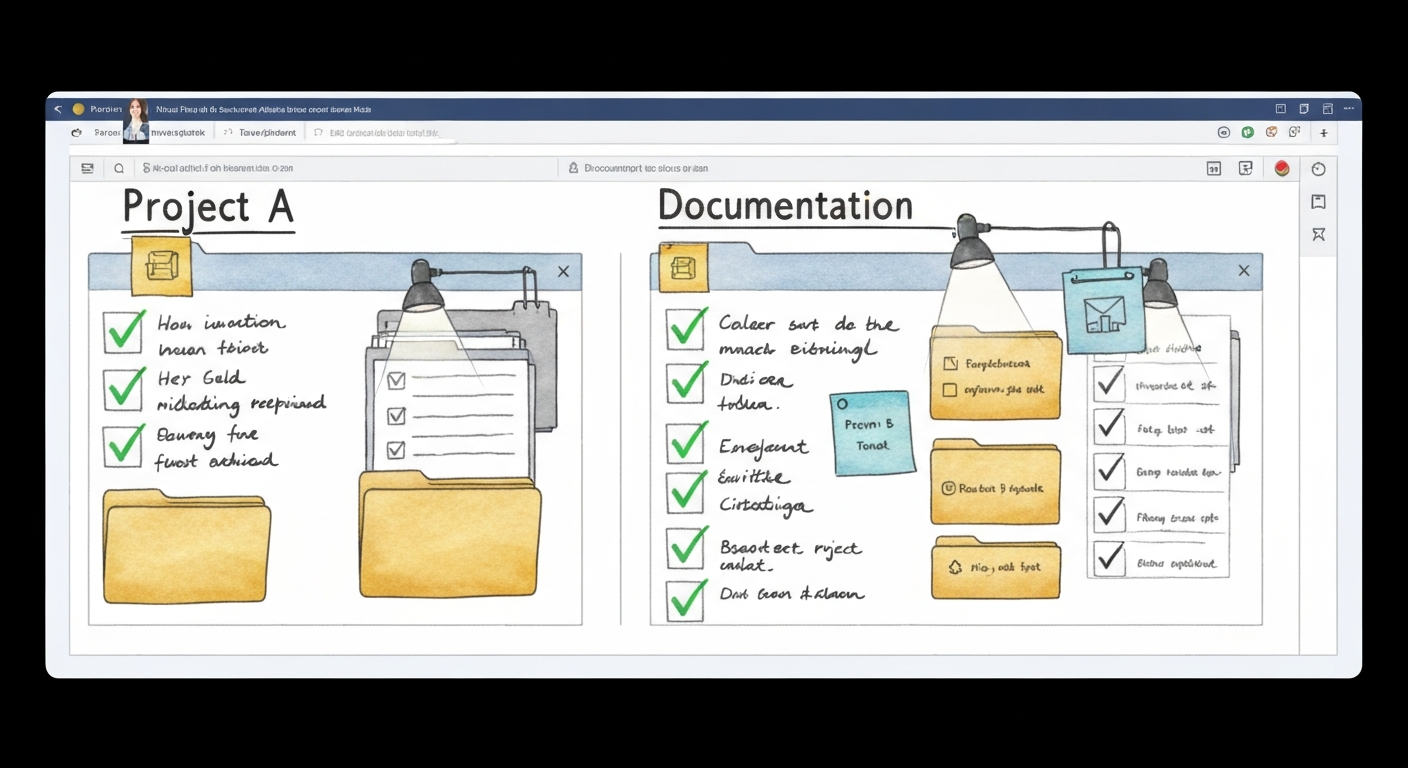
Keeping your work neat is important if you want to show it to others. If your github profile is messy, with too many github repository pages, recruiters can feel lost. They may not see the projects you really want them to find. A good idea is to pin your best three to five github repository pages to your main github profile. When you do this, your github profile becomes like a highlight reel. This helps recruiters quickly find your top work.
For each github repository, you should make a simple folder layout. Keep your source code inside one folder. Put your data and your documentation in their own folders as well. Every repo needs to have a readme file. In this readme, explain what your project does. Show people how to install and run it. List the tools you use. It is good if you also add an image file or a gif. This lets others see your project at work. A readme file with an image file can help your github repository get more notice. It makes your work easy to read and use.
Check every project repo for these things:
Descriptive Naming: When you make a github repository, give it a clear name. The name should make it easy for people to know what it is.
Detailed README: In your readme file, put a title first. Then write a short line to show what your project does. After that, add steps so people know how to install it. Try using some pictures in this readme if you can.
Clean Folder Structure: Make folders for your code. You can have names like
src,data, anddocsfor these folders.Pin Your Best Work: At the top of your github profile, you can put the links for your best github repository. This lets people see your top work first.
Add a License: A LICENSE file in your github repository helps people know what they can do with your code.
Conclusion
Building a strong github profile can help you get seen by recruiters in tech. To do this, use the checklist above and make sure your projects on github look like good work and match the job you want. Try to have clear projects, simple code layout, and strong documentation in your profile. If you keep making your github profile better over time, you will make a good impression. A good profile shows people what you can do and shares your work story. If you want help to improve your github and get ready for jobs, you can book a free talk with SocialPrachar. They can help you change your profile for what the tech world wants.
Frequently Asked Questions
What should an ideal GitHub portfolio include?
A good GitHub portfolio begins with a strong profile. You need to pin three to five projects in your public repository. For each of these projects, add a readme file that is easy to read. When you use github pages, you can share a live demo. You can also create a small portfolio site this way. A live demo helps your work get noticed. Try to add github actions as well. When you do this, people can see that you know how to work with workflows and automation in github.
How do recruiters evaluate GitHub projects?
Recruiters check a few things when they look at a project in your repo. They read the README to find out if it is easy to read and clear. They want to know if your code looks good and is neat. A clear and steady commit history means a lot to them. This helps them see your technical skills and how you fix problems. Your communication skills also matter. Good documentation in the repo, not just code, helps show all this to recruiters.
How many projects are enough on GitHub?
It is better to have a few good projects in your github repository than to fill it with unfinished things. Try to add about 3 to 5 good projects. Give clear details for each one. Pick projects that show the programming languages you use and the skills you have.
When there is finished work in your github repository, your portfolio website will look better to people who visit it. A few well-done projects talk more about you and your work than many that are not complete.
How does SocialPrachar help build job-ready GitHub portfolios?
SocialPrachar helps you make a good GitHub portfolio. You learn with real projects. The data science course in Hyderabad and the generative ai course in Hyderabad are set up for this. You get support to make big projects that show the main skills people look for. This way, your portfolio lets others see what you know and what you can do in data science and github.
What to do with GitHub when OE? First time OE, checklist.
When you want to improve your GitHub portfolio for open-ended projects, start by working on your README. Make sure it is clear and covers everything. Give simple project details. Add step-by-step usage tips and list any rules for joining. Always keep up with tracking any issues. Keep your commit history neat. This shows recruiters that you work in a professional way and have everything in order.
What is a step-by-step checklist for creating a strong GitHub portfolio as a beginner?
Creating a strong GitHub portfolio as a beginner is an excellent way to showcase your skills, projects, and growth as a developer. Here’s a step-by-step checklist to guide you through the process:
Set Up Your GitHub Account
Sign up for a free account at github.com.
Choose a professional username (ideally your real name or a recognizable variation).
Add a clear profile picture—preferably a headshot.
Complete Your Profile
Write a concise bio that highlights your interests, skills, and goals.
Add links to your personal website, LinkedIn, or other relevant profiles.
Specify your location and email address for networking purposes.
Create a README for Your Profile Repository
Create a repository with the same name as your username (e.g.,
github.com/yourusername/yourusername).Add a well-structured
README.mdfile to introduce yourself, list skills, share contact info, and showcase top projects.
Build and Upload Quality Projects
Start with small but complete projects that demonstrate your understanding of fundamental concepts.
Gradually increase project complexity as you learn.
Each project should have:
A descriptive name
A detailed
README.mdexplaining its purpose, features, installation steps, usage instructions, screenshots (if applicable), and technologies usedWell-organized code with meaningful commit messages
Showcase Variety in Your Work
Include different types of projects: web apps, scripts, data visualizations, or machine learning models depending on your interests.
Contribute to open-source repositories (even fixing typos or improving documentation counts).
Practice Good Version Control Habits
Use branches for new features or bug fixes.
Write clear commit messages summarizing changes made.
Organize repositories into folders if they contain multiple components.
Demonstrate Testing and Documentation Skills
Include tests where possible (unit tests or simple test scripts).
Provide comprehensive documentation so others can understand and use your code easily.
Pin Key Repositories to Your Profile
Pin up to six repositories that best represent your skills on your GitHub profile page.
Keep Your Portfolio Updated
Regularly update existing projects or add new ones as you learn more.
Should I include project documentation and README files in my GitHub portfolio?
Including project documentation and README files in your GitHub portfolio is highly recommended and considered best practice. A clear, concise README is often the first thing visitors see—it provides an overview, purpose, features, installation steps, usage examples, and dependencies. Good documentation demonstrates professionalism, makes your projects easier to use or contribute to, and showcases your communication skills. It also boosts discoverability through search engines.
In summary: Always include at least a basic README for each repository. This should explain what the project is, how to set it up and use it, and any relevant details like licensing or contribution guidelines. Well-documented projects make your GitHub portfolio more impressive and accessible.