







.png%3Falt%3Dmedia%26token%3Dd220515c-c059-412f-a292-bc817d381a2f&w=3840&q=75)
What is RAG in Generative AI? A Beginner-Friendly Guide
Key Highlights
Here are the key takeaways from this guide:
Retrieval-Augmented Generation (RAG) is a technique that enhances generative AI models by connecting them to external knowledge sources.
It works by retrieving relevant information from a knowledge base before the AI generates a response.
RAG helps solve problems like AI hallucinations and outdated information by providing current, factual data.
The process involves using semantic search and vector databases to find the most relevant information for a user's query.
This approach makes generative AI more accurate, trustworthy, and useful for specific tasks.
Understanding RAG is crucial for anyone looking to build advanced and reliable AI applications.
Introduction
Welcome to the world of generative artificial intelligence! You may have heard how strong AI can be. The AI can write, it can code, and it can chat with people like you do. But sometimes, the AI models do not know the latest facts or have key, specific information. This is when a new and useful way called Retrieval-Augmented Generation, or RAG, helps. This guide will show you what RAG is in easy words. You will see how it works with machine learning and other parts of artificial intelligence. And, you will know why it matters so much for joining AI with new knowledge sources.
What is RAG in Generative AI?
 RAG is a way to help generative AI get better at answering questions. You can picture it like the AI has a library card. The AI can use this card to find and use a lot of external knowledge. When you ask something, it does not only depend on what it learned the first time. The AI will use a retrieval model to find new and current facts.
Doing this lets generative AI models give answers that are more right and use current information. It is like taking an open-book test instead of not having the book with you.
The Full Form of RAG and Its Meaning
RAG is short for Retrieval-Augmented Generation. Let's split that up to help you get what it means. This is an important idea in how the new AI tools work today.
"Retrieval" is the step where the system finds and pulls up the most specific information you need from lots of data. This is what information retrieval is all about. It checks a lot of sources to bring you the right facts for your question.
"Augmented Generation" comes next. The system uses the information it found to make its answer even better. This way, the large language model does not just guess or make things up. Instead, it uses real facts to create a more accurate answer. This helps the model answer questions with more detail and in a better way.
Why RAG Became Important in Modern AI
RAG is now important because normal AI models, even the top ones, cannot update what they know. Their knowledge comes from their training, and that stops at a set point in time. So, after that, they do not have any new or current information.
This is why RAG is very helpful. It gives AI the power to reach into external knowledge bases and look at live data sources any time. The AI can now pull the most current information, such as the latest news or your company’s new internal documents, whenever it needs to answer something.
With access to relevant information as needed, RAG lets AI give answers that are up-to-date, right, and about what the user asks. Because of this, current AI that uses RAG is better and more reliable for real work and real-world use.
Why Standard LLMs Have Limitations
 Standard large language models (LLMs) are very strong tools, but they are not perfect. The main problem with them is that they can only use the training data they were given. This training data stops at a certain date. So, the LLM does not know about any new things or events that happened after that time.
Because of this, LLMs can run into problems and may not always give correct answers. Let’s look at some common issues you could face when you use these standard LLMs that get all their information from training data.
Common Issues with Traditional LLMs
When you use a regular LLM, you may have some problems that can be annoying. The model can sometimes share things that are not true or give you incorrect information. People call this “hallucinations.” It means the tool does not know the real answer, but it still tries to give you a reply that sounds right.
Another problem is the knowledge it uses is not new. If you ask about what happened recently, the LLM will not have that in its own knowledge sources. This means you may get answers to your basic query that are old or just general.
Here are some common issues:
Hallucinations: The AI gives information that is false or made up, but does it in a confident way.
Outdated Knowledge: The AI’s answers are from old data, so they may not fit well with new topics.
Lack of Specificity: The answers are general because the tool cannot get into private or very specific data.
Non-Authoritative Sources: The generated text might use some parts of the training data that are not reliable.
These problems happen with many LLMs, so it is good to know about them before you trust everything you see.
How RAG Addresses These Challenges
Retrieval-Augmented Generation fixes many problems with normal LLMs. It adds an information retrieval step. With this step, RAG gives the AI real and up-to-date data from external sources. So, it works like a fact-checker for the AI before it gives you an answer.
When you ask something, the RAG system looks in a trusted knowledge base to find the most relevant information. It then sends this information along with your question to the LLM. This gives the AI the context it needs to give a more accurate and reliable answer.
Here’s how RAG can help:
Reduces Hallucinations: With real data, the LLM is less likely to make things up.
Provides Current Information: It links the LLM to live data sources, so answers use the most current information.
Increases Trust: The AI can tell you its data sources, so you or anyone else can check if the answer is good.
Key Components of RAG in Generative AI
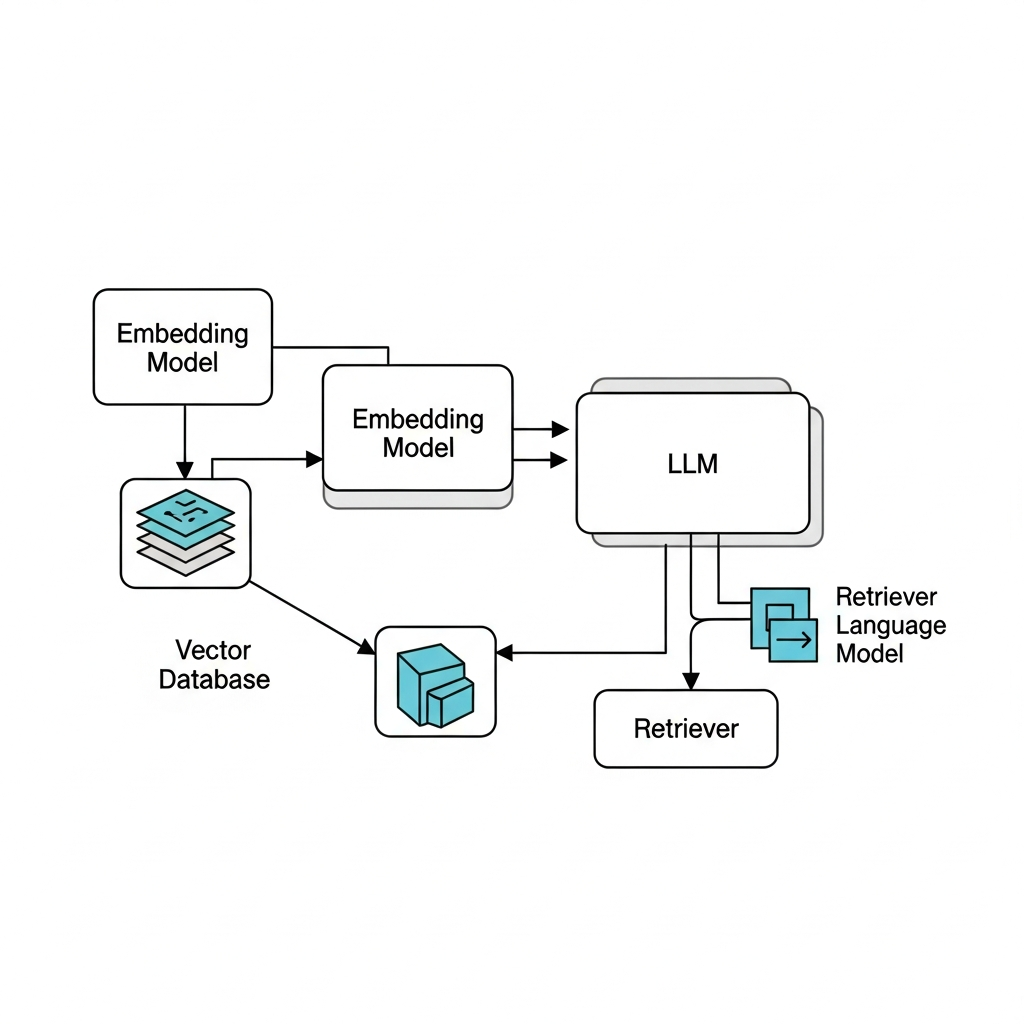 A RAG system has some main parts that work together to give the right answers with the right context. At the center of this, you will find a strong language model and a smart way to find information. The system uses an embedding model and vector search to help find the best answers.
It is good to know about these parts if you want to understand how RAG works. Let’s look at the main pieces now. These include the LLM, the embedding model, and the part of the system that finds the details needed.
Role of the LLM and Embedding Model
In a RAG system, the large language model (LLM) works as the "generator." The LLM's main job is to take in information and then make a clear answer, written in a way that people can understand. It is the LLM that gives you the answer you see on your screen.
The embedding model also has an important job, but it works in the background. It acts like a translator. It turns all your text—this can be from documents or questions you ask—into numbers called numerical representations or embeddings. This step helps the system really get the meaning of words, not just spot single words that match.
By changing words to numbers, the embedding model helps the RAG system look for the most relevant information for your question. The system finds what is important, then sends it to the LLM. After that, the LLM uses this information to make a good, clear answer for you.
Introduction to Vector Databases and Retrievers
After your data gets turned into number vectors by the embedding model, you need somewhere for it to go. That is where a vector database is used. A vector database is designed to store and find these number vectors quickly.
The "retriever" is the part that does the search. When you have a question, the retriever takes your query’s vector and uses vector search on the database. It finds vectors that are the most like yours. This way, you can get related info fast. It also helps to find good, relevant data for your task.
Here are some key points:
Vector Database: A database that is made to store and find high-dimensional vectors quickly.
Retriever: The main search tool of the RAG system that gets relevant data chunks.
Retrieved Information: The real info pulled from the database. This info is used to help the prompt sent to the LLM.
Beginner’s Guide: How to Get Started with RAG in Generative AI
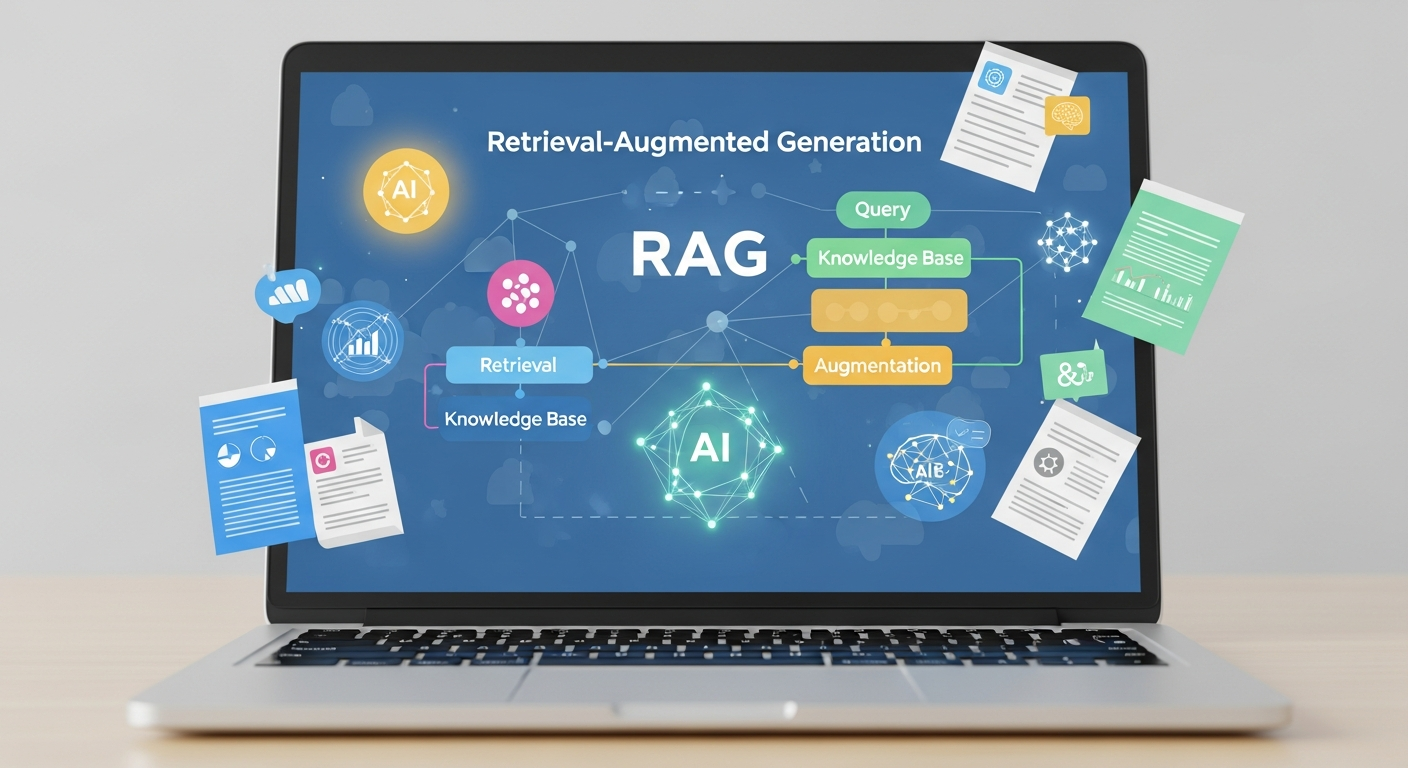
Getting started with a RAG implementation can look hard at first. But you can make the process simple by breaking it into small steps. The first thing you need to do is find your data sources. These will be the documents and other information that the AI will use to get specific information and answer questions.
After you have all your data, you will need the right tools to make your RAG pipeline. This guide will show you the key resources. It will also give you a step-by-step way to build your first basic RAG system.
Essential Tools and Resources Needed
To build a RAG system, you need some main tools and resources. The first thing you need is a knowledge base. This is just a group of documents, web pages, or data files that your AI system will learn from. The documents can be PDFs, text files, or web pages as well.
After that, you will need an AI model that makes embeddings and writes text. Many people go to OpenAI or Hugging Face for these ai models. It is also good to have a vector database to store your knowledge base and help you search their data fast. The biggest names here are Pinecone, FAISS, and ChromaDB.
Here are the essential parts you need:
A set of documents that make up your knowledge base.
An embedding model that changes text into a vector.
A large language model (LLM) that can give you good answers.
A vector database to help with your data storage and searching.
A framework like LangChain or LlamaIndex to link all these pieces.
With these tools and keywords like knowledge base, vector database, embedding model, web pages, large language model, data storage, and ai model, you can get your RAG system up and running.
Step-by-Step Guide to Building a Basic RAG System
Building a basic RAG system means you have a clear plan. The goal is to connect your data to generative ai models. You will start by getting your documents ready. At the end, the ai will give an answer based on what you give it. With this method, the retrieval model will find the right answer for a user query.
When you follow these steps, you will get a working plan that shows what RAG can do. Each step comes after the one before it, and all are linked together. This helps turn simple data into smart answers.
Here's a simple step-by-step guide:
Get your data and documents ready.
Change the data into embeddings.
Put the embeddings in a vector database.
Set up the AI retrieval steps.
Use a large language model (LLM) to give an answer by using the context it finds.
Try the system out with a user query.
Step 1: Prepare Your Data and Documents
The first thing you need to do to build a RAG system is to get your data ready. The answers from your AI will be as good as the source data you give it. So, start by collecting all your data sources. These can be documents, files, or any other data you want the AI to use.
After you gather all the data, you have to clean and process it. This step is about taking out things that do not matter, fixing errors, and making sure everything is put in order. It is a good idea to split big files or documents into smaller pieces. Doing this makes it easier for the system to find the most relevant data.
You can think about this step like you are making a good library for your AI. The more neat and useful the books are in your library, the better the AI can use them to answer questions. This helps people get the right answers, fast.
Step 2: Convert Data into Embeddings
After you get your data ready, you need to change it into something the AI can work with. To do this, you use an embedding model. This embedding model takes pieces of your text and changes them into numbers. These numbers are called numerical representations or embeddings.
You can think of embeddings as a type of way to show words and sentences on a map. When words or sentences mean the same thing, they sit closer together on this map. This helps the AI to get the meaning behind your text instead of just matching single words.
This step lets you turn all of your external knowledge into a map that you can search by meaning. So, when someone asks a question, the system can find the most relevant information by checking which parts are closest on this map.
Step 3: Store Embeddings in a Vector Database
After you turn your text into embeddings, you need a special place to keep them. This is where a vector database comes in. A vector database is not like old databases that store text or numbers in rows and columns. It is made to hold and search these complex numerical representations.
Having this kind of data storage is very important. It helps give you quick and smooth semantic search. When someone asks a question, the system turns that question into a vector. Then, it looks through the database to find the vectors that are most like the query. That means the AI can find the most relevant information in just a few moments, even if there are millions of documents.
A vector database is what makes RAG systems strong and easy to use as they grow. It gives the fast retrieval the LLM needs for the right information, whenever you need it.
Step 4: Set Up the AI Retrieval Pipeline
Now that your data is in a vector database, it's time to get the retrieval pipeline ready. This is the set of steps that happen when someone asks a question. The pipeline ties the user's question to the vector database and then sends it to the large language model.
When a user sends in a question, the first thing the retrieval model does is change that question into an embedding. Next, it searches the vector database to find text chunks with embeddings that are closest to the one from the question. These chunks hold the most useful contextual information for the user's question.
Then, this retrieved information gets packed up and is sent to the LLM. This process makes sure the LLM gets not just the user's question, but also good facts to help it give a full and correct answer.
Step 5: Use LLM to Generate Accurate Answers
The last part of the RAG process is to make the answer. The contextual information found in your vector database is combined with the user’s question to make what we call an "augmented prompt." The system then sends this new and fuller prompt to the large language model.
With the added context, the large language model is not left to guess. It has the facts and details from the retrieved information that it needs to answer questions the right way. The large language model mixes this information with what it already knows to give back an answer that is right, useful, and based on facts.
This is how RAG gives people accurate information. By using evidence to support the answer, this system builds user trust. It fixes the problems of past generative ai models and makes it a strong choice for anyone who needs trustworthy answers in their work or service.
How RAG Improves LLM Optimization and Performance
 RAG helps large language models work better. It does this by connecting the LLM to data from other sources that people can check. Because of this, you get answers that are more true. The model will not make up answers as much.
With these more reliable answers, people trust the system more. This is because the answers are not only right, but you can see where they come from. Next, we will look at how this makes the answers correct and helps build more personal AI systems.
Enhanced Factual Accuracy and Reduced Hallucinations
One of the biggest benefits of using RAG is that it helps a lot with giving correct answers. The large language model has facts from a trusted knowledge base before answering, so it does not give as much incorrect information. This fights the problem of AI hallucinations.
The model does not just use old or general training data. It uses the current information from the retrieval system instead. This makes the answers more reliable and trusted, and that matters when you want to use the system for something important.
Here's how rag systems help with this:
Evidence-Based Responses: The LLM looks at facts that it gets, which cuts down on making things up.
Source Citations: Rag systems can say where it got the information from, so people can check if it is right.
Control Over Information: You get to choose what is in the knowledge base, so the AI only uses data you picked and trust.
Real-World Applications of RAG in India
In India, RAG technology is being adopted across various sectors to build smarter and more reliable AI systems. From enhancing customer service to empowering financial analysts, RAG is making a significant impact. Businesses are using it to connect generative AI to their internal enterprise data, creating powerful tools that understand specific industry contexts.
For example, e-commerce companies are using RAG-powered chatbots to provide personalized product recommendations based on real-time inventory. In the finance sector, agentic AI systems are helping analysts quickly find information in vast research reports. The applications are diverse and growing, demonstrating RAG's versatility.
Here are some examples of RAG applications in India:
Industry | Use Case |
|---|---|
E-commerce | Personalized customer service and product support chatbots. |
Finance | AI assistants for financial analysts to query market data. |
Healthcare | Systems that help doctors find relevant information in medical records. |
Education | AI tutors that provide answers based on specific curriculum materials. |
To master these applications, consider enrolling in an ai engineering course in hyderabad.
Popular Tools and Technologies for RAG Development
To build a RAG system, you need to bring together some tools and technology. These tools help you handle your knowledge base. They also let you make new embeddings by using an ai model. Then, you put these embeddings in a vector database. It is now much easier to put these pieces together. This is because frameworks like LangChain and LlamaIndex do the hard work for you.
Picking the right tools is important if you want your RAG application to work well. Good tools make it fast and easy to grow. Next, we will talk about some popular choices for developers.
Overview of LangChain, LlamaIndex, and OpenAI Embeddings
When you build RAG systems, you can use strong frameworks and models to help make things easy. LangChain and LlamaIndex are two top open-source tools for this work. They help tie all the parts of your RAG pipeline together. The pipeline starts with loading data and goes all the way to talking with generative ai models.
To create the vector forms of your text, many people pick OpenAI embeddings. This embedding model works well because it can catch the main meaning in your text. That is why it is great for use in rag systems.
Here are some popular tools:
LangChain: This is a handy framework you can use for building apps with LLMs, including rag systems.
LlamaIndex: It is a tool that makes it easy to connect LLMs to external data.
OpenAI Embeddings: This is a well-known embedding model. You use it to turn text into good quality vectors.
Hugging Face: Here is a platform that has many open-source tools and models for NLP.
A generative ai course in hyderabad can give you hands-on time with all these tools.
Vector Databases: Pinecone, FAISS, and ChromaDB
A vector database is an important part of any RAG system. It helps keep the vector embeddings and runs fast vector search to find data. There are a few great choices you can use, and each one has something good to offer.
Pinecone is a well-liked vector database that you can use right away. It is easy to scale and works well in production. FAISS is made by Meta AI. This library gives you fast similarity search, but you will need to manage it more by yourself. If you want something open-source, ChromaDB is a good pick. It is simple to start with and lets you build quick prototypes.
Here are some top vector databases:
Pinecone: This one is managed for you, works in the cloud, and is set up for production needs.
FAISS (Facebook AI Similarity Search): This is a library with strong vector search tools and fast searching.
ChromaDB: This database is open source, easy for developers, and simple to set up.
Knowing about these vector search tools is key for anyone who wants to take a good ai developer course in hyderabad.
Conclusion
To sum up, knowing about RAG in generative ai is key for anyone who wants to grow in this fast-changing area. RAG helps fix the limits found in basic LLMs. It makes answers more right and lets you pull data in real-time. It does this by using vector databases and strong search tools. Because of this, RAG lets people who build ai make smarter applications that deal with hard questions without trouble. Going into 2026, learning RAG will matter even more because it will open up many new things you can do in ai. If you want to know more about this tool, you can get a free meeting with our experts to see how RAG can help your project.
Frequently Asked Questions
What are the main benefits of using RAG in Generative AI?
The big benefits of RAG are better factual accuracy and fewer mistakes. The retrieval model brings in facts from a trusted knowledge base. This helps the AI answer questions with more relevant responses. It makes sure the information you get is based on facts, so user trust grows.
How does RAG differ from traditional generative AI models?
Traditional generative AI models use only their training data to answer a basic query. RAG makes the AI model better by getting fresh external knowledge from chosen data sources. This helps the AI give more accurate and up-to-date answers than the typical generative ai models.
Can you give a simple example of RAG in action?
Think about what happens when you ask a chatbot about a company’s new refund policy. A RAG system will do a semantic search through the company’s files. It finds the latest refund policy and takes that retrieved information to answer your user query. This helps you get accurate information straight from the main source.
Is RAG relevant for all AI applications?
RAG is a strong tool to use with artificial intelligence, mainly when you need things to be correct and have the latest news or facts. It is very useful for specific use cases that deal with sensitive data. RAG helps keep data security strong and helps businesses follow data privacy regulations. It does this by letting you control who can get in to the knowledge base. This makes RAG a good fit for big companies.