







.png%3Falt%3Dmedia%26token%3D084133c1-47c6-458f-a972-a1640fd57cca&w=3840&q=75)
Top Data Science Tools Used by Professionals: A 2026 Guide
Key Highlights
Discover the top data science tools professionals will use in 2026, from programming languages to data visualization platforms.
Understand the role of Python as the foundational programming language for data analysis and machine learning.
Learn how tools like Tableau and Power BI transform raw data into compelling stories through data visualization.
Explore powerful frameworks like TensorFlow that are essential for deep learning and building advanced AI models.
Get a clear roadmap for beginners, outlining which tools to learn first for a successful career in data science.
Introduction
Welcome to the world of data science! This is a field that keeps changing because people come up with new ideas all the time. To do well, you need to know the best tools to use. The data science tools out there change often, so you need to keep up with what's new. If you want to get good at data analysis or machine learning, or if you want to make smart visualizations, the right tools will help you a lot.
This guide will show you the top tools that people use in this field. It will help you get a good start in your data science career and give you what you need for future success.
Top Data Science Tools Used by Professionals in 2026
 As we move into 2026, data science tools grow stronger and work together more than ever. These top tools offer both simple steps and advanced features. They help data scientists work with big data and tough artificial intelligence jobs in less time. The tools drive new ideas and help turn lots of information into big wins for companies.
There are many tools in the data science field, from programming languages that help with deep analysis to platforms that show clear insights for everyone. It is key for data scientists to master them if they want to solve real-life problems. Now, let's look at some of the main tools that will lead the industry in the next years ahead.
1. Python – The Foundation of Modern Data Science
Python is the most popular programming language for data science. There are good reasons for that. The way it looks is easy to read, so people new to coding get it quickly. There are also strong libraries that help with complex data work. Since it is free and open to everyone, there is a big and active group of people who help make new features and tools.
If you compare Python with R, you see they are different. R is good for statistical analysis. But Python can do more. Data scientists use Python to clean data, do machine learning, and also for automation. You can use Python with many other tools, so it works well for many jobs in data science.
Some libraries stand out in Python. The big ones are Pandas, NumPy, Scikit-learn, and TensorFlow. With these, you can do almost any data task you can think of. Because Python can do all these things, it stays as one of the top picks for people working in data analysis and machine learning. It is what most professionals trust for their work.
If you want to start with a good data science course in Hyderabad, Python will help you get moving in the right way.
2. Jupyter Notebook – Interactive Coding and Experimentation
Jupyter Notebook is a must-have tool for data scientists. It gives you a special, hands-on place for coding and working with new ideas. In one file, you can place live code, math equations, charts, and written notes. This makes it simple to show your thought process and share your work. If you want to learn more, a good ai developer course in hyderabad teaches you about Jupyter Notebook in detail.
The reason so many people like Jupyter Notebook for data analysis and data cleaning is its interactive design. You can write and run short pieces of code. You get to see your results right away. If you want to change your code, you fix it quickly and test again. This lets you try things fast and really get to know your data without running a long script every time.
Jupyter Notebook also fits well with interactive visualizations. You can make charts and graphs right in the notebook. Your whole data analysis story is in one place, from exploring, to cleaning, to showing your results.
3. Tableau – Advanced Data Visualization
Tableau is one of the top data visualization tools. It stands out because it can make beautiful and interactive dashboards. It lets professionals turn hard data into clear visual stories that everyone can understand. The drag-and-drop interface lets users look at data and find new ideas without the need to write any code.
Tableau helps data scientists and others connect to many data sources. It lets you build strong data visualizations fast. Its advanced features help people look deep into the data, so their business can make smart choices. Some of the key things it offers are:
You can make interactive dashboards, so users can filter and look at data in real time.
You can blend data from different sources into a single, easy-to-read view.
You are able to build business intelligence reports that can track key performance numbers.
By making it simple to build visual stories, Tableau helps business analysts and data scientists share what they find in the data. This turns your information into steps the company can take.
4. Power BI – Business Intelligence and Analytics
Microsoft Power BI is a business intelligence tool that helps people see and understand data. Users can share their ideas with others in the company. Because it’s part of the Microsoft group, it works easily with tools like Excel and Azure, so it’s a top pick for many big companies. In data science, people use it to make automatic reports and interactive dashboards. These show business numbers in a clear way.
Power BI makes analytics tasks easier. People can connect to many kinds of data sources. They can turn raw data into good data models. This helps keep data quality high and reporting on track. You can use it for descriptive analytics and also for predictive analytics. It helps everyone see how things were in the past and what could happen in the future.
Tableau and Power BI are both strong visualization tools. But Power BI works better with other Microsoft tools and is simpler for people who are not tech experts. It lets teams work with data, so everyone can use analytics and help the business grow.
5. TensorFlow – Deep Learning and AI Model Development
TensorFlow is one of the most important tools for data scientists, especially if you work with artificial intelligence and deep learning. Google made this open-source library to help people build and train neural networks. You will use TensorFlow a lot when you do model development for hard jobs like image recognition, natural language, and many other AI tasks. If you join an ai engineering course in hyderabad, you will see TensorFlow included in the lessons.
This framework works by using graphs to process a lot of data. This way is very fast and good for the big math jobs you get with deep learning. With TensorFlow, you get a lot of flexibility because you can use it on different things, like desktops, groups of servers, and even your mobile device. It can grow as needed, so you can use it to do research or to make something work in the real world.
For many data scientists, TensorFlow gives you the tools you need to make deep learning models. These models can learn from vast amounts of data. You will see it used in lots of real-life AI, like the software for self-driving cars and smart engines that tell you what to watch or buy next.
6. Pandas – Efficient Data Manipulation
Pandas is a must-have open-source library for anyone working with Python and data science. It helps people do data manipulation and data analysis with ease. The library gives you tools and data structures for working with tables of numbers and time-series data. Its main data structure is called the DataFrame. You work with labeled data in rows and columns, which is easy and powerful.
Pandas can make many boring data processing jobs easy. With it, you can quickly do important work like:
Cleaning up messy data by fixing missing values and changing data types.
Merging, joining, and reshaping data sets to get them ready for more analysis.
Because Pandas is both fast to use and simple, it has become the tool that most data scientists use first in data science projects. It saves you time by doing quick data wrangling. So you get from raw data to a clean format that works well for your next steps.
7. NumPy – Scientific Computing Essentials
NumPy stands for Numerical Python. It is a key free tool in data science. NumPy is the main package used for scientific computing in Python. The library helps you work with big data sets by supporting large arrays and matrices. There are also many built-in math functions you can use on these arrays.
The heart of NumPy is its powerful N-dimensional array object. This object lets you store and use numbers in a better way than Python's normal data structures. It is important to use something fast when working with big data sets, and NumPy gives this speed. Many other popular data science tools like Pandas and Scikit-learn use NumPy to work in the background.
For data scientists, NumPy is the starting point for all kinds of number work. If you want to do things like algebra, stats, or even signal analysis, NumPy gives the tools you need. It is a vital part of scientific computing for anyone who works in Python data science.
8. Scikit-learn – Machine Learning for Beginners and Pros
Scikit-learn is a machine learning library in Python. The library is easy to use and works well for both beginners and professionals. It has many helpful features. You can use it for different tasks, like classification, regression, clustering, and reducing the number of features in data. Because of this, it is a top choice for most common machine learning jobs. Taking a good machine learning course in hyderabad can help you get better with this tool.
One good thing about Scikit-learn is its simple API. This means you can change between models easily and try out many ideas. It is built on NumPy and SciPy, which helps it run fast and work well with other Python data science tools.
Many people use Scikit-learn for data mining and predictive modeling. The library helps with all steps, from getting data ready to checking model results. New tools come out often, but Scikit-learn is still important in data science because it is so easy to use and covers so much.
9. PyTorch – Flexible Deep Learning Research
PyTorch is a top open-source tool for building deep learning models. It was made by Facebook's AI Research team. PyTorch is well-liked in the research community. This is because it is simple to use and has greater flexibility compared to other deep learning tools like TensorFlow. PyTorch works with a dynamic computational graph that gets updated as you go, making model development clearer and more flexible.
The dynamic side of PyTorch helps you to debug and try out complex neural networks without much trouble. Researchers like PyTorch because you can change the network as you need during model development. This is very helpful, especially when doing new work in computer vision or natural language processing.
TensorFlow is known for being good when getting ready to put models into production, but PyTorch has been adding new features as well, such as TorchServe, to help with model deployment. Data scientists choose between PyTorch and TensorFlow based on what their project calls for and what they like best. PyTorch is often the top pick for quick tests and research in deep learning, neural networks, and natural language projects.
10. SQL – Structured Data Querying
SQL (Structured Query Language) is still an important skill for every data scientist. Newer tools have come up, but SQL is the main query language people use to work with and change data in relational databases. These databases hold most of the world’s structured data. So, if you want to get and use data, you need to know SQL well.
Data scientists use SQL for many data management jobs. With it, you can write queries to pull out certain pieces of data, filter out what you do not want, join tables together, and add up numbers. Most people use SQL to get data before doing any hard work or building models in Python or R. The data has to be pulled out of a database first, and that is where SQL comes in.
You also have to pick the best tool depending on where the data sits. If your data sits in a relational database like MySQL or PostgreSQL, SQL is something you cannot skip. It lets you get to the data you need. That makes SQL a key part of the data science workflow.
11. Google Colab – Cloud-Based Notebook Collaboration
Google Colab is a free Jupyter Notebook tool that works in the cloud. You do not need to set it up. Just use your browser to get started. Google gives you free access to computers, even strong ones with GPUs and TPUs. This is good for anyone doing machine learning or deep learning, since those projects need a lot of power.
A great thing about Colab is how well it handles teamwork. Your notebooks save on Google Drive. You can share them with other people who can see and edit your work at the same time. This is like how Google Docs works. It helps data science teams, students, or teachers to work together on the same project.
Google Colab is good to know about if you are into data science. It shows how tools are moving to the cloud. Now, data scientists can work without thinking about computer limits, and do not need to worry about how the computers run. This makes it easier to build models, study data, and do data science work.
Importance of Data Science Tools in Analytics Workflows
 Data science tools play a big role in today's analytics work. These tools help data scientists turn raw data into valuable insights. People use these insights to make business choices. If these tools were not there, jobs that now take a few minutes would take days. That would make it hard to get things done and stop many new ideas.
You pick the tool based on what you need to do. This could be data cleaning, showing results in a chart, or building a model. These tools give you ways to work faster by using automation and special features. They help you be right in your work, too. This makes things easier and helps you make good choices for your team.
Enhancing Automation and Productivity
One of the biggest benefits of data science tools is how much they help with automation and make people more productive. Data scientists do many tasks like data collection, cleaning, and reporting again and again. These tools can take care of those jobs for them. This lets data scientists use their time on more important things, like model development or making sense of what the data means.
For example, with workflow automation tools like Apache Airflow, people can schedule and manage complex data pipelines. Data keeps getting processed and updated on its own, without someone having to step in each time. This kind of robotic process automation is made for data work. There are other ways data science tools make life easier, like:
Giving pre-built functions for tough statistical analysis, which means data scientists do not have to write long codes for hours.
These tools take care of the repetitive jobs, so data scientists can do more with the time they have. They can work on bigger projects, test out ideas faster, and give clear answers to the team quicker. In the end, tools like this help the data scientists give more value to their companies.
Simplifying Data-Driven Decision Making
Data science tools help make data-driven choices easier for everyone. Now, more people can use data — even business leaders or managers who do not have a tech background. Visualization tools like Tableau let you see complex data in a way that is simple to understand.
These tools turn numbers into graphics you can look at. They show trends, changes, and anything that stands out. You do not have to go through a long spreadsheet. Just open a dashboard and see what is going on. You can use this to ask questions and find answers. It lets people make choices from real proof, not just a gut feeling.
This way of making things simple is good for business intelligence and risk management, too. Clear and short reports or dashboards can help your company track how things are going, spot new chances, and stay away from trouble. The right tools bring together deep data analytics and what a business needs day-to-day.
Supporting Real-World Project Implementation
The data science journey is not finished when you build a great model. It is complete when you finish the project and use it in real life. You need data science tools to move your work from an idea to something that works in the world. Tools like Git and Docker are key for this. With them, you can handle your code and put your models to use in a way that can be repeated and can handle growth.
For data science projects, some best practices are a must. Version control with Git lets your team work together and keep track of changes in the code. Docker lets you put your app and all its parts into one package. That way, it is sure to run the same no matter where you use it. So, the model that runs on your laptop will also work just the same when you put it into production.
There are other important tools too, like Kubeflow or MLflow, to help get your model live and keep an eye on it. These tools can help make sure the model keeps working well, even as time goes by. Tools like these help you the most at the last and very important step of the data science journey—model deployment.
Categories of Data Science Tools in 2026
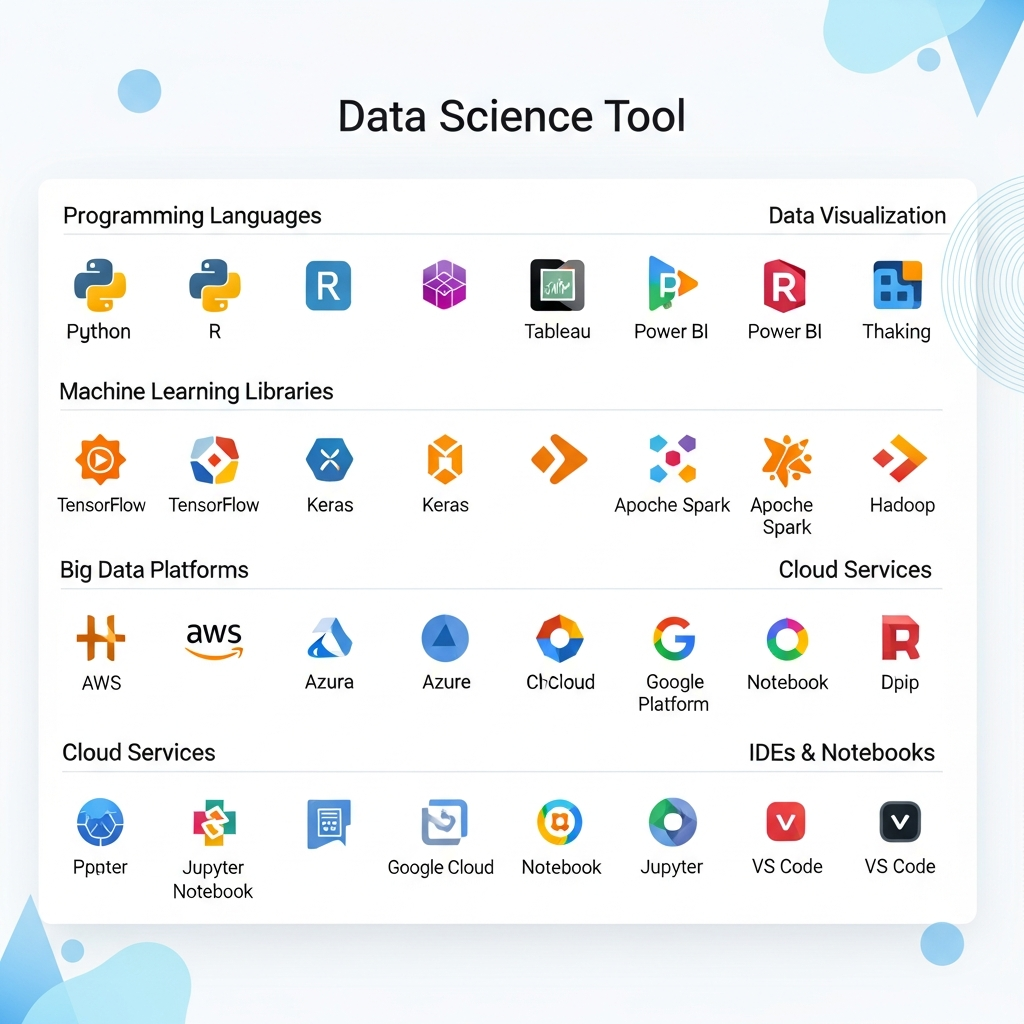
When we think about 2026, we can put data science tools into a few main groups. Each group has its own job in the world of analytics. Some tools help with basic data manipulation, and some are for deep AI work. If you want to work in data science, you need to know how these groups work. Any data scientist needs to use tools from all of these groups.
These tool groups cover the life of data, from working with raw data at first, to using big data tools, to building and using advanced models. Now, many tools have new and advanced features, and that sometimes makes it hard to see where one ends and the other begins. Still, each group has a key job that does not change. Here, we will show what these important tool groups are.
Data Analysis and Manipulation Tools
Data analysis and manipulation tools are the first things a data scientist reaches for in any project. These tools are designed to take raw data and turn it into a clean, structured format suitable for analysis. This process, often called data cleaning or data wrangling, is one of the most time-consuming but critical parts of the job.
Python libraries like Pandas and NumPy are the top choices in this category. They provide powerful and flexible ways to handle missing values, transform data types, and reshape datasets. SQL is also fundamental for extracting and filtering data directly from relational databases. Without these tools, conducting any meaningful analysis would be nearly impossible.
Here's a quick look at some key tools and their primary functions.
Tool | Primary Purpose |
|---|---|
Pandas | Data manipulation and analysis using DataFrames. |
NumPy | Numerical computing with multi-dimensional arrays. |
SQL | Querying and managing data in relational databases. |
OpenRefine | Cleaning and transforming messy data. |
Visualization Platforms for Insights
Visualization platforms help turn numbers and facts into clear pictures. When you finish looking at your data, you still need to share what you find. A good image can show a lot at one time. These tools help you make sure you present data in a way that looks nice and is simple to get.
You will find that platforms like Tableau and Power BI are made for building interactive visualizations and simple dashboards. With these, you can see your data and find patterns you might not spot in a long list of numbers. Python gives you even more options with its Matplotlib and Seaborn libraries. These let you make charts and graphs within your code in a way that works best for your needs. These services are important because they:
Help you tell a good story with your data.
Make hard information friendly for people who are not tech experts.
Show new business numbers and facts as they update right in your dashboard.
Knowing how to use data visualization well is a must for any data expert, and these tools will help you get there.
Machine Learning and AI Frameworks
Machine learning and AI frameworks play a big role in data science. They help bring out the power to make predictions from raw information. These are special libraries and platforms. People use them to build, teach, and put models in place. These models can learn from data and guess what might happen next. The main frameworks people use are TensorFlow, PyTorch, and Scikit-learn.
Scikit-learn is popular for usual machine learning tasks. It gives you all the tools you need for things like regression, classification, and clustering. When you need help with harder jobs that need deep learning, you will hear a lot about TensorFlow and PyTorch. With these, you can put together neural networks that are both deep and strong.
You will find these tools in many AI jobs today. Think about recommendation engines, finding fraud, or self-driving cars. They allow data scientists to solve hard problems with big sets of data and smart algorithms. You will learn a lot about these frameworks in a good generative ai course in hyderabad.
Notebook Environments for Experimentation
Notebook environments work like digital labs for data science. Data scientists use them to try out ideas and test things. Jupyter Notebook and Google Colab are two examples that many people like. These tools give you a place where you can write small pieces of code, run them, and see the results right away. You can also add notes to explain what you are doing.
This kind of setup fits the way data science works. It lets you test new ideas, look at your data, and fix code—all in one place. You can use both code and text, or even pictures, to help show your steps and share them with others.
But, while these notebooks are good for trying new things, you should also use a version control system like Git. This will help you keep track of your work and make it easy to repeat your tests later on. Using a version control system can turn your data science journey from a mix of ideas into good, neat projects.
Deployment and Collaboration Solutions
Building a model is just the first step. The real value comes when you put it into production. That is where deployment and teamwork tools come in. These tools help connect people in data science with those working in data engineering. They make it easy to get models out there and have everyone work well together. In this area, you will find tools for version control, putting things in containers, and managing workflows.
GitHub is the main tool most people use for code work and version control. It helps teams work together on code in an easy way. Docker has changed model deployment by letting you put your model and all the things it needs inside one container that can go anywhere. When it comes to more complex tasks, tools like Apache Airflow and Kubeflow are now very important to help manage all parts of a project.
Cloud computing is now a big part of data science. Because of this, cloud-first tools like AWS SageMaker and Google Vertex AI are important to know. They offer a full set of features for building, training, and model deployment at a large scale. With these, you get a lot of what you need to work in one place.
Conclusion
To sum up, it is important to know and use the right data science tools if you want to do well in this fast-changing field. Tools like Python, Jupyter Notebook, Tableau, and TensorFlow are not just some names you hear often. Each one helps you do different things that make your work better and help with big choices. When you get to know these tools, you open the door to good jobs that use data to solve problems. As you start to learn more about data science, keep in mind that you need to keep learning and practicing to get better. If you want to begin, you can book a free talk and get advice that fits your goals in this fast-moving field.
Frequently Asked Questions
What makes Jupyter Notebook so popular among professionals?
Jupyter Notebook is a top pick in data science. The tool gives you an interactive place to work that helps you get more done. You can run pieces of code one by one. You can also make interactive visualizations and add text right next to your code. This kind of setup makes data analysis and exploratory data analysis much easier. Because of this flexibility, a Jupyter Notebook is one of the most useful tools for people who want to try things out and work together in data science.
How do data scientists choose the right tool for their project?
Data scientists pick their tools depending on what the project needs. They look at things like how big the data sets are, because big data may need special tools. They also think about what kind of data analysis they must do, and if their team knows a certain programming language well. The main idea is to use the tool that works best and can handle the job, no matter the size.
Are there emerging data science tools professionals should watch for in 2026?
Yes, people in data science should keep an eye on new tools for machine learning and deep learning. Tools that focus on automated machine learning, or AutoML, and MLOps are becoming more popular. These open-source sites give you advanced features for big data processing and model deployment. The tools make your data processing and deployment work faster and bigger with less effort. Many now like using low-code AI platforms, too.
What tools are commonly used in data science?
Commonly used data science tools include Python, R, and SQL for programming and data manipulation. Additionally, libraries like Pandas and NumPy enhance data analysis, while visualization tools such as Tableau and Matplotlib facilitate insights. Machine learning frameworks like TensorFlow and Scikit-learn also play a crucial role in developing predictive models.